Appointment coordinators short of USB ports
If your laptop or compact workstation needs its USB ports for other equipment, a Bluetooth mouse can leave a port free, provided the computer supports Bluetooth.


If your computer supports Bluetooth and you need to keep its USB ports free, start with a Bluetooth mouse rather than one that requires a receiver. Choose rechargeable power if you can provide occasional USB charging; otherwise, a replaceable-battery Bluetooth model avoids charging downtime. Quiet clicks and extra controls matter when they fit your appointment-handling routine.
If your laptop or compact workstation needs its USB ports for other equipment, a Bluetooth mouse can leave a port free, provided the computer supports Bluetooth.
A wireless mouse does not need a permanent mains connection during use. The practical choice is whether occasional USB charging or keeping replacement batteries available is easier for your desk.
Frequent clicking and switching between calendars or messages can make quiet buttons and optional shortcuts worth considering, particularly when colleagues or clients sit nearby.
Decide how the mouse will connect and draw power before weighing up quieter clicks or extra controls.
Choose it when: Your computer supports Bluetooth, you need its USB ports free and you can charge the mouse periodically.
Allow for: Bluetooth pairing and occasional access to USB power, even though the mouse runs wirelessly during use.
Choose it when: You need to preserve a USB port but cannot rely on regular charging access.
Allow for: Keeping replacement AA batteries available and recycling used ones.
Choose it when: Bluetooth is unavailable or you prefer receiver setup and have a compatible USB port free.
Allow for: The receiver occupying that port whenever you use the mouse.
| Concern | What to check | Who this matters to |
|---|---|---|
| Keep ports and sockets available | Check that both the computer and the exact mouse support Bluetooth; a 2.4 GHz receiver needs a compatible USB port. | If other equipment already uses my laptop ports, I need a mouse that connects without a receiver or a permanent mains lead. Around 36% of consumers put available ports and sockets first. |
| Avoid power interruptions | Check the charging connector and available USB power for a rechargeable model, or the battery type for a replaceable-battery model. | When I am handling bookings, I would rather keep a spare battery than depend on a charging opportunity I might miss. Around 29% of consumers prioritise continuity of mouse power. |
| Navigate repeated tasks | Check the buttons, any required configuration-software compatibility and whether you use more than one device. | If I repeatedly move between appointment tools, I want controls I can actually assign to those actions. For around 21% of consumers, recurring navigation is the primary concern. |
| Limit click noise | Look for a quiet- or silent-click description for the exact model, without treating different brands' claims as a common noise measurement. | At a shared or client-facing desk, I want repeated clicks to be less noticeable nearby. Reduced click noise comes first for around 14% of consumers. |
A mouse that connects through a 2.4 GHz receiver still occupies a computer USB port. Bluetooth avoids the receiver only if the computer and mouse both support it.
Check the exact connection options and make sure you have a free compatible port if you plan to use a receiver.
A rechargeable mouse runs wirelessly but still needs periodic USB power. HP's listing for the 710 Rechargeable Silent Mouse states that a charger is not included.
Check the connector, supplied accessories and the power source you will use; consider replaceable-AA Bluetooth power if charging access is unreliable.
Logitech describes the MX Anywhere 3S as compatible with a Logi Bolt receiver, but the receiver is not included with that model.
Read the in-box contents for the exact variant before relying on receiver connectivity.
GOV.UK advises using appropriate recycling routes for batteries and electrical products rather than putting them in household rubbish.
Use a suitable battery collection point for removable batteries and an electrical-waste collection route for the mouse.
The MX Anywhere 3S offers a rechargeable Bluetooth route, while the M171 is a receiver-based alternative.
The HP 710 Rechargeable Silent Mouse combines Bluetooth or receiver connectivity with quiet clicks and programmable controls.
The MS7421W is a rechargeable multi-device option; the MS355 offers Bluetooth or receiver connectivity with a quiet-operation design.
The Lenovo 600 Bluetooth Silent Mouse offers a replaceable-battery route for keeping a USB receiver out of the setup.
The Puck Rechargeable Wireless Ultra-Thin Mouse offers Bluetooth alongside an included USB micro-receiver.
These mice offer Bluetooth for a computer that supports it, so you can manage appointment requests without occupying a USB port with a receiver. Check each model's power arrangement as well as its connection options.
 No image available
Consider this rechargeable option if your computer supports Bluetooth and you can provide occasional USB power without leaving a receiver in a port.
Check the charging accessories and power source you will use before ordering.
 No image available
The AA-battery arrangement may suit appointment work where charging access is unreliable; use Bluetooth with a compatible computer to keep its USB port free.
The title lists 2.4G+BT connectivity and adjustable DPI. Its silent-click description is a product claim, not a noise measurement comparable across brands.
 No image available
This vertical, AA-powered option avoids routine USB charging and can leave a computer port free when connected through Bluetooth.
The title lists six buttons and a 1600 DPI adjustable sensor. If you use macOS, check the stated operating-system version requirement for your computer.
 No image available
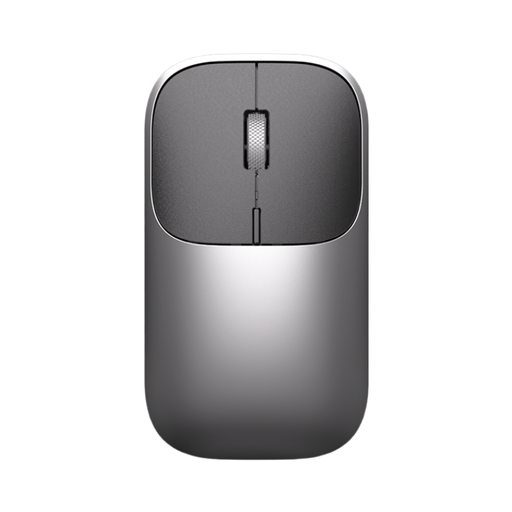
Bluetooth gives this dual-mode mouse a way to leave the receiver out of a compatible computer's USB port.
The title lists adjustable DPI. Confirm its power arrangement and compatibility with your operating system before choosing it for a socket-limited desk.
A Bluetooth mouse does not need a permanent mains connection while you use it. A rechargeable model still needs occasional USB power, whereas a replaceable-battery model needs fresh batteries instead; your computer must also support Bluetooth pairing.
A receiver needs a compatible computer USB port, so it will not leave an already-full set of ports free. It remains an option if Bluetooth is unavailable and you can make a port available.
Treat stated battery life as a manufacturer rating, not a guarantee for your workload. Logitech rates the MX Anywhere 3S for up to 70 days per full charge, while HP states up to 90 days for the HP 710; those figures are not a like-for-like measure of your own use.
Use an appropriate electrical-waste route for the mouse and a battery collection route for removable batteries rather than putting them in household rubbish. GOV.UK also describes retailer take-back for an old electrical item when buying a like-for-like replacement.