Mobile-menu checker
You use a desktop responsive preview to inspect a menu, then check its tap path, scrolling and other touch behaviour on a phone or tablet. As web.dev notes, touch interactions can differ from mouse interactions.


Choose a Bluetooth-capable mouse if you want to keep a USB port free while moving between compatible work and test devices. A model with a 2.4 GHz receiver option is worth considering when one of those devices needs a fallback connection, but using the receiver occupies a port. A mouse helps with desktop previews; as web.dev explains, mouse and touch interactions can differ, so a mobile menu also needs a touch check.
You use a desktop responsive preview to inspect a menu, then check its tap path, scrolling and other touch behaviour on a phone or tablet. As web.dev notes, touch interactions can differ from mouse interactions.
You alternate between a development computer, laptop and tablet. Bluetooth can leave a USB port free on compatible devices; if quick switching matters, check how the exact mouse moves between saved devices.
You want a mouse for intermittent navigation without another routine charging task. An AA-powered model trades charging for replacement batteries, while a rechargeable model needs periodic access to power.
Plan the touch check first, then choose a connection and power source that fit the devices and ports you actually use.
| Concern | What to check | Who this matters to |
|---|---|---|
| Touch validation | Test opening, closing and scrolling with touch input as well as a mouse. Check that menu targets are large enough to tap comfortably. | If a desktop preview looks right, I still need to know whether the menu works under a finger; around 42% of consumers put touch validation first. |
| Ports and device switching | Confirm Bluetooth compatibility on each device, how many devices the mouse can switch between, and whether a receiver is included if you need one. | When I move between a computer and a tablet, I want to preserve a free USB port and avoid repeated pairing; around 33% of consumers make connection flexibility their primary concern. |
| Charging or AA batteries | Check the power type and whether you have access to charging when needed or prefer to keep spare batteries. | With few convenient sockets, I would rather plan for spare AA batteries than add a charging task; around 25% of consumers prioritise low charging dependence. |
A desktop preview can show the layout while missing problems with taps, scrolling or touch-specific interactions. web.dev explains that mouse and touch behaviour can differ.
Follow the menu’s open, close, scroll and nested-navigation paths on a touch-capable device or with touch emulation as well as in the desktop preview.
Bluetooth can avoid occupying a USB port, but a rechargeable mouse still needs power periodically. A receiver uses a port when connected; an AA-powered mouse needs replacement batteries instead of charging.
Check free USB ports, Bluetooth availability and access to charging separately before deciding which connection and power type suits your setup.
A receiver option is useful only if you can obtain a compatible receiver for the exact model. Logitech says the MX Anywhere 3S supports a Logi Bolt receiver but does not include one.
Check the in-box contents and receiver compatibility before relying on that fallback connection.
Pointer settings do not establish whether a mobile menu responds correctly to touch, nor do they answer whether the mouse can connect to each device you use.
Secure a touch-testing method first, then compare connection modes, switching, power type and the space available for the mouse.
Compact Bluetooth and larger dual-connection models offer different approaches to moving between work devices.
Its relevant models include AA-powered Bluetooth and rechargeable dual-connection options.
The Ozaa+ is a larger, multi-device mouse for a workspace where both Bluetooth and receiver connections may be useful.
Its Bluetooth Mouse is a simpler option to consider for a Windows-focused setup.
These mice offer Bluetooth alongside another connection option for desktop menu checks. Compare their stated power arrangements with your available ports and charging access, and keep a separate touch check in the workflow.
 No image available
Consider this if you want Bluetooth for compatible devices and a 2.4G connection option for another setup.
The named variant has adjustable DPI and uses one AA battery, so keep a compatible spare available if interruptions matter.
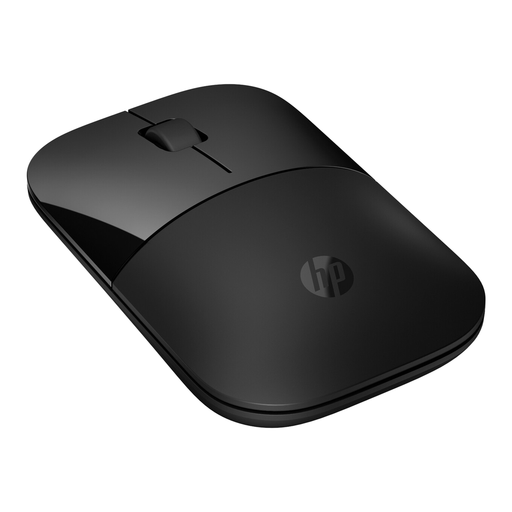 No image available
For a setup that alternates between connection options, check that each intended device supports the mode you plan to use.
If frequent cross-device changes are important, confirm the switching method and supported device count for this exact model before buying.
 No image available
Consider the vertical shape if it suits your available work surface and preferred grip; check device compatibility before relying on it across your test setup.
The named model offers Bluetooth and 2.4 GHz modes, six buttons and an adjustable 1600 DPI sensor. Confirm how it switches between devices if you change machines regularly.
 No image available
This is a rechargeable option for consumers who can periodically access a powered charging source.
Before planning around a short charging break, confirm the charging time, expected use between charges and supplied charging accessories for this model.
 No image available
Consider its connection options if your desktop setup uses different devices, but plan where the charging dock will draw power.
The named variant lists Bluetooth, 2.4G and USB-C modes. Confirm the device-switching procedure and dock power arrangement before relying on either in a compact workspace.
No. A mouse is useful for desktop previews, but web.dev explains that touch and mouse interactions can differ. Also check the menu’s opening, closing, scrolling and links with touch input on a phone or tablet, or with touch emulation.
Bluetooth can leave a USB port free when your device supports it, but the mouse still needs power. A rechargeable model needs periodic charging; an AA-powered model needs replacement batteries instead.
Check that you can open and close it, follow nested navigation and scroll without activating the wrong item. Assess whether targets are comfortably separated and sized for fingers; web.dev recommends touch targets of around 48 by 48 device-independent pixels.
A receiver is useful if an intended computer lacks usable Bluetooth or you want a fallback connection. Check that the exact mouse supports the receiver, whether it comes in the box and whether you have a free port for it.
Look for an appropriate electronics collection route and handle any batteries separately where required by that route. GOV.UK describes the UK waste electrical and electronic equipment framework as supporting recovery, reuse and recycling; check your local council or retailer for the collection options available to you.