Choose a suitcase tracker that works with the finding network on the phone you will take: Apple Find My for a compatible iPhone or iPad, Google Find Hub for a compatible Android device, or SmartThings Find for a compatible Galaxy device. A Bluetooth tag can help you find a bag nearby or show a network-reported location farther away, but remote updates depend on nearby participating devices; also check how the tag fits, how it is powered and your operating airline’s rules before flying.
Who a suitcase tracker may suit
iPhone travellers checking a hold suitcase
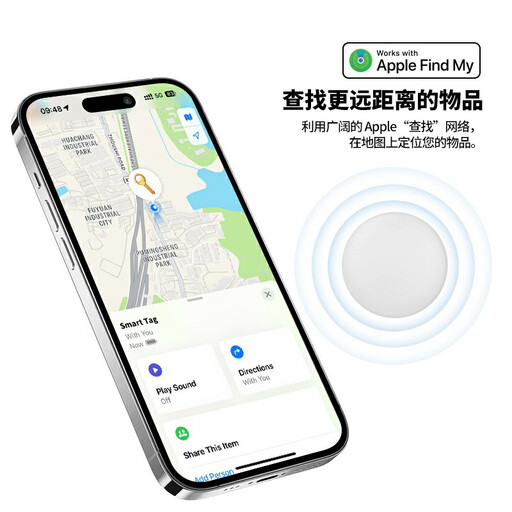
An Apple Find My-compatible tag may help when the suitcase is beyond your phone’s direct Bluetooth range. Apple says nearby devices in its Find My network can relay an AirTag’s location; an update still depends on a network device detecting it.
Android travellers choosing a finding network
Look for explicit Google Find Hub compatibility, or consider SmartThings Find if you use a compatible Galaxy device. A tag intended for one network should not be assumed to work with another.
Travellers who want a practical luggage setup
A tag needs a secure place in the suitcase and a battery routine you can manage before departure. A slim rechargeable card and a replaceable-battery tag call for different checks, while flight rules should be confirmed with the operating airline.
What to check before choosing
Start with phone and network compatibility, then decide how you will interpret a reported location and keep the tracker secured and powered during the trip.
| Concern |
What to check |
Who this matters to |
| Phone and finding network |
Check the tag’s named network, the required phone and operating system, and any requirement for features such as ultra-wideband precision finding. |
If I am taking an Android phone, an Apple-only tag will not meet my need to add the suitcase to my phone’s finding app. Around 36% of consumers put network compatibility first. |
| Location beyond Bluetooth range |
Look for a compatible finding network and treat a distant map position as a reported location, not continuous live tracking. Report a delayed bag through the airline’s process. |
When my suitcase is out of reach at an airport, I want to understand when its location was last reported rather than expect a constant signal. For roughly 29% of consumers, that remote-location reassurance is the primary need. |
| Fit and battery upkeep |
Choose a protected space that suits the tag’s shape; check its battery type, charging accessories and stated water-resistance rating. |
I need a tracker that stays in my case and has power when I need it, without a charging routine I might overlook. Secure fit and upkeep come first for around 21% of consumers. |
| Rules for the flight |
Check the operating airline’s current instructions for the exact tracker and battery, especially if you are also carrying spare batteries or using smart luggage. |
Before checking in a battery-powered bag, I want to know which instructions apply to that device and flight. Around 14% of consumers make flight-policy certainty their main concern. |
Mistakes to avoid
-
Buying the tag before checking your phone
An AirTag requires compatible Apple hardware, while Samsung specifies Galaxy devices for SmartTag2. A tag you cannot add to the phone you will carry will not serve its intended suitcase-finding role.
Check the exact model’s phone, operating-system and feature requirements before choosing its attachment or battery format.
-
Expecting a Bluetooth tag to act as independent GPS
Apple, Google and Samsung describe finding networks that rely on nearby participating devices to detect compatible tags. If none encounters the suitcase, a fresh remote location may not appear.
Keep your baggage tag and flight details, and use the airline’s delayed-baggage process if the suitcase does not arrive.
-
Applying one battery rule to every tracker and suitcase
A standalone Bluetooth tag, spare battery and battery-powered smart suitcase can raise different carriage questions. The International Air Transport Association advises travellers to check with their airline because baggage rules vary.
Before departure, ask the operating airline about your precise device, its battery and where each item may be carried; do not apply smart-luggage instructions automatically to a standalone tag.
-
Choosing a rechargeable card without planning to charge it
A thin card can fit a protected flat compartment, but a depleted tracker cannot provide a useful location when the bag is delayed.
Check the charging accessories, charge the card before travel and avoid placing it where it could bend or become soaked.
Pebblebee says the wireless charger for Card 5 is not included.
Relevant brands to consider
These brands illustrate different finding networks and tracker formats; check the requirements of the particular model rather than treating a brand name as a compatibility guarantee.
Apple
AirTag is an Apple Find My option for a traveller carrying a compatible iPhone or iPad.
- Apple says nearby Find My devices can relay an AirTag’s Bluetooth signal, and Lost Mode is available.
- It is not an Android-first route. Apple’s UK AirTag purchase listing specifies an Apple Account and an iPhone with iOS 26.0 or later, or an iPad with iPadOS 26.0 or later; confirm the requirements for the exact model offered.
Motorola
moto tag is a luggage-oriented option for an Android traveller choosing Google’s finding network.
- Motorola states that moto tag integrates with Google’s finding network and uses replaceable batteries, with a stated one-year battery life under everyday use.
- Network-dependent features may not be available in every area; it is an Android-focused choice rather than a direct iPhone route.
Samsung
Galaxy SmartTag2 uses SmartThings Find for travellers with a compatible Galaxy phone or tablet.
- Samsung specifies Galaxy devices running Android 11 or later and lists an attachment loop and an IP67 rating.
- Some functions require ultra-wideband support. Outside direct Bluetooth range, Samsung says location depends on its Galaxy Find Network, not the general Google finding network.
Pebblebee
Card 5 is a slim, rechargeable format to consider for a protected flat compartment in a suitcase.
- Pebblebee lists Card 5 as 1.74 mm thick and says it can be set up with Apple Find My or Google Find Hub.
- Pebblebee says Card 5 cannot use both networks simultaneously and that its wireless charger is not included.
Apple Find My tracker options on Joybuy
These two products suit travellers considering an Apple Find My tracker for a suitcase. Confirm the exact tracker’s compatibility with the device you will carry and how you will secure it inside the case; the options below do not cover Google Find Hub or SmartThings Find tags.
 No image available
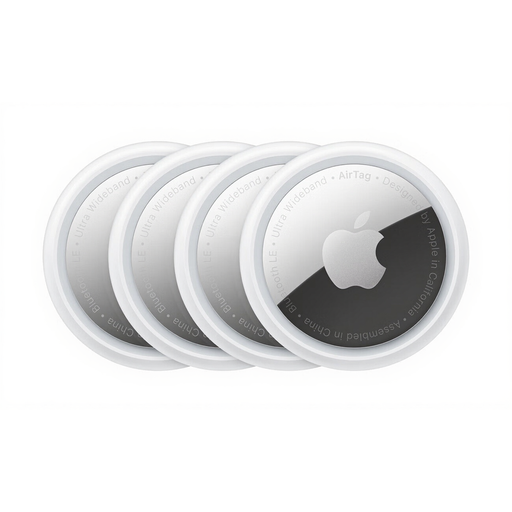
Apple AirTag 4 Pack
For a traveller using a compatible Apple device who wants AirTags for luggage and other items. The pack contains four AirTags; Apple says Find My location reports beyond direct Bluetooth range depend on nearby participating devices.
Confirm the exact AirTag model and its device requirements before ordering. Plan where each tag will sit securely in the suitcase, and check the operating airline’s current battery rules before travel.
Joybuy
 No image available
Rexsun RSH-iTag11 Apple Find My Bluetooth tracker
For a traveller considering a single Apple Find My-oriented tag with a replaceable CR2032 battery. Its product title also specifies an IP53 rating, a sound alert and Lost Mode; these features do not mean it can provide continuous live location updates.
Check compatibility with your iPhone or iPad and confirm how the tracker can be secured inside your particular suitcase. Check the operating airline’s current rules for the device and battery before flying.
Joybuy
Suitcase tracker questions
Will a Bluetooth tracker show my suitcase throughout the flight?
No Bluetooth finding network promises continuous live tracking throughout a flight. Apple, Google and Samsung describe location reporting that depends on a compatible nearby device detecting the tag, so a map may show an earlier reported position until another update arrives.
Can I put a tracker in checked luggage?
Check with the operating airline for your exact tracker and battery before putting it in checked luggage. The International Air Transport Association advises checking airline rules in advance; do not assume that guidance for a battery-powered smart suitcase applies identically to a standalone Bluetooth tag.
Can an AirTag help if my British Airways suitcase is delayed?
Yes, British Airways says you can add an Apple Find My Share Item Location link to a delayed-baggage report. Make the report through the airline’s process first; sharing a location supplements that process rather than replacing it.
Should the tracker go inside or outside the suitcase?
A secure, protected place inside the suitcase reduces the chance of the tracker being knocked off during handling. Match the space to the device: a flat compartment may suit a card such as Pebblebee Card 5, while a tag needs an internal pocket or attachment point that holds it securely.


