What should you check before choosing?
Start with phone and account compatibility: a suitable shape or advertised Bluetooth range will not make a tracker work with the wrong finding network.
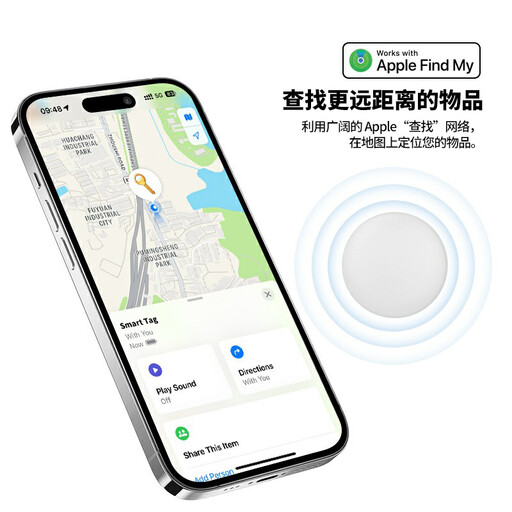
Apple Find My
Choose it when: You use an iPhone or iPad and want to find personal items through Apple Find My.
Keep in mind: AirTag setup uses an Apple Account, and its directional-finding features depend on the iPhone model.
Samsung Galaxy finding
Choose it when: You use a compatible Galaxy phone and want a SmartTag2 for keys or another item with an attachment point.
Keep in mind: Samsung says an out-of-range location may not update without nearby Galaxy Find Network devices.
Google Find Hub
Choose it when: You have a supported Android device and want a tag made for Google’s finding network.
Keep in mind: Check the exact model’s requirements; Chipolo’s ONE Point and CARD Point require Android 9 or later with Google Play Services.
| Priority |
What to check |
Your needs |
| Phone compatibility |
Check the exact finding network, phone and operating-system requirements, and account needed for setup. Chipolo Support specifies Android 9 or later and Google Play Services for its Point models. |
I want to add the tag to the phone I already use, rather than discover after purchase that it belongs to another ecosystem. |
| Finding away from home |
Check how the network reports an item beyond your own Bluetooth range and whether your settings and connectivity are enabled. Samsung Support says a SmartTag location may not update without nearby Galaxy Find Network devices. |
If a bag goes missing while I travel, a possible network location update would help; I cannot rely on a Bluetooth tag for live GPS tracking in a remote area. |
| Shape and attachment |
Check the tracker’s dimensions, the item’s available space and the attachment method. Confirm whether a holder or loop is needed. |
A card needs to fit my wallet or passport holder; for keys or luggage, I need a way to attach the tag securely. |
| Power and exposure |
Check whether the exact model has replaceable or rechargeable power, and how you maintain it. Check its stated water-resistance rating against the conditions in which you will carry it. |
I would rather choose a battery or charging routine I can keep up with, especially for something left in a travel bag. |
| Unwanted-tracker alerts |
Review the alert and safety guidance for your phone. Apple Support and Google Android Help explain how their systems notify users about unfamiliar trackers. |
I want to understand alerts on my phone and use a tracker for belongings, not to secretly monitor someone else. |
Joybuy options for Apple Find My users
These two tracker listings are aimed at people considering Apple Find My for keys, wallets or bags. Check the exact device requirements and how you will attach the tracker to your item.
 No image available
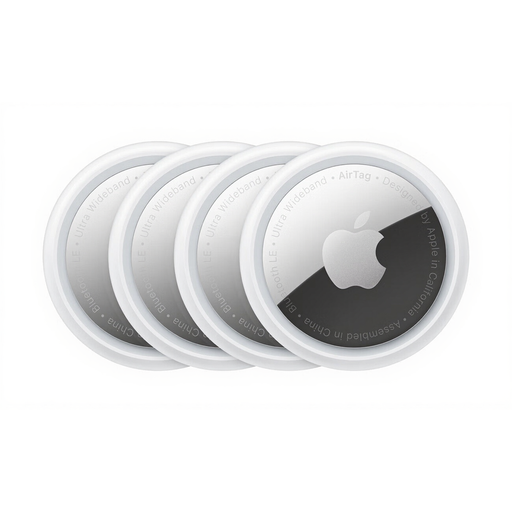
Apple AirTag 4 Pack
A four-pack for an Apple Find My user who wants tags for several belongings. The listing describes a speaker, Lost Mode, replaceable CR2032 batteries and IP67 protection. Check the AirTag generation, compatibility with your device and whether each item needs a separate attachment. Keep button-cell batteries away from children and pets as instructed.
View on Joybuy
 No image available
Rexsun RSH-iTag11 Apple Find My tracker
A single tracker whose listing claims Apple Find My compatibility for belongings such as keys and bags. It lists a replaceable CR2032 battery, sound alerts, Lost Mode and an IP53 rating; the listing warns against submerging it. Confirm your iPhone’s compatibility and the attachment method before choosing it. Keep its button battery out of reach of small children.
View on Joybuy
Common questions
Will a Bluetooth tracker show a live location anywhere in the UK?
No. Apple Find My and Samsung’s Galaxy finding route can help report an item’s location beyond your phone’s Bluetooth range through participating devices, but an update depends on those devices being nearby. A Bluetooth tag is not a substitute for live GPS tracking in a remote area.
Should I buy an AirTag for an Android phone?
Not as your Android finding solution. Apple Support documents AirTag setup through Find My and an Apple Account. For an Android phone, check a Google Find Hub-compatible model and its specific device and service requirements instead.
Is a card tracker or an attached tag more suitable for travel?
Choose by where it will go: a slim card is intended for a wallet or passport holder, while a clip or key-ring format can attach to a bag or luggage. Check the exact dimensions, attachment hardware and power routine before travelling.
Can I use a tracker to secretly monitor someone?
Do not use a belongings tracker to secretly follow another person. Google’s Find Hub policy warns that tracking or stalking someone without consent may be a crime. Keep its use to your belongings or situations where you have appropriate authority and consent.
What if my phone warns me about an unknown tracker?
Take the alert seriously and follow your phone’s safety steps. Google Android Help explains how to identify and find an unfamiliar tracker; Apple Support provides guidance for alerts involving AirTag and compatible devices. If you believe you are at risk, contact the police.


