What matters when choosing?
Start with the phone that will set up the tracker, then consider where the item usually goes missing and how securely the tracker will stay with it.
| Priority | What to check | Your needs |
|---|
| Phone compatibility |
Check the exact model’s support for Apple Find My, Google Find Hub or Samsung’s finding network. Confirm the required phone, account, services and settings; Chipolo specifies Android 9+ with Google Play Services for its POP, LOOP and CARD models. |
I want to add the tracker to the phone I already use, rather than discover after purchase that it belongs to a different finding network. |
| Finding nearby |
Check for an audible ring and any phone requirements for directional finding. Apple says AirTag Precision Finding needs a supported iPhone; obstacles can affect a nearby search. |
My keys tend to go missing at home or in a bag, so help finding them close by matters more to me than a distant map update. |
| Finding farther away |
Check which crowd-assisted network the tag uses. Apple, Google and Samsung describe out-of-range finding through participating devices; none of those descriptions guarantees when another device will encounter your tag. |
If my luggage is separated from me, I would find a reported location useful, but I cannot rely on it appearing promptly in a sparsely populated place. |
| Shape and attachment |
Check whether a tag has a loop, needs a separate holder or fits inside the item. Chipolo offers a loop-style tracker and a card-shaped tracker; check the exact model’s charging arrangement too. |
A tracker on my keys or bag needs to stay attached; for a wallet or slim pouch, I would rather check whether a card shape fits. |
| Safety features |
Keep unwanted-tracker alerts and the tag’s speaker or other safety features intact. Check your phone’s guidance if it reports an unfamiliar tracker moving with you. |
I am choosing a tracker for belongings I own or am authorised to track, not to monitor another person. |
Brand and network references
A brand name alone does not establish compatibility: check the finding network and requirements of the particular model.
Apple
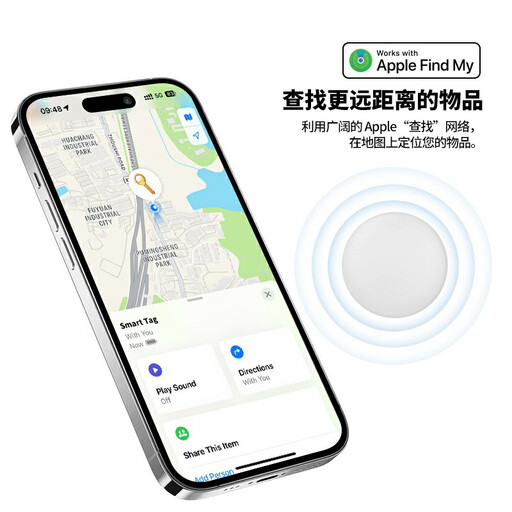
AirTag uses Apple Find My for personal items such as keys and backpacks.
- Apple documents nearby sound-finding and Precision Finding on supported iPhones.
- According to Apple, an AirTag’s out-of-range location depends on nearby Find My devices detecting its Bluetooth signal.
Samsung
Galaxy SmartTag2 is a Samsung finding-network option for buyers with compatible devices.
- Samsung lists nearby search features and an IP67 resistance rating for SmartTag2.
- Samsung says out-of-range finding requires help from devices in its Galaxy Find network; confirm compatibility with your own phone.
Chipolo
Chipolo offers different shapes, including the LOOP tag and CARD wallet tracker.
- Chipolo lists Apple Find My or Google Find Hub compatibility for LOOP and CARD, depending on setup.
- Check the chosen model’s network, phone requirements and charging method; compatibility stated for these models does not establish it for every Chipolo tracker.
Pebblebee
Pebblebee offers tracker lines with different platform support, including Universal models.
- Pebblebee says its Universal models can be paired with Apple Find My or Google Find Hub.
- Pebblebee says a Universal model cannot use both networks simultaneously; switching requires a factory reset and pairing again.
Joybuy tracker options
These two options are for people considering an Apple Find My tracker for everyday belongings. Compare their exact setup requirements and how each would attach to your keys or bag.
 No image available
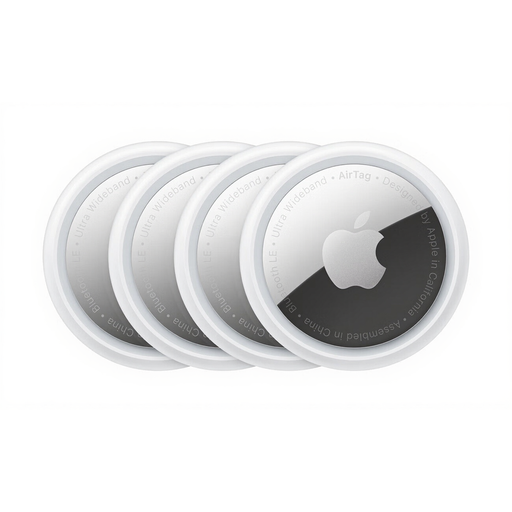
Apple AirTag 4 Pack
A four-tag pack for people who want to track several belongings through Apple Find My. Check the exact AirTag generation and its iPhone setup requirements, as well as whether you need separate holders to attach the tags. Distant location updates depend on nearby Find My devices.
View on Joybuy
 No image available
Rexsun RSH-iTag11 Apple Find My tracker
A Bluetooth tracker listed for Apple Find My, with a sound alert, replaceable CR2032 battery and IP53 rating in its product name. Confirm the required Apple device and software before buying; do not treat the IP53 rating as suitability for immersion. Distant location updates depend on nearby Find My devices.
View on Joybuy
Common questions
Can a Bluetooth tracker help find keys inside my home?
Yes, if the tracker is within usable Bluetooth range and its nearby-finding function is set up. Apple documents sound-finding for AirTag and Precision Finding on supported iPhones; Samsung documents a ring function for its SmartTag. Walls and other obstacles can affect a nearby search.
Is a Bluetooth luggage tracker the same as a GPS tracker?
No. Apple says nearby Find My devices can detect an AirTag’s Bluetooth signal, while Google describes Find Hub as a crowdsourced device network. An out-of-range location update therefore depends on a participating device encountering the tag, rather than the tag independently sending its position over a mobile connection.
Can a Universal tracker use Apple Find My and Google Find Hub together?
Pebblebee says its Universal models use one of those networks at a time, not both simultaneously. Switching networks requires a factory reset and pairing again; check the instructions for the exact model you plan to buy.
What should I check before putting a tracker in checked luggage?
Check your airline’s baggage rules for the exact tracker and battery type before travelling. The UK Civil Aviation Authority advises passengers to check airline rules and says spare batteries and power banks must travel in the cabin; that advice does not, by itself, establish a blanket rule for every tracker.
What should I do about unwanted-tracker alerts?
Follow your phone’s instructions to identify an unfamiliar tracker that appears to be moving with you. Use your own tracker only for belongings you own or are authorised to track, and do not remove its speaker or other safety features.


