iPhone users who misplace keys or bags
If you want an item to appear in Apple Find My, check the exact tag and software requirements before buying. Apple Support says Find My can show an AirTag on a map and play a sound when you are nearby.


Choose the tracking network that works with your phone before choosing a tag: Apple Find My, Samsung SmartThings Find, Google Find Hub and cross-platform tracker apps are different routes. A Bluetooth tracker can help you find a nearby item or show a location reported through a compatible device, but it cannot independently provide continuous GPS tracking; updates for luggage or a lost bag may be delayed or absent.
If you want an item to appear in Apple Find My, check the exact tag and software requirements before buying. Apple Support says Find My can show an AirTag on a map and play a sound when you are nearby.
Choose between a tag made for Google Find Hub and, if you use the Galaxy route, Samsung SmartThings Find. Check which app and network the particular model uses: finding a tag nearby and receiving a later network location update are different functions.
Choose a tag that can be attached securely or kept inside the bag, and treat a map location as an aid rather than a live position. Before travelling, check the airline’s battery rules for your tracker and itinerary.
Choose it when: You use an Apple device and want the tagged item in the Find My app.
Trade-off: An AirTag is not a general Android tracking route; a distant location depends on a Find My network detection.
Choose it when: You use a Galaxy device and want a Galaxy SmartTag2 in SmartThings Find.
Trade-off: Beyond a direct Bluetooth connection, finding the tag depends on detection through the Galaxy Find Network.
Choose it when: You use Android and want a tag explicitly compatible with Google’s Find Hub network.
Trade-off: A remote update requires a participating compatible device to detect the tag; it is not continuous GPS tracking.
Choose it when: You may use either iPhone or Android and chiefly want to find items misplaced nearby. Chipolo says its regular app-based trackers work with both.
Trade-off: App compatibility does not mean a tag participates in both Apple’s and Google’s finding networks at once.
| Priority | What to check | Your needs |
|---|---|---|
| Phone compatibility | Check the exact model’s app, finding network, phone and operating-system requirements. For AirTag setup, Apple Support specifies iOS or iPadOS 14.5 or later; AirTag (2nd generation) requires 26.2.1 or later. | I want to set up the tag on the phone I actually use, rather than discover that its finding app belongs to another ecosystem. |
| Nearby finding | Check for a sound option and any close-range guidance available with your phone. A stated Bluetooth range is a conditional reference point, not a promise through walls or packed bags. | My keys may be under a sofa, or my bag may be somewhere in the house; I need a practical way to narrow down the search when I am close. |
| Finding luggage | Check how the chosen network reports a location after a compatible device detects the tag. Consider attachment, battery condition and the airline’s current battery rules. | If my luggage is out of Bluetooth range, a reported location could help me follow it up, but I cannot rely on a live position during the journey. |
| Responsible use | Use tags for your own belongings, not to follow someone covertly. Know how your phone presents an unknown-tracker alert and where to find the manufacturer’s disabling instructions. | I want to keep track of my possessions without using a tag to monitor another person. |
AirTag, Galaxy SmartTag2, Google Find Hub tags and regular app-based trackers do not all use the same finding app or network.
Start with the owner’s phone, then check the exact model’s app, operating-system and setup requirements.
A Bluetooth tracker’s remote location depends on a compatible network detection or earlier connection. A displayed point may be approximate or no longer current.
Use nearby sound or search features when you can get close. For luggage, use a reported location to help with enquiries, not as proof of where the bag is now.
Samsung describes a maximum Bluetooth Low Energy connection range of 120 metres for its SmartTags, while Chipolo states approximately 60 metres for Chipolo ONE. Neither figure promises the same reach through walls or enclosed luggage.
Check the range conditions for the exact model and try its sound and nearby search functions where you expect to use it.
A tag intended for belongings can also be misused to follow a person. Google’s Find Hub policy prohibits tracking people or property that does not belong to you.
Track your own possessions. If you receive an unknown-tracker alert, follow the phone’s guidance to locate the tag and seek help if you feel unsafe.
These brand references describe finding routes, not the availability of particular models in the Joybuy options below.
AirTag uses Apple Find My for personal items such as keys and bags.
Galaxy SmartTag2 follows the Samsung SmartThings Find route for Galaxy users.
Chipolo offers regular app-based trackers for iPhone and Android alongside trackers made for a particular finding network.
This Apple Find My-compatible tracker option is relevant if you want to tag keys, a bag or luggage and use an Apple-device finding route. Check its exact device and setup requirements before choosing it.
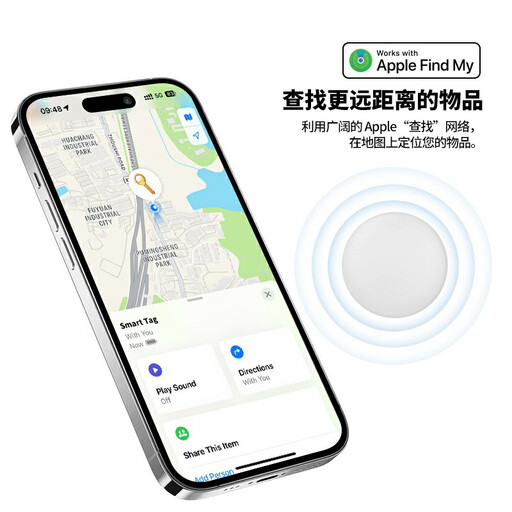 Image unavailable
For tagging personal items on an Apple Find My route, the listing describes a sound alert, Lost Mode and left-behind notifications. Its stated features include a replaceable CR2032 battery and IP53 water resistance; do not submerge it. Confirm compatibility with your Apple device and software before buying, and keep the button battery away from infants and small children.
No. The Apple, Google, Samsung and Chipolo finding routes described here use Bluetooth for nearby detection or for location updates through participating devices. A map point can help you look for an item, but it is not continuous, independently reported GPS tracking or proof of the item’s current position.
Nearby finding depends on a usable Bluetooth connection; remote updates depend on a compatible participating device detecting the tag. Walls, enclosed luggage areas and places with few participating devices can make updates less predictable. When you are close, try the tag’s sound or nearby search feature.
Some can, but check the exact product and app. Chipolo says its regular app-based trackers work with both iPhone and Android; that does not mean a tracker also uses the Apple Find My and Google Find Hub networks simultaneously. AirTag follows Apple Find My, while Galaxy SmartTag2 follows Samsung’s Galaxy route.
Check the airline’s current battery and dangerous-goods rules for your exact tracker and itinerary before packing it. GOV.UK advises travellers to check restrictions on certain batteries or contact their airline when unsure; that guidance does not establish one rule for every tracker and journey.
Follow your phone’s unknown-tracker alert guidance to help locate the tag and find instructions for disabling it. Google Android Help provides unknown-tracker alerts and guidance; seek help if you feel unsafe. Trackers in this guide are for your own belongings, not for covertly following people.