Choose the finding network that works with your phone before choosing a tag: Apple Find My suits compatible Apple devices, Google Find Hub requires a compatible Android setup, and Galaxy SmartTag2 requires a compatible Galaxy device. For luggage, keys or a wallet, check the tracker’s shape and battery arrangement too; finding an item away from you depends on nearby participating devices, not continuous GPS from the tag.
Who needs which tracker?
Apple-device users carrying keys or luggage
If you use a compatible iPhone or Apple Watch, an Apple Find My tracker offers a way to locate personal items through that network. Check the exact hardware requirements if nearby directional finding matters to you.
Android users comparing Google and Galaxy routes
Check whether a tag uses Google Find Hub or Samsung’s Galaxy finding route. Galaxy SmartTag2 requires a compatible Galaxy device running Android 11 or later, according to Samsung; it is not a general Android option.
Wallet and travel-bag owners
A tracker also has to fit what you carry. Compare card and tag shapes, attachment points, battery maintenance and the conditions of any stated water-resistance rating before choosing one for a wallet or bag.
What should you check before buying?
Start with phone compatibility, then consider how the item could be found and whether the tracker is practical to carry.
| Priority |
What to check |
Your needs |
| Phone compatibility |
Confirm the exact model’s finding app, required phone and operating system, account, and setup settings. Samsung specifies Android 11 or later on compatible Galaxy devices for SmartTag2; some features require UWB. |
I want to add the tag to the phone I already use, rather than discover after purchase that it needs a different finding network. |
| Finding method |
Distinguish nearby ringing from a location reported through a participating-device network. Check when a map location was last updated; Apple says Find My item locations update when the item connects to its network. |
For a misplaced keyring, I may need nearby finding. If a bag is lost away from me, I need to know that a reported location may not be live. |
| Safety features |
Keep the tracker’s speaker and other safety features intact. Check unwanted-tracker alerts on the phones of people who may carry a tagged item; Apple and Google describe alerts on supported devices. |
Someone borrowing my bag should know it contains a tracker and may receive an unknown-tracker alert. |
| Fit and travel |
Check thickness or attachment method, battery type and maintenance, and any stated water-resistance conditions. Before flying, check the airline’s rules and manufacturer instructions for the tracker and its batteries, as the UK Civil Aviation Authority advises. |
A wallet needs a different shape from a bag loop. For luggage, I also want to know how to pack any spare batteries for my journey. |
What can go wrong?
-
Choosing a familiar tag without checking your phone
A tag that fits your keys may still use a finding app your phone cannot set up.
Check the exact model’s phone, operating-system and account requirements before buying, including settings needed for its finding features.
-
Reading a map pin as live GPS
Finding an item away from you can depend on another participating device detecting it. Tile states that its trackers do not provide GPS or real-time location monitoring.
Look at the reported location and its update time. If you need a device that reports its own location continuously, assess a different product category and its connectivity requirements.
-
Overlooking shape and battery upkeep
A keyring-style tag may be awkward in a wallet, while a tracker with a replaceable or rechargeable battery needs a suitable maintenance routine.
Check dimensions, attachment options, battery type and what is included. Read the conditions behind any water-resistance rating.
Depending on the model, upkeep may involve replacement batteries or access to a compatible charger.
-
Tampering with safety features or tracking others
Unknown-tracker alerts help people notice a tag moving with them. Google’s Find Hub policy prohibits tracking people or property that does not belong to the user.
Use a tag for your own belongings, leave its safety features intact and tell someone who will legitimately borrow a tagged item.
Tracker brands and finding networks
These brands use different finding routes; a brand’s inclusion here does not mean every model works with every phone.
Apple
AirTag is an Apple Find My option for tracking personal items such as keys and bags with compatible Apple devices.
- Apple says AirTag broadcasts a Bluetooth signal that nearby Find My devices can detect.
- A location update away from you depends on a Find My network connection; the tag is not a standalone GPS locator.
Samsung
Galaxy SmartTag2 is a route for compatible Galaxy phone and tablet users.
- Samsung specifies compatibility with Galaxy devices running Android 11 or later.
- Some features require UWB, and out-of-range finding uses Samsung’s Galaxy finding route rather than a general Android network.
Chipolo
Chipolo offers trackers with model-specific finding-network compatibility, including a CARD model.
- Chipolo states that CARD works with Apple Find My or Google Find Hub on Android.
- Check the exact Chipolo model and intended network during setup; compatibility stated for CARD should not be assumed for every Chipolo tracker.
Pebblebee
Pebblebee Tag Universal is a tag-format option listed by Google Store UK.
- Google Store UK lists Tag Universal as compatible with Apple Find My and Google Find Hub.
- Confirm the phone, app and setup requirements for the network you intend to use.
Tile
Tile uses its own app-based finding route for misplaced items.
- Its app-based route is worth checking if nearby finding is your main need.
- Tile states that its trackers have no GPS or real-time location monitoring.
Joybuy tracker options
These two options are for belongings you want to find through Apple Find My. Check your Apple device and account requirements before choosing either one; this selection does not cover the Google Find Hub, Galaxy or Tile routes.
 No image available
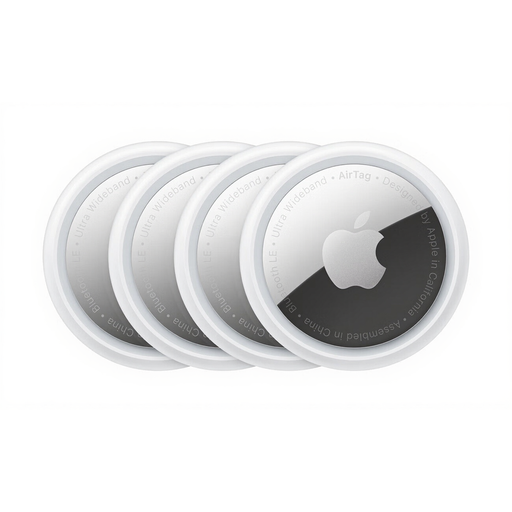
Apple AirTag 4 Pack
The four-pack is an option if you want separate AirTags for several personal items, such as keys and bags. AirTag uses Apple Find My; check the supported device, software and account requirements for the finding features you intend to use. A location away from you depends on detection by nearby Find My devices.
View on Joybuy
 No image available
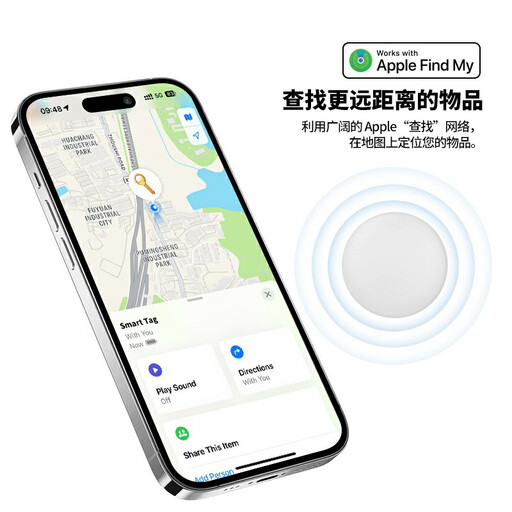
Rexsun RSH-iTag11 Find My tracker
This Apple Find My tracker is an option for a personal item where a tag-style device will fit. Its product name specifies a replaceable CR2032 battery, IP53 water resistance, a sound alert, Lost Mode and left-behind notifications. Confirm the Apple device and software requirements for the features you want, and check how you will attach it to your item.
View on Joybuy
Frequently asked questions
Can a Bluetooth tracker show my luggage’s live location anywhere?
No. Finding luggage away from you depends on the tracker’s finding method and nearby participating devices; a map pin may show an earlier detection. Apple says AirTag locations update when the item connects to Find My, while Tile says its trackers do not provide GPS or real-time location monitoring. Check the location’s update time rather than treating it as proof the bag is still there.
Which tracker works with my phone?
Choose by the exact tracker model and its finding network. Apple Find My trackers need a compatible Apple setup; Google Find Hub trackers need the Android setup specified for that model; and Samsung says Galaxy SmartTag2 needs a compatible Galaxy device running Android 11 or later. Check account and software requirements before purchase.
What if someone else carries my tagged bag?
Tell them the bag contains a tracker: a supported phone may issue an unknown-tracker alert while the tag moves with them. Apple and Google describe unwanted-tracker alerts. Leave the tracker’s speaker and other safety features intact, and use it to find your own belongings rather than to track another person.
Can I put a tracker in checked luggage?
Check your airline’s current instructions for the exact tracker and battery before you travel. The UK Civil Aviation Authority advises passengers to follow airline rules and manufacturer instructions for lithium batteries; check its guidance and your airline’s rules on carrying any spare batteries too. Do not assume one rule covers every tracker or itinerary.
Can I use a tracker on property that belongs to someone else?
This guide concerns your own belongings, not tracking another person or their property. Google’s Find Hub policy prohibits tracking people or property that does not belong to you. Do not use a personal-item tracker for covert tracking.


