Computer-first acoustic listeners
If your work computer is your main music source, an active pair with a suitable direct input lets you avoid selecting a separate amplifier. Confirm that the stated input works with your computer’s audio output.


Choose powered speakers if you want computer audio without a separate amplifier; consider a streaming-focused active pair if you will also use network playback or multiroom features. Passive bookshelf speakers make more sense when you are prepared to choose compatible amplification and cabling. For acoustic folk at a desk, check the connection to your computer and the space available for stereo placement rather than choosing by wattage alone.
If your work computer is your main music source, an active pair with a suitable direct input lets you avoid selecting a separate amplifier. Confirm that the stated input works with your computer’s audio output.
If you listen from one chair, you need room to place both speakers at similar distances from that position. Speaker depth and clearance from the wall matter when desk space is tight.
If you want another source or a future subwoofer, check the exact model’s connections. If you prefer passive speakers, plan the amplifier, source connection and speaker cable as parts of the same system.
Start with your computer’s audio output and the space on your desk. Then decide whether other sources, streaming or a separate-component system matter enough to shape the choice.
| Concern | What to check | Who this matters to |
|---|---|---|
| Computer connection | Match your computer’s audio output to a stated speaker input; confirm the supported USB audio connection if you intend to use USB. | I want to play music from my work computer without planning another connection device or amplifier. Around 36% of consumers would put that direct connection first. |
| Desk fit and stereo placement | Measure usable width, speaker depth and wall clearance; leave space to adjust both speakers around your listening position. | With limited desk space, I want vocals and guitar to sit between the speakers rather than having one speaker crowded beside my chair. Roughly 29% of consumers would make placement their primary concern. |
| Other playback sources | List the phone, TV or other sources you intend to connect, then check the exact inputs or supported streaming services. | I use my computer for work, but I also want to play music from other devices without changing the system. Around 21% of consumers would prioritise that flexibility. |
| System expansion | For an active pair, check for a subwoofer output. For passive speakers, plan compatible amplification and a source connection. | I would rather plan for a later subwoofer or choose my own components than keep the system fixed as it is. Approximately 14% of consumers would put expansion first. |
KEF lists USB Type-C for the LSX II and Q Acoustics specifies USB computer audio for the M20. Edifier lists Bluetooth, optical, coaxial and analogue inputs for the R1280DBs; those connections do not establish a direct USB audio path.
Identify your computer’s audio output and match it to an input and audio mode confirmed for the exact speaker model.
An incompatible connection path may mean using an adapter, an external audio device or a different output from your computer.
A power rating cannot tell you how a pair will fit around your usual desk position. KEF’s placement guidance uses similar distances from each speaker to the listener as a starting point and recommends experimenting with wall distance and toe-in.
Measure the desk before ordering, then adjust placement while listening from your normal chair; follow the model’s own placement guidance where it differs.
Unlike a powered pair, passive speakers need compatible amplification. Q Acoustics presents its 3010c as a passive bookshelf model and lists speaker cables and stands separately among related accessories.
Plan the path from computer to amplifier to speakers, including inputs, speaker cable, volume control and desk space, before choosing a passive pair.
Separate electronics and cabling also need space on or around the desk.
GOV.UK says retailers and distributors of household electrical equipment must provide customers with a way to dispose of old household electrical and electronic equipment.
If you are replacing speakers in the UK, check the retailer’s take-back or recycling instructions before ordering.
The LSX II represents a compact active route for a desk that may also serve network streaming or a TV.
Its M20 powered pair and 3010c passive bookshelf pair illustrate different ways to build a home-office system.
The R1280DBs is an active bookshelf option for listeners whose sources match its stated wired or wireless inputs.
These choices cover a powered desktop pair for a computer-centred setup and two passive bookshelf pairs for listeners planning separate amplification. Check connections and physical fit for your own desk before choosing.
 No image available
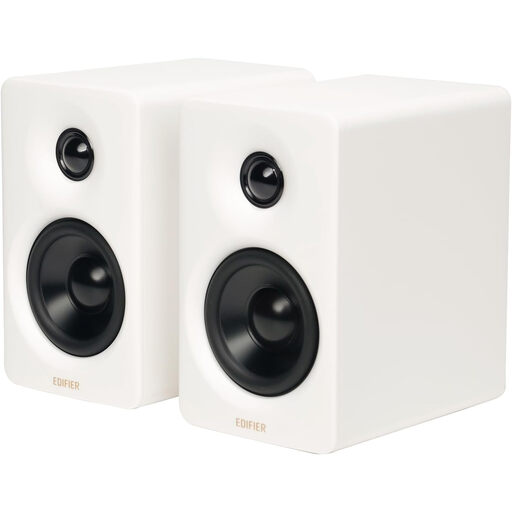
Consider this powered desktop pair if you want to connect a computer without choosing a separate amplifier.
The product name specifies Bluetooth 5.3, USB-C and AUX inputs, 66W RMS, a 3-inch mid-bass driver and a 1-inch tweeter. Confirm that its USB-C audio mode works with your computer before relying on that connection.
 No image available
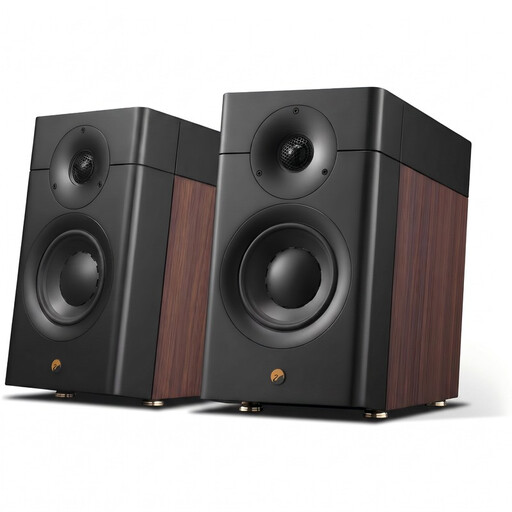
Consider this pair if you are prepared to build a separate-component system and can accommodate the speakers on your desk.
The product name specifies a 6.5-inch mid-bass driver, a 28 mm soft-dome tweeter, a rear bass-reflex port, an 8-ohm rating and a stated 10–120 W range. Check compatible amplification and the clearance needed behind the speakers.
 No image available
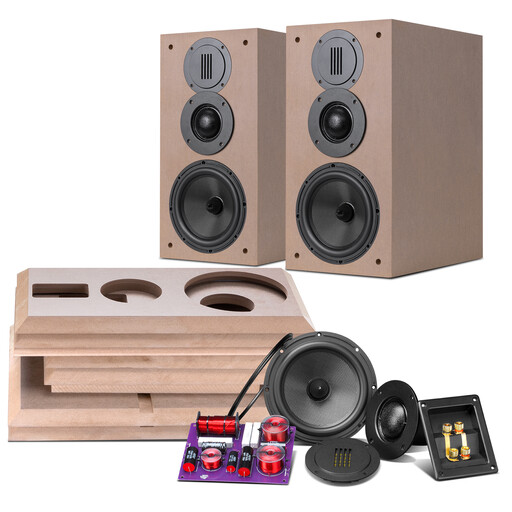
This passive pair is relevant if you intend to select separate amplification for your home-office system.
The product name specifies 6.5-inch speakers sold as one pair. Confirm amplifier compatibility, the accessories needed to complete the system and the space available on your desk.
They can be if you want built-in amplification, but the input still has to match your computer. KEF UK lists USB Type-C for the LSX II, Q Acoustics specifies USB computer audio for the M20, and Edifier UK lists Bluetooth, optical, coaxial and analogue inputs for the R1280DBs.
Start with each speaker at a similar distance from your normal seated position, then adjust their angle and distance from the wall. KEF’s placement guidance suggests an equilateral triangle as a starting point; use the speaker model’s own instructions when deciding on clearance.
You can plan for one if the exact system has a suitable connection. KEF UK lists a subwoofer output for the LSX II, Q Acoustics for the M20 and Edifier UK for the R1280DBs; check the relevant model manual for connection and setup requirements before buying a subwoofer.
Check the retailer’s published take-back or recycling arrangements when you replace household electrical speakers. GOV.UK states that retailers and distributors must provide customers with a way to dispose of old household electrical and electronic equipment.