Laptop-first desk listeners
If your computer plays most of your music, a compact powered stereo pair with a direct computer connection may suit your desk without a separate amplifier. Check that USB-C carries audio on the exact model.


For a desk-based home office, start with powered speakers that fit beside your monitor and connect to the device you use most. Choose a network-streaming system if playback across services or rooms matters more; look for a subwoofer output if you may want more low-frequency weight later. Passive bookshelf speakers make more sense if you already have a suitable amplifier or want to choose one separately.
If your computer plays most of your music, a compact powered stereo pair with a direct computer connection may suit your desk without a separate amplifier. Check that USB-C carries audio on the exact model.
If you want to start with a compact pair but might add a subwoofer, check for a dedicated output on the exact speakers. Cabinet size and stated power alone cannot tell you whether their bass balance will meet your preference.
If you move between a laptop, phone and streaming services, check the supported inputs and network features. A streaming-focused system may be worth its additional setup requirements when you also want playback beyond the office.
Choose when: The pair needs to sit near your monitor and connect directly to your computer without a separate amplifier.
Trade-off: If adding a subwoofer matters to you, check for an output rather than assuming every compact pair has one.
Choose when: Network playback or music in more than one room is part of your plan.
Trade-off: Check service compatibility and allow for the app, network or hub setup required by the exact system.
Choose when: You already own a suitable amplifier or want to select and change that component separately.
Trade-off: The amplifier needs space, compatible connections and speaker cabling.
| Concern | What to check | Who this matters to |
|---|---|---|
| Desk fit and computer audio | Measure the space beside your monitor and confirm that any USB-C port accepts audio, rather than charging only. | If my laptop is the main music source, I need speakers that fit my desk and connect without extra equipment. Around 42% of consumers would put desk fit and direct computer audio first. |
| Bass upgrade path | Check the exact variant for a subwoofer output and consider where a separate subwoofer could go. | For dance playlists, I may want more low-frequency weight later without replacing the stereo pair. Roughly 33% of consumers would prioritise that upgrade path. |
| Streaming and source switching | Confirm support for your services and devices, including any Wi-Fi or hub requirements. | When I switch between my phone, computer and streaming services, I want those sources to work with the same system. About 25% of consumers would make source flexibility their primary concern. |
Wireless playback does not remove the need to plan power connections, and some systems also need a cable between speakers or a network hub.
Trace the connection from your laptop or phone to the speakers, then check the exact pair's power and interspeaker-cable arrangements.
Extra sockets, cable management or hub setup may take more room and time than expected.
An output provides a possible connection for a separate subwoofer; it does not mean one comes with the speakers.
If a later bass upgrade matters, check the output on the exact variant and decide where the additional unit could go.
A separate subwoofer also needs space, power and a suitable connection.
A manufacturer's overseas product page does not establish the plug, documentation or support arrangements for a UK listing.
Check the seller's exact package for plug and voltage suitability, product documentation and warranty terms before ordering.
Powered speakers need placement that follows their model-specific instructions. Edifier's R1280DBs manual recommends at least 5 cm of ventilation clearance; that figure is not a rule for every model.
Check your chosen speakers' manual and keep their ventilation openings unobstructed.
The LSX II LT is a compact active stereo option for a desk with several possible sources.
The Q Active 200 is an active bookshelf system for listeners considering network playback and multiple sources.
The R1280DBs is a powered bookshelf option for Bluetooth and wired-source use.
The ORA4 is a compact powered option aimed at desktop placement and direct computer audio.
The A2+ Gen 3 is a compact powered pair for computer, Bluetooth and analogue sources.
These choices cover two different ways to play music in a home office: a compact powered desktop system for direct device connections, and passive bookshelf speakers for a setup with a separate amplifier.
 No image available
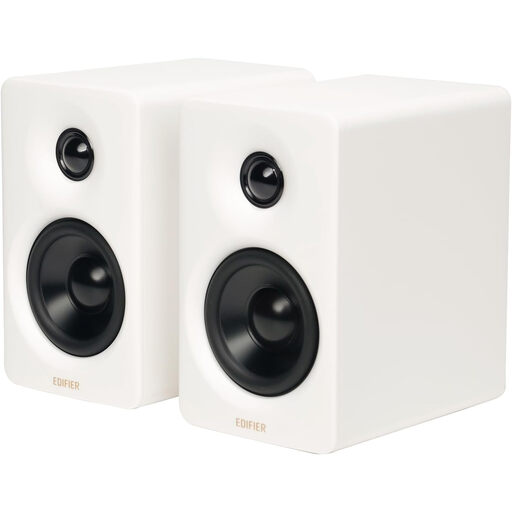
Consider these for computer and phone playback at a desk: the listed connections are USB-C, AUX and Bluetooth 5.3.
The title specifies 66 W RMS and a 3-inch mid-bass driver with a 1-inch tweeter. If you may add a subwoofer, confirm the available connections before choosing; also check the supplied plug and warranty terms.
 No image available
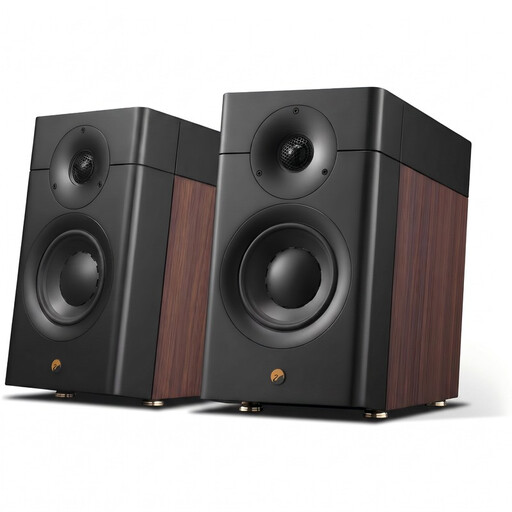
Consider these if you already have a suitable amplifier or want to choose one separately; passive speakers cannot connect directly to a laptop as a complete powered system.
The title specifies a 6.5-inch mid-bass driver, 28 mm tweeter, rear bass-reflex port, 8-ohm impedance and a stated 10–120 W range. Check amplifier compatibility, cabinet dimensions and the speaker quantity supplied by the exact listing.
Powered or active bookshelf speakers have amplification built in, whereas conventional passive speakers need a separate amplifier. Q Acoustics describes its Q Active range as an active system; if you choose a passive pair instead, check amplifier compatibility and allow space for cabling.
Not necessarily: decide whether the stereo pair suits your usual listening position before adding another component. If you want the option later, check for a subwoofer output on the exact model; KEF lists one for the LSX II LT, as Edifier does for the R1280DBs.
Wireless music transmission does not make powered speakers cable-free: they still need power, and some pairs require an interspeaker connection. Check the wiring and socket requirements of the exact system before planning its position on your desk.
Check the exact listing's supplied plug, voltage suitability, documentation and warranty route. GOV.UK states that electrical equipment placed on the Great Britain market is subject to the Electrical Equipment (Safety) Regulations 2016; an overseas product page alone does not establish what a UK seller supplies.