What to check before choosing
For a blues collection played in a home office, identify the music source and available speaker space before comparing powered pairs, passive speakers and compact monitors.
| Concern |
What to check |
Who this matters to |
| Source connections |
Match the speaker input to your computer or other music source. For a turntable, check whether a phono stage is needed. |
If my collection lives on a computer, I want to play it without building a separate amplifier system. Roughly 36% of consumers put straightforward source connection first. |
| Desk placement |
Measure cabinet and cable clearance, then consider wall distance and whether both speakers can sit symmetrically. |
With a monitor taking up the desk, I need room for two speakers and a workable listening position. Around 29% of consumers make fit and placement their primary concern. |
| Separate components |
For passive speakers, confirm amplifier suitability and allow space for the amplifier and speaker cable. |
I would rather use my existing amplifier or choose components separately than rely on an all-in-one pair; roughly 21% of consumers put that flexibility first. |
| Compact monitoring |
Check monitor dimensions, input type and the conditions attached to its published low-frequency response. |
At a very small desk, close-range positioning matters more to me than built-in streaming. About 14% of consumers prioritise a compact monitor setup. |
Joybuy speakers for these setups
These choices cover a desktop speaker with computer-friendly inputs and two passive bookshelf options for an amplifier-based system. Check the connection and physical setup each one requires before deciding what fits your office.
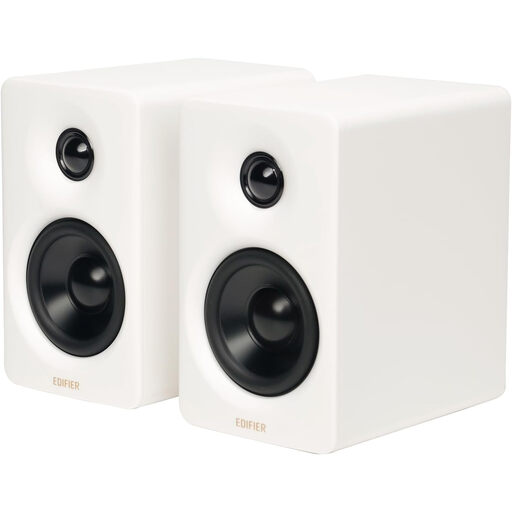 Image unavailable
Edifier M60 desktop speakers, Bluetooth 5.3
Consider these for computer-based listening where USB-C, AUX or Bluetooth matches your source.
The product title lists 66 W RMS, 3-inch mid-bass drivers and 1-inch tweeters. Before ordering for stereo listening, confirm the number of speakers supplied, the power arrangement and compatibility with your computer’s USB-C connection.
View on Joybuy
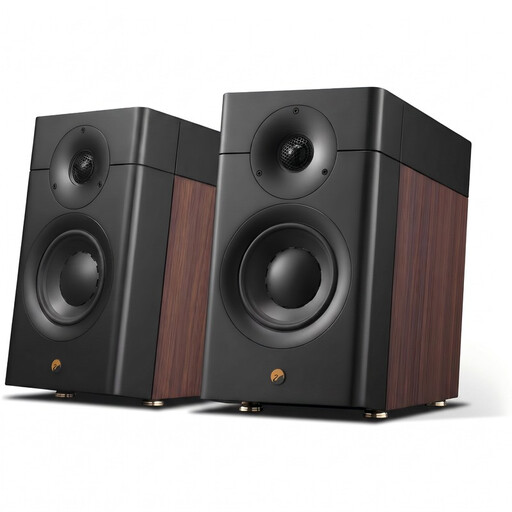 Image unavailable
HiVi-Swans D3.1MKII passive bookshelf speakers
These suit an amplifier-based music system rather than a direct computer-to-speaker connection.
The product title specifies a two-way rear bass-reflex design, a 6.5-inch mid-bass driver, a 28 mm tweeter, 8-ohm impedance and a 10–120 W range. Confirm amplifier matching and cabinet fit; a position near the rear wall may take some adjustment.
View on Joybuy
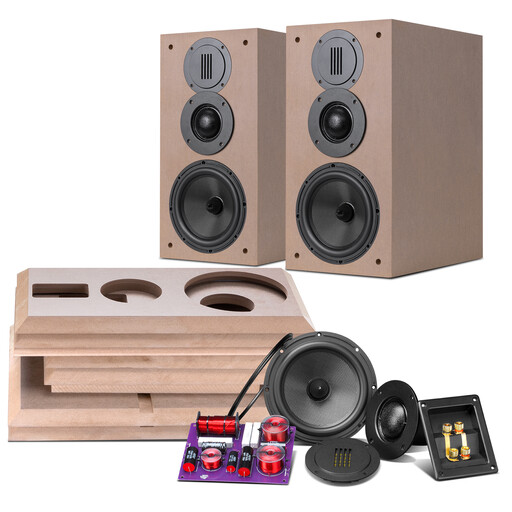 Image unavailable
HiVi-Swans DIY3.1 passive bookshelf speakers, 6.5-inch pair
This pair is for a setup with a separate suitable amplifier and speaker cable.
The product title identifies a passive 6.5-inch speaker pair. Confirm the amplifier requirements and cabinet dimensions before committing desk space to it.
View on Joybuy
Common questions
Should I choose powered or passive speakers for music from my computer?
Choose a powered system if its input matches your computer and you want amplification built into the speaker setup. Q Acoustics lists USB audio for the M20 and KEF lists USB-C for the LSX II LT; passive speakers instead need a compatible separate amplifier and speaker cable.
How should I arrange two speakers on a home-office desk?
Start with the speakers at similar distances from your seat and, where the desk allows, form an approximately equilateral triangle. KEF and Genelec recommend this as a stereo-placement starting point; then adjust speaker angle and wall distance for your actual room.
Can rear-ported bookshelf speakers go near the wall?
They can be considered for a near-wall desk, but allow for placement adjustments. KEF advises that rear-ported speakers are more sensitive to wall distance, so measure the space and try different positions rather than assuming one fixed clearance will suit every setup.
Can compact studio monitors connect straight to a computer?
It depends on the computer’s outputs and the monitor’s inputs. Genelec specifies one analogue XLR input on the 8010A, so check whether your source can provide a suitable connection or needs an audio interface or other appropriate equipment.
What should I do if a speaker pair arrives faulty?
Document the fault and contact the seller through its returns process. GOV.UK guidance says a fault discovered after goods have been accepted may call for repair or replacement; keep your order and delivery records, and distinguish a fault claim from a change-of-mind return.


