What matters when choosing?
For browser testing in a student room, establish desk fit and laptop connectivity first. Then decide whether your main priority is an adjustable working position, space for study materials or occasional entertainment.
| Concern |
What to check |
Who this matters to |
| Long-session setup |
Check the exact stand’s height and angle adjustments and its footprint on your desk. Plan where the screen and lighting will sit. |
If I return to the same desk for coursework and testing, I want to position the screen without crowding my working space. For roughly 36% of consumers, that adjustable long-session setup takes priority. |
| Compact study display |
Measure the available desk space, including the stand, and assess whether Full HD gives your browser windows enough room. |
With a laptop, notes and keyboard sharing the desk, I need a screen that leaves room to work. A compact study display comes first for about 29% of consumers. |
| Laptop connectivity |
Match the laptop’s video output to the monitor input; confirm the cable or adapter needed for your intended display mode. |
Before choosing screen features, I need to know that my existing laptop can drive the monitor through a connection I can use. Around 21% of consumers put that compatibility first. |
| Study and entertainment |
Check the refresh rate at your intended connection and whether you need built-in speakers; keep desk fit in view. |
If one screen will serve for coursework and casual gaming or media, I care about motion and occasional audio as well as study tasks. Those combined uses take priority for roughly 14% of consumers. |
Brands to consider
These model lines illustrate different choices for a student-room desk; features vary by model, even within a brand.
Dell
The S2425HS is relevant if you want a compact study screen with stand adjustment, more than one HDMI input and integrated audio.
- Dell UK specifies a 23.8-inch Full HD display, two HDMI 1.4 inputs, two 5 W speakers, and height, tilt, swivel and pivot adjustment for the S2425HS.
- Dell also documents a 144Hz S2425HSM, but your source device and connection must support the display mode you intend to use. Both cited models are Full HD.
ASUS
The VZ24EHF offers a slim Full HD IPS route if a simple stand or a compatible mount suits your desk.
- ASUS UK specifies a 23.8-inch IPS display, 100Hz maximum refresh rate, one HDMI 1.4 input and 75 × 75 mm VESA mounting for the VZ24EHF.
- ASUS lists tilt adjustment but no height adjustment or built-in speakers for this model.
LG
The 24MR400-B is a 23.8-inch Full HD IPS option for study with occasional faster-motion use.
- LG UK lists a 100Hz refresh rate, Reader Mode, Flicker Safe and AMD FreeSync for the 24MR400-B.
- Check the exact model’s stand adjustments, audio and connections against your setup rather than assuming those features across LG monitors.
Samsung
The LS24D400GAUXXU S40GD is relevant if integrated speakers and an adjustable study-desk setup matter.
- Samsung Business UK describes this model as a 24-inch Full HD IPS, 100Hz monitor with built-in speakers and an ergonomic design.
- Confirm the exact stand adjustments, connections and current product details before choosing it for your desk and laptop.
Joybuy monitors for this setup
These monitors offer different screen sizes and display formats for a student-room study desk. Compare each one with your available space, laptop connection and need for stand adjustment; the products below are not a single interchangeable specification.
 No image available
ASUS ProArt PA247CV IPS Full HD 75Hz
Consider this model for a regular browser-testing and study desk where screen position and laptop connectivity matter. Check the stand’s adjustment range and confirm that your laptop, connection and cable support the display setup you want; its stated 75Hz refresh rate may also matter if faster motion is a priority.
View on Joybuy
 No image available
ASUS ProArt PA248CNV IPS WUXGA
The WUXGA format is worth considering if you want to assess a different window layout for coursework and browser testing. Check the monitor and stand dimensions against your desk, and confirm the connection and cable required by your laptop.
View on Joybuy
 No image available
Dell P2425 24-inch monitor
For repeated study and testing at one desk, compare its stand footprint and adjustment range with the space you have. Confirm the exact refresh rate, ports and included cable on the product details before relying on a particular laptop connection or display mode.
View on Joybuy
 No image available
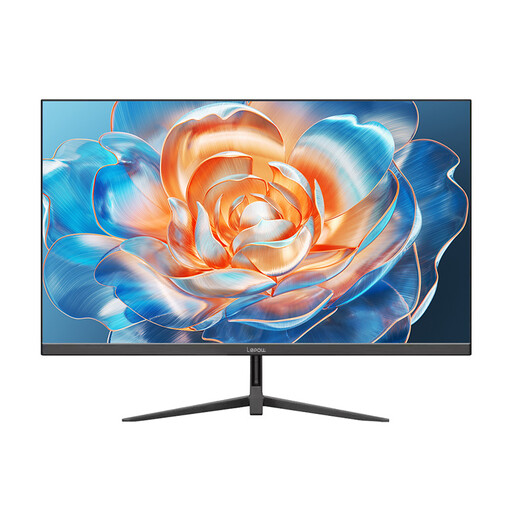
Lepow HC-24Z2 24-inch 100Hz monitor
This is an option to examine if you want a study screen that can also serve for casual faster-motion use. Check whether its stand permits the screen position you need and whether your laptop connection can provide the intended refresh rate.
View on Joybuy
 No image available
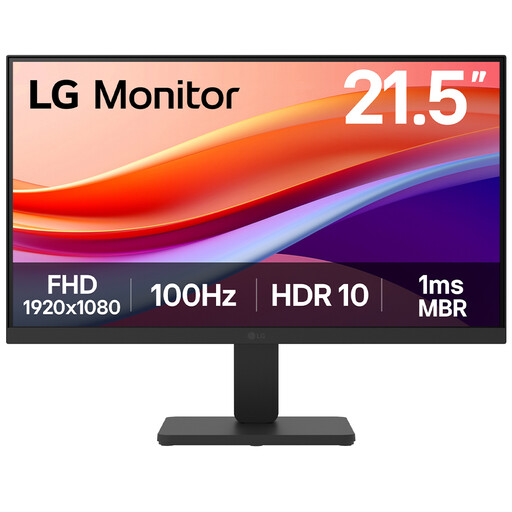
LG 22U401A-B 22-inch VA Full HD 100Hz monitor with HDMI
If you are considering a smaller screen for a crowded desk, check that 22 inches gives your browser windows enough working space. Compare the stand adjustment with your seating position and confirm the HDMI cable arrangement for your laptop.
View on Joybuy
Frequently asked questions
Do I need an adjustable stand for browser testing and study?
Height adjustment is worth prioritising if you use the monitor regularly at one desk and cannot place a fixed-stand screen comfortably. Health and Safety Executive guidance also calls for attention to posture, desk arrangement, lighting and breaks, so the stand is only part of the working setup.
Will an HDMI monitor work with my laptop?
An HDMI monitor can work if your laptop has a compatible video output, either directly or through a suitable adapter. Check both devices and the cable you will use; Dell specifies two HDMI 1.4 inputs on the S2425HS, whereas ASUS specifies one on the VZ24EHF. An adapter should also support the resolution and refresh rate you intend to use.
Can I return an online monitor order in the UK if it does not suit my desk?
For an eligible online goods contract under the UK Consumer Contracts Regulations 2013, the cancellation period ends 14 days after you or a nominated person other than the carrier takes physical possession of the goods. Check whether an exception applies and follow the retailer’s cancellation procedure; change-of-mind cancellation is separate from remedies for faulty or misdescribed goods.
What should I do with an old monitor when buying a replacement?
Ask the retailer about its applicable electrical-waste take-back route rather than putting the old monitor in general waste. GOV.UK guidance says retailers must offer take-back for waste electrical equipment of the same type and function as an item a customer buys; check how the service works for your order and whether collection arrangements differ from in-store return.


