
24/7 Customer Support

Free returns

Same-day & Next-day Delivery

Quality Guaranteed

Unlock Your Welcome Offers: FREE Delivery | Up to 80% OFF | Free 30-day JoyPlus trial
Download the APP
Finding one device that keeps the whole family happy can feel like a challenge. You need something robust enough for kids' homework and games, versatile enough for parents to stream shows or read and affordable enough not to strain the household budget. A good budget family tablet needs to be a true all-rounder, balancing performance with practical features like parental controls and durable design.
This guide is designed to help you navigate the options. We will walk you through the essential features to look for in a family-friendly device and present a few recommendations that deliver great value for shared use in 2026.
Choosing the right tablet involves more than just looking at the price tag. Here are a few key considerations to help you make an informed decision.
When a tablet is shared with children, safety features are paramount. Look for a kids tablet with parental controls built-in. These dedicated modes, often called 'Kids Corner' or similar, allow you to create a safe digital environment where you can manage screen time, filter web content and approve which apps your children can access. Furthermore, consider models with certified eye comfort technology. Features like a low blue light mode, often with T?V Rheinland certification, help reduce eye strain during long reading sessions or late-night use, making it a more comfortable experience for everyone.
Tablet sizes vary, and the best one for your family depends on how you plan to use it. A smaller 8 inch android tablet is wonderfully portable and easy for smaller hands to hold, making it an excellent small tablet for reading or a portable entertainment tablet on car journeys. Larger screens, typically 10 inches or more, offer a more immersive viewing experience for watching films together and provide more screen real-estate for schoolwork or creative projects.
An affordable android tablet does not need to have the most powerful processor on the market to deliver a smooth experience. For everyday family use—streaming video, browsing the web, playing educational games and light multitasking—a device with 4GB of RAM is generally sufficient. For storage, 64GB is a solid starting point, but a model with a microSD card slot is highly recommended. This allows you to easily and affordably expand your storage for more apps, photos and downloaded movies for offline viewing.
Here are a few tablets that stand out for their combination of family-friendly features, performance, and value.
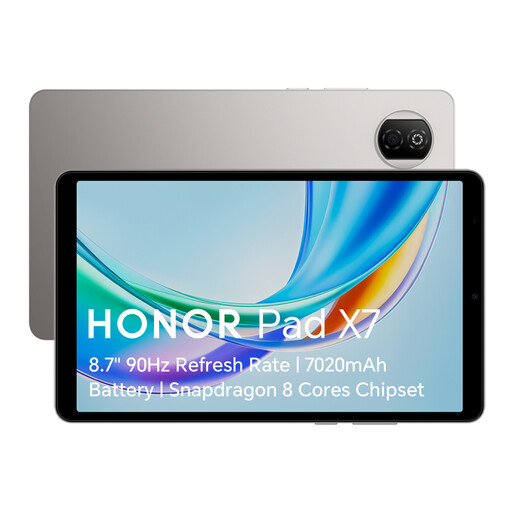
Why It Stands Out The HONOR Pad X7 is a prime example of a well-balanced budget family tablet. Its compact and lightweight design makes it incredibly easy to handle for both adults and children. The standout feature is its focus on family use, combining a dedicated 'Kids Corner' for safe, managed access with multiple eye comfort modes to protect vision during extended use. It’s a thoughtful package that prioritises practicality and user well-being.
Pros:
Who is it for?
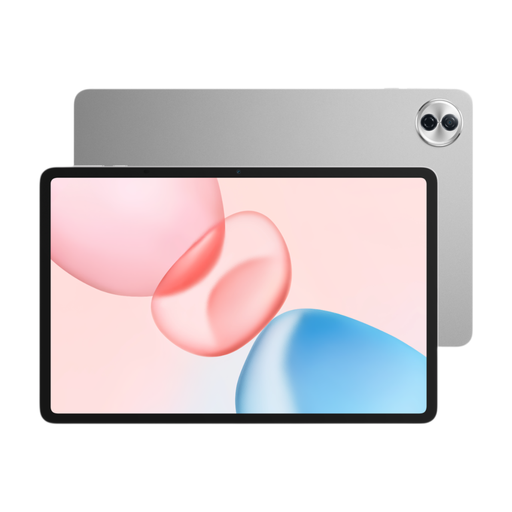
Why It Stands Out For families who use their tablet as a central entertainment hub, the HONOR Pad 10 offers a significant step up in screen size and performance. The large 12.1-inch 2K display is brilliant for shared movie nights, and its six-speaker audio system creates an impressively immersive sound experience. With 8GB of RAM and a generous 256GB of storage, it handles multitasking and more demanding applications with ease, making it a versatile tool for both entertainment and productivity.
Pros:
Who is it for?

Why It Stands Out While positioned at a higher price point, the Galaxy Tab S11 is for families who need top-tier performance. If your household includes serious gamers, aspiring digital artists or professionals who work from their tablet, this device delivers. With a massive 12GB of RAM, it handles the most demanding apps and creative software without hesitation. It represents a significant investment in power and longevity, wrapped in Samsung's signature premium design.
Pros:
Who is it for?
These selections cover a range of needs, but every family is different. If you're still exploring your options, you can browse our full collection of Android tablet models to find the perfect match for your home.
For a shared family device, 64GB is a practical starting point. This provides enough space for a good number of apps, photos and some downloaded videos. However, to ensure the tablet remains useful for years to come, we strongly recommend choosing a model with a microSD card slot. This allows you to expand the storage affordably whenever you need more space for movies, games or school projects.
Yes, absolutely. Most modern Android tablets, including many affordable models, feature robust, built-in parental control systems. These tools, such as Google's Family Link or brand-specific features like HONOR's 'Kids Corner', give parents effective control over their child's digital experience. You can set daily time limits, establish 'bedtime' hours, filter inappropriate content and manage which apps can be downloaded and used.
Certainly. For the majority of school-related tasks—such as researching online, writing essays in a word processor, reading digital textbooks and participating in video calls—a budget family tablet is more than capable. For a better homework experience, consider a model with a screen size of 10 inches or larger to provide more space to work and ensure it has at least 4GB of RAM to handle multitasking between a web browser and other apps smoothly.