Volunteer spreadsheet planners
People working through budgets, stall costs and takings sheets over repeated indoor sessions need space for readable documents and a screen they can position sensibly.


For indoor budget planning, start with a monitor whose video input matches the committee laptop and whose stand can be positioned comfortably for spreadsheet work. A 23.8-inch Full HD office monitor is one option, but a screen taken to the fete also needs a suitable location, protected power arrangements and a safe cable route; desk-monitor features alone do not settle that decision.
People working through budgets, stall costs and takings sheets over repeated indoor sessions need space for readable documents and a screen they can position sensibly.
When committee members use different laptops at the same desk, matching video connections, adjustable positioning and room for the stand become practical selection checks.
Anyone planning to use a screen for check-in, cash-up or information at the fete must consider power, weather exposure, public access and cable routing as part of the event setup.
Check the laptop connection before comparing screens. Then decide whether the monitor will stay at an indoor planning desk or also be used at the fete, where the setup requires separate safety planning.
| Concern | What to check | Who this matters to |
|---|---|---|
| Laptop compatibility | Match the laptop’s video output to a monitor input, then check the required cable. Confirm USB-C video capability separately. | If the committee uses an existing laptop, I want the budget sheet on screen without discovering that the connection needs another adapter; around 31% of consumers put connection compatibility first. |
| Workstation positioning | Check stand adjustment and arrange the screen and lighting to limit reflections. | Long indoor sessions with spreadsheets make it important to position the display for the person using it. Around 25% of consumers prioritise that workstation need. |
| Event setup | If the screen will go to the fete, plan its location, weather protection, power and cable route. | For check-in or cash-up at the event, I need an electrical setup that accounts for visitors and changing conditions; roughly 25% of consumers make event deployment their primary concern. |
| Shared space | Measure the table and storage space; check the stand footprint or mounting requirements. | When planning happens in a shared room, the screen must fit both the working table and its storage arrangement. About 19% of consumers put space and handling first. |
A USB-C socket does not, by itself, establish that it carries video or charges a laptop; the office monitors considered here also have different video connections.
Note the laptop’s video output and confirm a matching monitor input and cable before ordering.
A separate cable or adapter may be needed if the connections do not match directly.
The Health and Safety Executive identifies fatigue and discomfort as possible consequences of prolonged or poorly arranged display-screen work. A monitor feature cannot replace a workable desk setup.
For repeated planning sessions, position the screen and lighting sensibly, reduce reflections and take breaks or change activity.
An indoor monitor specification does not establish that a temporary public-event installation is suitable for weather exposure, visitor access or trailing cables.
Plan the location, shelter where needed, power arrangements and cable protection before event day. Keep the screen indoors if a suitable on-site setup cannot be arranged.
Shelter, cable protection and suitable temporary-electrical arrangements can add work and equipment to the setup.
VESA compatibility describes a mounting option, not an included arm. A conventional desk monitor still needs suitable table or storage space when it is not mounted.
Check the mount pattern and weight rating, and measure the intended table and storage area before choosing a mounted setup.
A compatible arm or mount may need to be obtained separately.
Dell’s P2425H is a 23.8-inch Full HD IPS office monitor to consider for an indoor committee desk using varied laptop connections.
HP’s E24 G5 is a 23.8-inch Full HD option for a fixed indoor planning desk.
Lenovo’s ThinkVision T24i-30 is a 23.8-inch Full HD IPS option for shared desks or a planned monitor-arm setup.
These monitors are choices for an indoor village-fete planning desk. Match each one to the laptop and workspace; using a screen at the fete calls for separate event-safety arrangements.
 No image available
Consider it for an indoor budgeting desk, subject to checking how it will connect to the planning laptop.
The product name specifies a 24-inch-class Full HD display with a 16:9 aspect ratio. Confirm the required video cable before ordering.
 No image available
Consider it where committee laptops need a choice of video connections at an indoor planning desk.
Dell UK specifies HDMI, DisplayPort and VGA inputs and height, tilt, swivel and pivot adjustment for the P2425H. Its USB-C downstream port is data-only; check the laptop output and cable rather than relying on that port for video. Confirm the exact refresh-rate specification if it matters to your choice.
 No image available
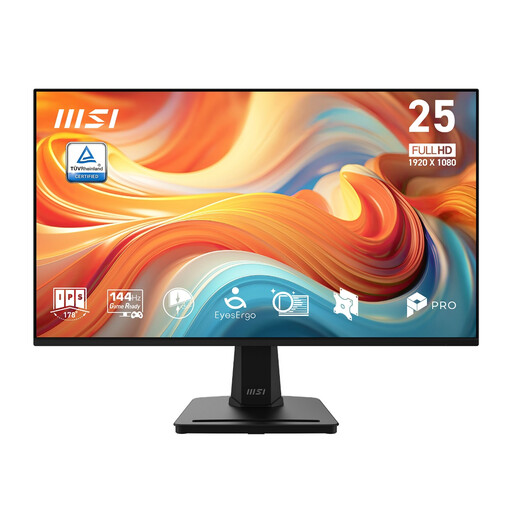
Consider it for an indoor spreadsheet desk if its connection and screen positioning suit the laptop and users.
The product name specifies a 24.5-inch, 1920 × 1080 IPS display with a 144 Hz refresh rate. Check whether tilt-only stand adjustment is sufficient and confirm the included power accessories before ordering.
 No image available
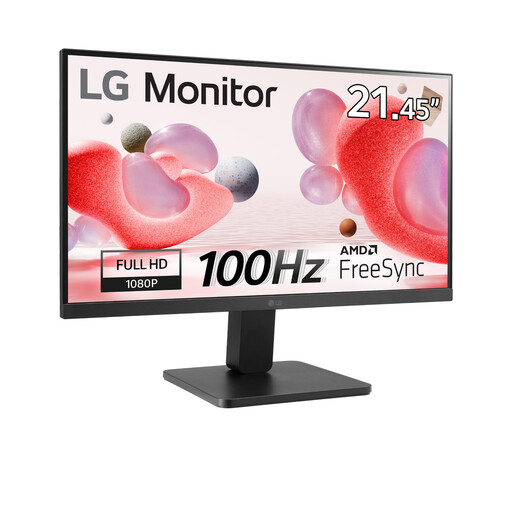
The 22-inch size is worth considering when the planning desk has limited room; measure the space before choosing.
The product name specifies a Full HD VA display, 100 Hz refresh rate and HDMI connection. Check that the laptop can connect and that tilt-only positioning suits the workstation.
 No image available
Consider it for a shared indoor planning desk after checking its fit and connection to the laptop.
Confirm that the required video cable is available and that tilt-only stand adjustment works for the intended table and users.
Identify the laptop’s video output, find a matching monitor input and confirm the cable. Dell UK lists HDMI, DisplayPort and VGA on the P2425H; do not assume that a USB-C socket provides video or laptop charging without checking that device’s specification.
Do not assume an indoor desk monitor is suitable outdoors. The Health and Safety Executive’s event electrical-safety guidance calls for equipment to be properly selected, installed and maintained; plan weather protection, public separation and cable routing for the actual location before deciding to use a screen there.
Check the available local electrical-recycling or retailer take-back options rather than treating the monitor as ordinary waste. GOV.UK explains that UK waste electrical and electronic equipment rules aim to increase recovery, reuse and recycling and reduce disposal to landfill or incineration.