What matters when choosing a backup?
For a small organisation or self-employed person protecting business files, decide how recovery would work after device loss or failure before choosing between remote access, an offline copy and protection for portable data.
| Concern | What to check | Who this matters to |
|---|
| Recoverable copies |
Identify the files covered and where each copy is kept; try restoring representative files. If using a drive, decide when it will be disconnected. |
If one lost device or malware incident could stop work, I need a copy I can still restore. Around 33% of consumers put recovery resilience first. |
| Remote restoration |
Check protected folders, account access, deleted-file retention and version-restoration settings before relying on a cloud service. |
When replacing a laptop, I need my working files available from another device without relying on the old one. Around 27% of consumers prioritise remote restoration. |
| Offline capacity |
Allow for current files, growth and retained copies; check the drive connection against the computer used for backups. |
If internet access is unreliable or project files are large, I need a local copy that fits the files I actually keep. For around 20% of consumers, offline capacity is the primary concern. |
| Portable-data protection |
For media carrying personal information, assess encryption, device compatibility and who controls access and recovery credentials. |
If I carry customer information on a drive, I need to limit access if it goes missing without losing my only recoverable copy. Around 20% of consumers put portable-data protection first. |
Joybuy choices for local backups
These external SSDs, hard drives and removable storage devices are options for keeping a local copy of business files. Choose capacity and connections for your own files and devices, then establish a backup schedule and test restoration; a storage device alone does not do that work.
 No image available
Samsung T7 Shield Portable SSD, 1 TB, Blue
Consider this for a portable local copy when 1 TB accommodates the files and copies you plan to retain.
USB 3.2 Gen 2. Check the host connection and cable before relying on the T7 Shield's quoted transfer speeds, and test a file restore.
View on Joybuy
 No image available
Samsung Portable SSD T7, 2 TB, Blue
Consider this for a separate local copy when your files and retained copies call for 2 TB of nominal capacity.
USB Type-C 3.2 Gen 2. Confirm the connection on the computers you intend to use, and plan how you will back up and restore files.
View on Joybuy
 No image available
Western Digital My Passport Ultra for Mac, 5 TB, Silver
Consider this for a higher-capacity local copy if a 5 TB portable hard drive suits your files and intended devices.
The model is designated for Mac; check file-system and connection requirements before using it with other computers. Handle the drive carefully and test a restore.
View on Joybuy
 No image available
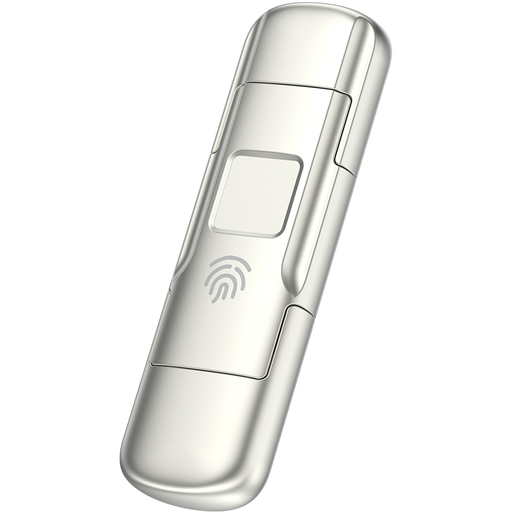
MOVESPEED YSUYC-256GSN 256 GB Fingerprint USB Drive, Silver
Consider this for a smaller portable file set if fingerprint access and the stated drive connections meet your requirements.
USB 3.2 Gen 1 with a USB Type-C dual interface; the product name quotes up to 550 MB/s read and 500 MB/s write. Check device compatibility and access recovery before depending on it for sensitive files, and keep another recoverable copy.
View on Joybuy
 No image available
Western Digital Elements Portable Hard Drive, 4 TB, Black
Consider this for a local copy when 4 TB of nominal capacity suits your present files, expected growth and retained copies.
USB 3.0. Check compatibility and file-system requirements for the computers you will use, protect the drive from physical damage and test a restore.
View on Joybuy
Backup questions
Is cloud storage alone enough to back up business files?
Cloud storage may meet your recovery needs if the right files are included and its account settings, version history and retention periods cover the incidents you are planning for. Do not assume it keeps deleted or changed files indefinitely; the National Cyber Security Centre advises small organisations to consider both online and storage-device backups for extra protection.
How can I protect an external backup from malware?
Disconnect the external drive when it is not being used for backup or restoration, and keep it securely stored. The National Cyber Security Centre warns that viruses can affect storage connected to an infected computer; schedule copies and test that you can restore them.
Should backup media containing personal information be encrypted?
Assess the information and the risk of loss or theft, then choose appropriate security measures rather than assuming that one named product or encryption method is required for every backup. The Information Commissioner's Office highlights encryption as protection for personal information stored on removable or backup media; access and recovery credentials also need managing.
What external-drive capacity do I need?
Choose capacity from the files you will protect, expected growth and the copies or versions you intend to retain. A collection of documents and a collection of large project files can require very different amounts of space, so calculate your own data set before choosing a drive.
What should I test after setting up a backup?
Restore representative files to a separate location or replacement device and check that they open and have the access permissions you need. Also establish who can access the cloud account or recovery credentials, so the copy remains usable when the usual device is unavailable.


