
24/7 Customer Support

Free returns

Same-day & Next-day Delivery

Quality Guaranteed

Unlock Your Welcome Offers: FREE Delivery | Up to 80% OFF | Free 30-day JoyPlus trial
Download the APP
Choosing a new computer monitor can feel overwhelming. The market is flooded with technical jargon and features that sound impressive but may not be necessary for your needs. As a Joybuy Product Recommendation Officer, my role is to help you see past the marketing clutter and focus on what truly matters. Many UK buyers fall into common traps, leading to disappointment and wasted money. Let's look at how to avoid them.
To ensure you get a monitor that serves you well for years, focus on these non-negotiable specifications.
The clarity of your display depends on pixel density—the number of pixels packed into a certain area. Getting this right is crucial.
Refresh rate, measured in Hertz (Hz), is how many times per second the screen updates the image.
The panel technology determines the monitor's visual characteristics. IPS (In-Plane Switching) panels are the most common, offering excellent colour accuracy and wide viewing angles, making them suitable for almost any task.
For connectivity, look beyond the standard HDMI port. A USB-C monitor is a fantastic choice for modern laptop users, as it can handle video, transfer data and charge your laptop all through a single cable, creating a much tidier workspace.
Instead of a generic list, we've matched specific monitors to different user needs, helping you find a model that truly fits your lifestyle.
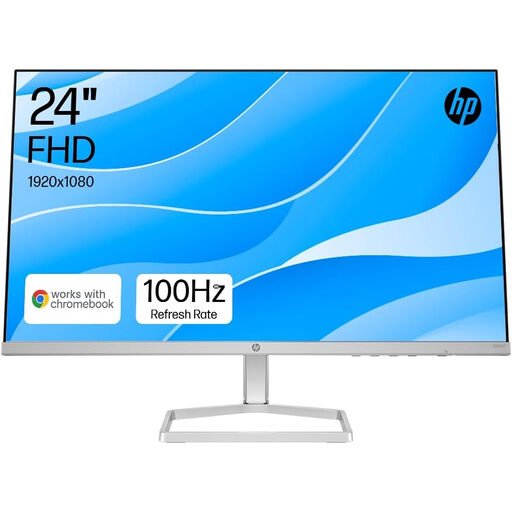
Why This Fits Their Persona: This monitor is built for long hours of productivity. Its fully adjustable stand is a key feature for anyone working or studying from a home desk in the UK, helping to maintain good posture. The 100Hz refresh rate makes daily tasks feel noticeably smoother than a standard 60Hz screen.
It directly counters the 'wobbly stand' pitfall with full height and tilt adjustment. It also avoids the 'refresh rate overspend' by offering a sensible 100Hz upgrade that enhances daily use without the high cost of a gaming-focused model.
Ergonomic Stand: 100mm height and -5° to +25° tilt adjustment.
Eye Comfort: Features HP Eye Ease low blue light filter and is flicker-free.
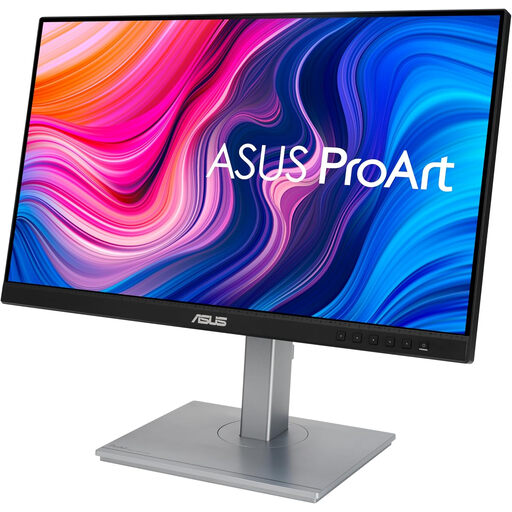
Why This Fits Their Persona: For photographers, designers and video editors, colour is everything. This monitor is factory-calibrated and Calman Verified for professional-grade colour accuracy. The USB-C port with 65W power delivery is a huge benefit for creators using laptops, allowing a single-cable connection for display and charging.
It focuses investment on colour accuracy (100% sRGB) rather than a high refresh rate, preventing creators from overpaying for gaming features. Its excellent connectivity, including USB-C, DisplayPort and HDMI, solves the 'poor connectivity' pitfall.
Professional Colour: Calman Verified with a factory calibration of Delta E < 2.
Versatile Connectivity: USB-C port provides 65W power, display and data transfer.
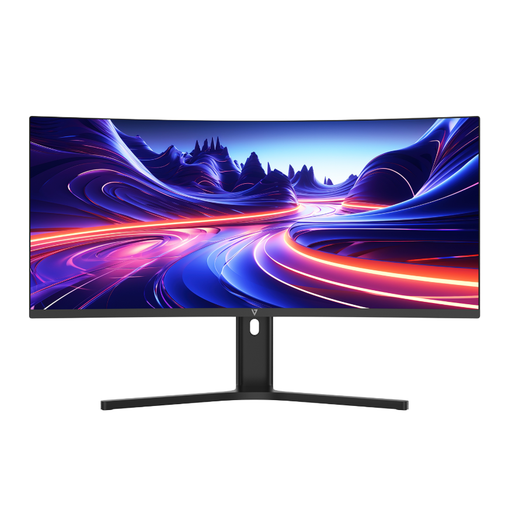
Why This Fits Their Persona: An **ultrawide monitor** is a game-changer for productivity, replacing a clunky dual-monitor setup with one seamless, curved screen. This model's 21:9 aspect ratio is perfect for managing spreadsheets, timelines or multiple applications side-by-side, while the 1500R curve provides an immersive view for films and games.
It solves the 'resolution vs. size' problem by pairing its large 34-inch screen with a sharp WQHD (3440x1440) resolution, ensuring a crisp and detailed image. The inclusion of a height-adjustable stand and USB-C also addresses the ergonomics and connectivity pitfalls.
Expansive Workspace: 21:9 ultrawide aspect ratio for superior multitasking.
One-Cable Solution: USB-C with 65W Power Delivery charges your laptop while connected.
We have compiled a complete, real-time list of products that fully satisfy these strict selection criteria and UK safety regulations.
1. How long should a computer monitor last in the UK? A quality computer monitor should comfortably last between 5 to 8 years with regular use. The lifespan is typically determined by the backlight, which may dim over time. Factors like usage hours and brightness settings can influence this. Most monitors sold in the UK come with a warranty of 2-3 years, which is a good indicator of the manufacturer's confidence in the product.
2. Is a 4K monitor worth it for a standard home office setup? For most home office tasks like writing documents, sending emails and video calls, a 4K monitor is not essential. A 1080p or 1440p monitor provides more than enough clarity and is more affordable. A 4K monitor becomes beneficial if your work involves high-resolution graphics, video editing, or if you simply want the sharpest possible text and use a screen size of 28 inches or more.
3. What is the main difference between a gaming monitor and an office monitor? The primary differences are refresh rate and response time. A gaming monitor prioritises speed, offering high refresh rates (144Hz+) and near-instantaneous response times (1ms) to eliminate motion blur. An office monitor prioritises comfort and clarity for static images and text, focusing on features like ergonomic stands, eye-care technologies and sometimes better colour accuracy for the price.