
24/7 Customer Support

Free returns

Same-day & Next-day Delivery

Quality Guaranteed

Unlock Your Welcome Offers: FREE Delivery | Up to 80% OFF | Free 30-day JoyPlus trial
Download the APP
Choosing a new laptop can feel like navigating a minefield of technical jargon and tempting offers. With so many models on the market, it’s easy to end up with a machine that’s either underpowered for your needs or overpriced for its features. As a Joybuy Product Recommendation Officer, my role is to help you see past the marketing jargon and focus on what truly matters. This guide will highlight the common traps UK buyers fall into and provide a clear framework for selecting a laptop that serves you well for years to come.
Before looking at specifications, it’s crucial to recognise the marketing tactics and hidden flaws that lead to buyer's remorse.
student laptop or a simple laptop for work.To make an informed decision, focus on these three non-negotiable parameters. Understanding them will empower you to find a machine that genuinely fits your daily life.
The CPU dictates how smoothly your laptop handles tasks. Instead of getting lost in model numbers, think about your usage profile:
cheap laptop UK or a lightweight Chromebook.laptop for work or a versatile student laptop.gaming laptop or a content creation laptop.RAM (Random Access Memory) allows your computer to run multiple applications at once without slowing down. In 2026, here’s what you should look for:
Windows 11 laptop or MacBook, handling everyday multitasking with ease.You’ll be looking at this screen for hours, so its quality is paramount. Go beyond just the diagonal measurement, such as a 15 inch laptop.
Here are a few models that align with specific user needs, chosen because they successfully navigate the common pitfalls.
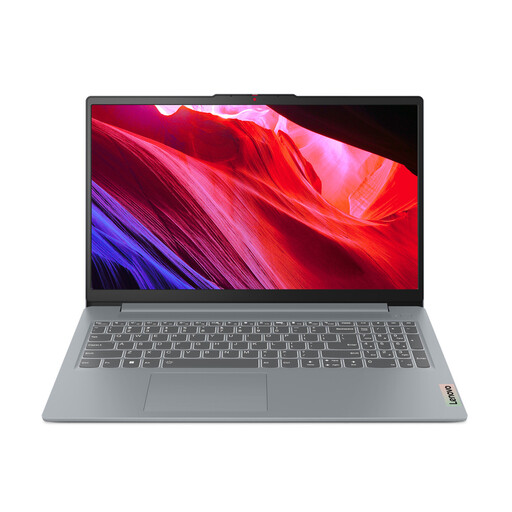
Why This Fits Their Persona: An excellent choice for students or home users in the UK who need a reliable machine for writing essays, browsing the web and streaming video. Its large 15.6-inch screen provides ample space for productivity without a high price tag.
This model avoids the trap of overpaying for unnecessary power. It focuses on providing a solid foundation for everyday tasks with its efficient Intel N100 processor, rather than charging a premium for performance you won't use.
Features a large 15.6-inch Full HD display, which is rare at this price point. It also includes a physical webcam privacy shutter and modern ports like USB-C for charging and data.
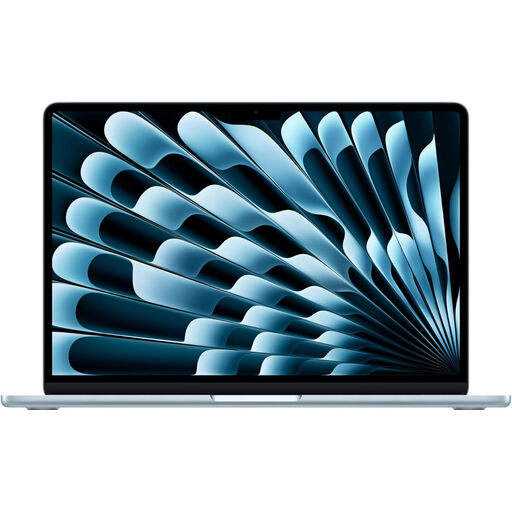
Why This Fits Their Persona: Ideal for UK professionals, creatives and students who need a powerful, reliable and highly portable machine. Its premium build, large high-resolution screen and exceptional battery life make it perfect for working from anywhere.
This MacBook directly counters the "all-day battery" myth. The efficiency of the Apple M5 chip delivers genuinely long battery life under real-world usage. Its unified memory architecture also avoids the RAM/storage speed mismatch, ensuring a consistently fast experience.
Offers a stunning 15-inch Liquid Retina display in an incredibly thin and light design. The fanless operation ensures it remains completely silent, even under load, which is perfect for quiet offices or libraries.
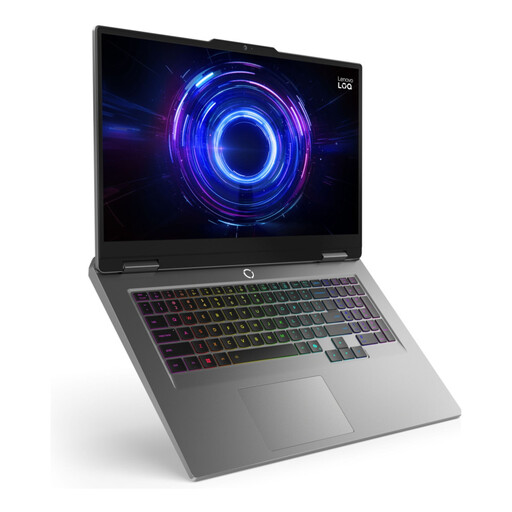
Why This Fits Their Persona: Built for UK gamers and content creators who need serious horsepower. This machine prioritises performance with a powerful processor, dedicated graphics and a large, fast display for an immersive experience in modern games and creative applications.
This is an unapologetically high-performance machine. It avoids the trap of underpowered "gaming" laptops by pairing a high-performance Intel Core i7-13650HX processor with a dedicated NVIDIA GeForce RTX 4050 GPU, ensuring it can handle demanding titles.
The combination of a large 17.3-inch 165Hz display and a generous 24GB of DDR5 RAM provides a fluid, tear-free gaming experience and allows for heavy multitasking, such as streaming while gaming.
We have compiled a complete, real-time list of products that fully satisfy these strict selection criteria and UK safety regulations.
For most people, 8GB is the minimum for smooth web browsing and office work on a modern operating system. However, we recommend 16GB as the ideal amount for most users. It provides a much smoother multitasking experience, especially if you keep many browser tabs open and ensures your laptop will feel responsive for longer. For intensive gaming or professional video editing, 32GB or more is beneficial.
A Chromebook can be an excellent, cost-effective choice for many students. They are secure, easy to use and perfect for tasks like writing essays in Google Docs, conducting research online and attending virtual lectures. The main consideration is software. If your course requires specific applications that only run on Windows or macOS (e.g., the full Adobe Creative Suite, certain statistical software or specific coding environments), then a Windows 11 laptop or a MacBook would be a more suitable choice.
A well-maintained affordable laptop can typically serve you well for 3 to 5 years for its intended tasks (browsing, word processing, etc.). Over time, you may notice it feels slower as web pages and applications become more demanding. The battery is often the first component to show its age, usually holding significantly less charge after 2-3 years of regular use. Sticking to well-known brands like Lenovo or Acer often ensures better build quality and longevity, even at a lower price point.