What to check before buying
Start with your employer’s BYOD policy, not a device’s general compatibility claims. The UK National Cyber Security Centre describes BYOD as a balance between usability, security and device management.
Laptop
When it may fit: Investigate a laptop when your approved work requires desktop applications, frequent typing or specific peripherals.
Trade-off: Confirm the exact operating system, processor architecture, applications and drivers; Windows on Arm emulation does not establish compatibility with every work setup.
Tablet with keyboard
When it may fit: Consider this route if your employer permits the tablet operating system and your required work apps run on it.
Trade-off: A keyboard does not make a tablet an approved desktop-OS device; check whether the keyboard is compatible and included.
Smartphone
When it may fit: Consider a phone for employer-approved communication, authentication or other mobile tasks.
Trade-off: A phone provides less workspace for lengthy documents, and an update commitment does not guarantee that it meets your employer’s current requirements.
| Concern |
What to check when buying |
Who this matters to |
| Work-access eligibility |
Ask for the permitted device type, exact operating-system version, patch requirements and enrolment method before ordering. |
If my access depends on an employer’s specific OS and enrolment rules, I would confirm those before choosing. Around 36% of consumers would put work-access eligibility first. |
| Fit for work tasks |
List required apps and peripherals; ask IT to confirm the exact device configuration, including processor architecture where relevant. |
If I need particular applications, regular typing or specific peripherals, I would check those against the proposed setup. Around 29% of consumers would put task fit first. |
| Personal and work data |
Ask which management method applies, what it manages or makes visible, and what happens to work data when you leave. |
If I want to understand how work management affects my personal device, I would ask about the actual enrolment method before agreeing to use it. Around 21% of consumers would put the personal-data boundary first. |
| Accessories and ongoing suitability |
Check whether the exact keyboard or charger is included and compatible, and review employer peripheral rules and update requirements. |
If I want a complete setup that remains usable for work, I would check accessories alongside changing access requirements. Around 14% of consumers would put accessories and continued suitability first. |
Joybuy product options
These Joybuy options cover smartphones for employer-approved mobile access and laptops for work that may need a larger typing workspace. Check your employer’s requirements and the exact applications before choosing any device.
 No image available
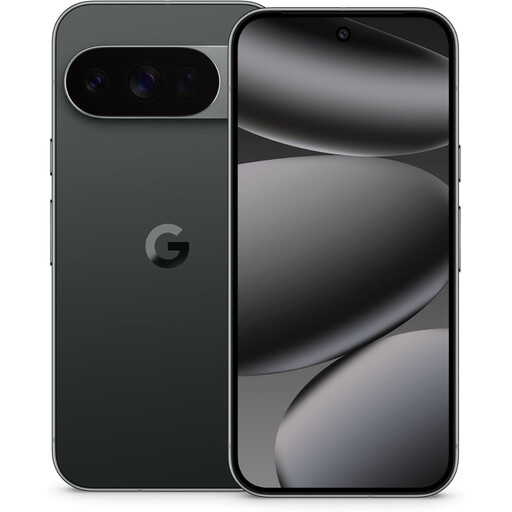
Google Pixel 10 Pro 5G Dual SIM, 16GB RAM, 128GB, Obsidian
Consider this smartphone for mobile work access only if your employer permits the phone and confirms that its required apps and management method are supported.
5G; dual SIM; 16GB RAM; 128GB storage.
View on Joybuy
 No image available
ASUS Vivobook 14 X1407QA-LY003W Copilot+ PC
Consider this laptop for typing-intensive work only after your employer confirms that the exact configuration suits your required apps and peripherals.
Snapdragon X; 16GB RAM; 512GB SSD.
View on Joybuy
 No image available
Lenovo IdeaPad Slim 3 15.3-inch WUXGA, model 83K7009MUK
Consider this Windows laptop for work that benefits from a larger screen, subject to your employer approving its exact configuration and required software.
AMD Ryzen 5 7535HS; 24GB DDR5 RAM; 512GB PCIe SSD; Windows 11 Home.
View on Joybuy
 No image available
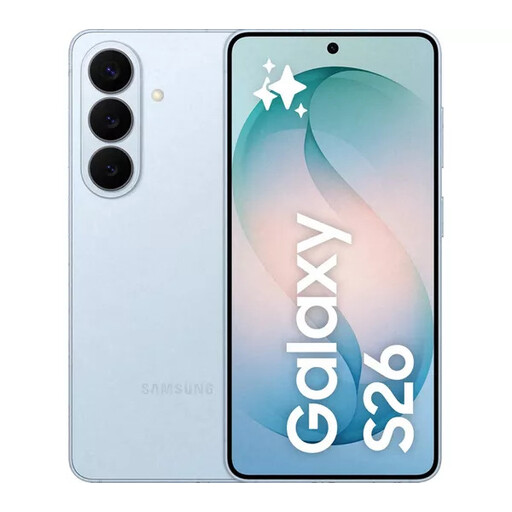
Samsung Galaxy S26 S942 5G Dual SIM, 12GB RAM, 256GB, Sky Blue
Consider this smartphone for mobile work only if your employer approves the model and confirms its current operating-system and app requirements.
5G; dual SIM; 12GB RAM; 256GB storage.
View on Joybuy
 No image available
ASUS Vivobook 15 X1504VA, Intel Core 5 120U
Consider this Windows laptop for work requiring a laptop form factor, after checking employer approval and compatibility with your required apps and peripherals.
15.6-inch display; 24GB RAM; 1TB SSD; Cool Silver.
View on Joybuy
BYOD device FAQs
Does Intune support mean my employer will accept my phone or laptop?
No. Microsoft’s platform-support information describes Intune capability, while an employer can set its own enrolment and compliance requirements. Check the current local policy and the management method required for your work.
What might IT see if I enrol my personal device?
It depends on the actual management method and tools. Microsoft lists details such as device model, serial number and operating-system version as visible for Intune enrolment, and specifies personal content that administrators cannot see through that enrolment. Ask your employer what applies before agreeing to enrol.
How should I prepare for setup and future operating-system updates?
Get your employer’s enrolment instructions and check the operating-system version and security-patch date on the exact device. The University of Derby publishes its own device minimums, and an NHSmail notice shows that a changed minimum can affect compliance and access where conditional access is enforced.
Can I use an unapproved personal app to store work or patient information?
Do not assume that you can. NHS England advises health and care professionals to follow local policy, use approved apps and avoid storing confidential patient information on a personal device unless necessary with appropriate security.
Does UK data-protection guidance approve a particular BYOD device?
The ICO’s BYOD guidance discusses organisational approaches and security risks; it does not publish a universal consumer-device approval list. Follow your employer’s current requirements for work access.


