What matters when choosing?
Choose a service both households can use, then decide whether the existing device meets the caller’s needs before adding a tablet, webcam or headset.
| Concern | What to check | Who this matters to |
|---|
| Joining the same call |
Test the agreed service on both devices; check its app or browser requirements and camera and microphone permissions. |
If our households use different devices, I need everyone to get into the call without changing phones. For roughly 36% of consumers, compatibility would be the primary concern. |
| Setup and accessibility |
Try answering and ending a call on the exact device; check the display and accessibility controls the caller needs. |
When I help someone who finds on-screen controls difficult, they need to manage a call after I leave. Around 29% of consumers would put ease of use and accessibility first. |
| Viewing and handling |
Compare screen size and camera placement with how the device will be held or positioned; consider its charging routine. |
For longer conversations, I want a view I can see comfortably without struggling to position the device. Viewing and everyday fit would come first for about 21% of consumers. |
| Existing computer setup |
Check the computer’s camera and microphone, then confirm any accessory’s connection, mounting and app input settings. |
I already know how to call from my computer, so I would rather improve its camera or audio than learn another device. That would be the main concern for roughly 14% of consumers. |
Joybuy products for these setups
These tablets, webcam and headphones relate to different parts of a family video-call setup. A tablet needs to work with the agreed calling service; the webcam needs a compatible computer, and the headphones are an audio accessory for a device that already handles video.
 No image available
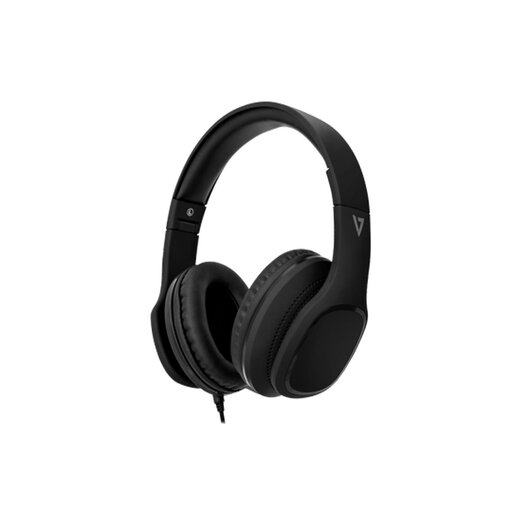
V7 HA701-3EP wired over-ear headphones with inline MEMS mic
Consider these as an audio accessory when a phone, tablet or computer already handles the video call.
The product name specifies 40 mm drivers and an inline MEMS microphone. Check the connection on the intended device and whether the calling app selects the headset microphone.
Joybuy
 No image available
Xiaomi Pad 8 tablet, 8G RAM, 128GB, Wi-Fi, grey
Consider a tablet if the intended caller prefers a separate touch-screen device rather than using their current phone or computer.
Before choosing this model for video, confirm its camera orientation, microphone, support for the agreed calling app and suitability of its setup for the caller.
Joybuy
 No image available
TABWEE T80 10-inch Android 16 tablet, 128GB
This is a touch-screen option to assess for someone who wants a tablet for calls.
The product name describes its memory as 18GB (6GB + 12GB); confirm the exact configuration before buying. Check the front camera, microphone and agreed calling app on this model.
Joybuy
 No image available
Philips SPL6308S/00 2K QHD clip-on PC webcam, EU version
Consider a separate camera if the caller already uses a computer for video calls.
The product name describes a clip-on webcam with a microphone. Check its connector, mounting fit, computer operating system and compatibility with the agreed calling service; the webcam cannot make calls by itself.
Joybuy
 No image available
TECLAST T70 14-inch tablet, 256GB, 2025 Edition
Assess this larger tablet if screen size matters more to the caller than having a compact device to hold or reposition.
The product name specifies a 1920 × 1200 display and describes 20GB of memory as 8GB plus 12GB virtual memory. Confirm the installed Android version, front camera, microphone and calling-app support on the exact unit.
Joybuy
Common questions
Can someone using Android or Windows join an iPhone user’s FaceTime call?
Yes, if the Apple-device user shares a FaceTime link and admits them. Apple Support says web participants need a supported current Chrome or Edge browser, a suitable connection and camera and microphone permissions; SharePlay and screen sharing are unavailable on the web.
Does everyone need a Google Account for a Google Meet call?
Not always: Google Meet Help describes joining by link without a Google Account in some cases. Organiser or administrator settings can restrict entry, so test the intended call before buying a device for another person.
What should I check for someone who finds video calls difficult to use?
Check whether they can set up, answer, mute and end a call on the exact device, including any camera and microphone permission steps. Apple describes VoiceOver and Voice Control, while Samsung documents TalkBack and display controls; check feature availability for the model and software version being considered.
Can a USB webcam make a video call on its own?
No. A webcam needs a compatible computer running the chosen calling service, along with a connection and the required permissions. Check the exact webcam’s connector and operating-system support before treating it as an upgrade to an existing computer.
Should I choose a device specifically to keep using Skype?
No. Microsoft says Skype was retired on 5 May 2025, so check which currently available service both households will use instead of assuming Skype will be their calling route.


