Frequent callers in noisy rooms
If household activity overlaps with your work or study calls, focus on the microphone and what the other person hears, not just the noise you hear through the earcups.


For regular calls in a noisy or shared room, prioritise a microphone intended to handle nearby noise and use headphones rather than open speakers. Active noise cancellation can reduce what you hear, but it does not establish what callers hear. A wired USB headset suits a fixed computer setup; wireless gives you more freedom to move, provided its connection and call controls work with your devices and apps.
If household activity overlaps with your work or study calls, focus on the microphone and what the other person hears, not just the noise you hear through the earcups.
If you wear a headset for extended meetings, fit, ear-cushion contact, access to mute and, for wireless models, charging all affect whether it suits your day.
If you alternate between a computer, tablet and phone, check the connection available on each device and whether headset buttons work in your calling apps.
Start with what callers need to hear and how long you will wear the headset. Then choose a connection that works with your devices and keep call audio out of the shared room.
Consider it when: Most calls take place at one computer and you want a direct connection.
Trade-off: The cable limits movement; check the USB connector and your app’s support for the headset buttons.
Consider it when: You move during calls or need to use both a computer and a phone.
Trade-off: Charging becomes part of your routine, and computer call controls may depend on a supplied USB adapter, the operating system and the app.
| Concern | What to check | Who this matters to |
|---|---|---|
| Voice pickup | Check the exact model’s microphone design and whether a boom must be lowered for calls. Assess microphone-noise claims separately from headphone ANC. | When household sounds compete with my voice, I need callers to understand me without repeated questions; around 36% of consumers put voice pickup first. |
| Long-call comfort | Compare on-ear or over-ear fit and cushion contact; for wireless use, check talk-time conditions and charging options. | During long meetings, pressure or warmth may make a headset difficult for me to keep wearing. Around 29% of consumers make comfort their primary concern. |
| Connection and controls | Check your device ports or Bluetooth route, any supplied adapter and whether mute and call buttons work with your operating system and app. | If I switch between computer and phone calls, I need the intended connection and controls to work on each setup; for around 21% of consumers, that compatibility comes first. |
| Disturbing others | Use private headphone listening instead of open speakers; check mute access and whether the model offers adjustable sidetone. | When other people share my room, I want them to hear less of the call and need to avoid speaking louder than intended. Limiting disturbance is the leading need for around 14% of consumers. |
Active noise cancellation addresses sound reaching the wearer; it does not, by itself, tell you how much household noise reaches callers.
Check the microphone arrangement, boom position and any model-specific call-noise claim separately. Microsoft’s Premium Microphone for Open Office designation applies only to headsets carrying it.
A connection can carry a call without providing the mute synchronisation or answer and end controls you expect in a particular app.
Check the exact headset, computer, operating system and calling app. Zoom publishes device-specific guidance for USB headset-button synchronisation.
Teams-labelled and unified-communications variants within a headset family can differ in their stated platform support and controls.
Match the full model and variant to your main calling app rather than assuming the family name establishes compatibility.
Microphone features do not tell you how a headset will feel through long calls or whether a wireless model’s stated talk time covers your use.
Compare the wearing style and the conditions attached to battery figures. If fit is uncertain, check the applicable retailer return terms before buying.
These brands offer work-focused headset lines. Compare the exact model and variant rather than treating a feature listed for one headset as a brand-wide specification.
Its Evolve2 line includes wired and wireless work headsets, with platform-specific configurations.
Its work-headset range includes Bluetooth, USB and DECT options for different calling setups.
Its IMPACT range includes wired USB headsets aimed at professional calls.
Its Zone range includes wired and wireless collaboration headsets.
These wired USB and wireless headsets are options for computer-based or mixed-device calls at home. Choose by your connection needs, then check microphone controls and fit for the way you take calls.
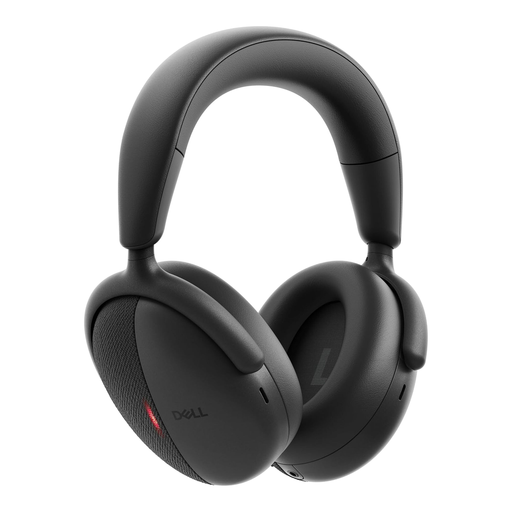 No image available
Consider this wireless model if you take calls on both a computer and a phone.
The listing describes Bluetooth multipoint, a USB-C dongle with a USB-A adapter, and microphone noise reduction and beamforming. Those microphone features are product claims rather than a measure of call quality in your room.
Check compatibility and call-button behaviour with your devices and apps, as well as how the over-ear fit feels during long calls.
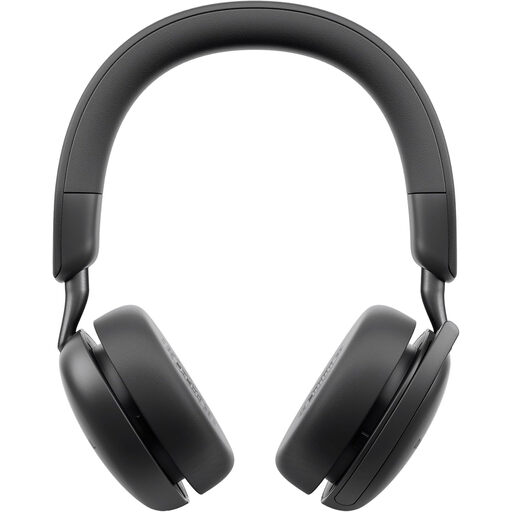 No image available
This wireless model may suit calls where movement and a physical boom-microphone mute action matter.
The listing describes Bluetooth multipoint and a boom that mutes when raised. It says the boom must be lowered to activate the microphone and its stated noise cancellation.
Check Bluetooth and call-control compatibility with your computer and app; assess the fit for longer calls.
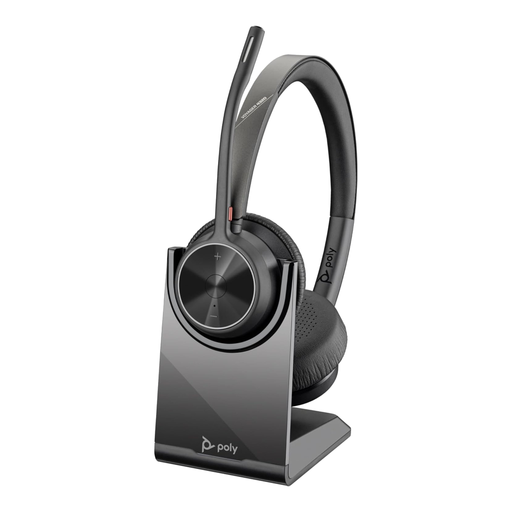 No image available
Consider this model if you need a computer connection alongside Bluetooth pairing for a phone.
The listing describes a USB-A dongle, USB connection, a Teams button and dual-microphone Acoustic Fence noise filtering. Its stated talk time is up to 24 hours; the noise-handling description is a product claim, not an independent call test.
Confirm that the supplied connection and Teams controls suit your computer and app, and check long-call fit.
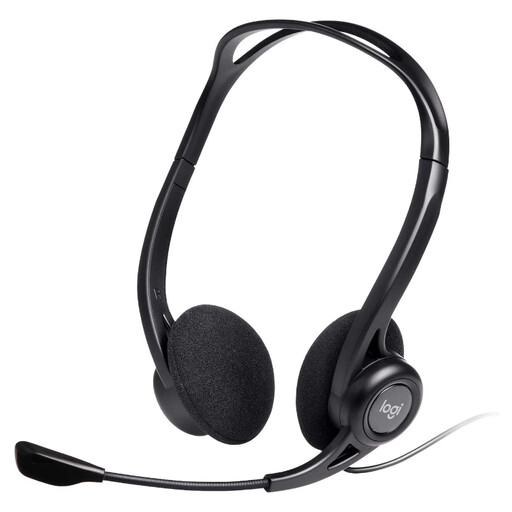 No image available
This wired headset suits a fixed computer calling position if USB-A is available.
The listing specifies a 2.4 m cable, in-line mute and volume controls, and an adjustable microphone described as noise-cancelling. The microphone description does not establish performance in your room.
Check the port or adapter you will use and whether the in-line controls work as intended in your calling app.
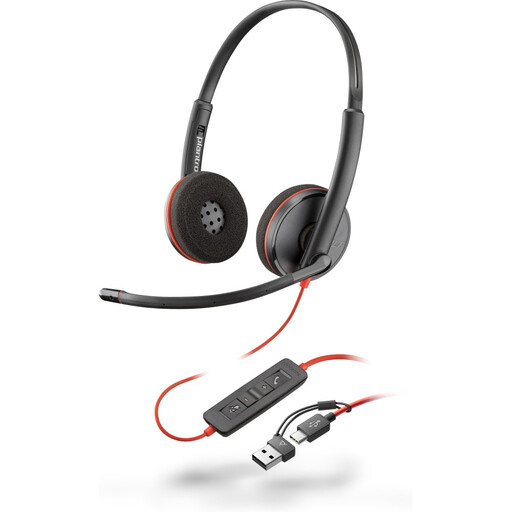 No image available
This wired model is an option for computer calls when you need USB-C connection with an included USB-A adapter.
The listing describes in-line mute, answer and end-call controls and a microphone claimed to reduce noise. Confirm that the controls work with your operating system and calling app.
The cable keeps you at the desk, and wearing comfort remains a matter of individual fit.
No: headphone ANC mainly concerns sound reaching you, so assess caller-facing microphone noise handling separately. Microsoft says its Premium Microphone for Open Office designation is intended for headsets that pick up the wearer’s voice without transmitting neighbours’ sound; check whether the exact headset carries that designation.
Choose a wired USB connection or a supplied USB audio adapter when a fixed computer setup and supported headset controls are priorities; consider Bluetooth when movement or phone pairing matters more. Check the exact app and operating system: Zoom cautions that other participants may hear lower-quality microphone audio with Bluetooth headphones and sets specific requirements for native Bluetooth controls.
Match the headset’s full model and variant against your calling app’s supported-device guidance rather than relying on its USB or Bluetooth label. Microsoft describes call-control support for certified Teams devices, while Zoom lists supported USB headset-control devices and the setting needed to synchronise their buttons.
A separate microphone or webcam microphone can suit a fixed desk if you want to change that component independently and continue listening through private headphones. Select the intended microphone and headphones in the calling app; using open speakers would still put call audio into the shared room.