For a ceramic-bowl portfolio, choose an interchangeable-lens camera around the size of your intended images and crops, then check that you can frame the bowl carefully and get a lens close enough for the details you need. A higher-resolution body is worth considering for substantial crops or larger outputs, but soft light, stable support and a simple background remain essential for showing glaze and texture without distracting reflections.
Who is this for?
Glaze and colour-focused makers
If glossy surfaces, texture and believable colour are central to your portfolio, plan the lighting and stable tabletop setup alongside the camera. The Pottery People identifies a background, soft light and a stable camera as the foundations of ceramic photography.
Detail and crop-focused makers
If you photograph rims, carving or makers’ marks, consider both the resolution you need for cropping and whether your chosen lens can frame those details. Canon UK and Sony UK publish different resolution specifications for the camera bodies discussed below; pixel count alone does not establish close-focus suitability.
First dedicated-camera buyers
If you are moving beyond a phone for a home tabletop setup, look at the camera, lens and support as one working kit. A screen that helps you frame from above or beside a bowl may matter more to your routine than features intended for fast-moving subjects.
What matters when choosing?
Start with the bowl views and finished images you need. Then check the lens and tabletop setup before deciding whether additional camera resolution would help.
| Concern |
What to check |
Who this matters to |
| Glaze, colour and texture |
Plan for soft light, stable support and a non-reflective background. If you intend to edit colour, check RAW capture and software compatibility. |
I want a glossy bowl to show its shape and surface without reflected objects dominating the image. Around 42% of consumers put glaze and colour control first. |
| Detail and cropping |
Match the camera’s resolution and the lens’s close-focus ability to your intended crops or print size. |
When I crop into a rim or carved mark, I need enough detail left for the finished portfolio image. Detail and cropping are the main priority for around 33% of consumers. |
| Manageable home setup |
Compare the exact body-and-lens contents, then allow for support, lighting, a background and a memory card. |
I need a first dedicated-camera setup I can use consistently at home, rather than a body chosen in isolation. For around 25% of consumers, getting that whole setup in place comes first. |
Buying pitfalls
-
Choosing the body before planning the tabletop setup
Hard light and reflections can obscure a bowl’s glaze and texture regardless of the camera body. The Pottery People recommends a background, soft light and a stable camera for ceramic work.
Try a repeatable setup with a non-reflective background before deciding whether you need more camera resolution.
Allow room in the kit for a suitable lens, camera support, lighting, background, memory card and editing workflow.
-
Choosing by megapixels alone
More pixels can leave room to crop a well-focused image, but they do not tell you whether a lens can frame a small decorative detail or whether reflections are controlled.
Choose a resolution for your intended output, then check the lens’s close-focus specifications and make a test image of a glossy bowl.
-
Assuming a kit zoom can photograph every detail
A standard zoom may suit whole-bowl views without filling the frame with a small maker’s mark. The lens’s close-focus specifications, not its zoom range alone, determine what you can frame at close range.
Check the exact lens’s minimum focus distance, maximum magnification and usable working distance against your smallest subject detail.
Tight detail photographs may call for a separate close-focusing lens.
Brands to consider for this setup
Canon
Canon’s EOS R50 and EOS R7 offer two RF-mount APS-C bodies to consider when deciding how much cropping room your portfolio needs.
- Canon UK specifies 24.2MP and a vari-angle screen for the EOS R50, and 32.5MP, a vari-angle touchscreen and sensor-shift stabilisation for the EOS R7.
- The R7’s higher pixel count does not replace a suitable close-focusing lens or controlled light on reflective glaze. Check mount compatibility if you already own lenses.
Sony
The E-mount α6700 is an APS-C option for makers who plan to choose a lens separately and edit individual portfolio images.
- Sony UK specifies approximately 26.0 effective megapixels and 14-bit RAW capture for the α6700.
- Check the chosen lens’s close-focus ability and allow for the lighting and support needed around the body; RAW capture cannot correct reflections created by the setup.
Nikon
The Z50II is a Nikon Z DX option with a vari-angle monitor and an available 16–50mm VR kit for general bowl views.
- Nikon UK lists a 20.9-million-effective-pixel DX sensor for the Z50II and offers a kit with a 16–50mm lens.
- Check whether that kit lens can frame your smallest decorative details at a workable distance before relying on it for close views.
Joybuy camera options
These Sony mirrorless bodies and lens listings are options for building a ceramic-bowl portfolio setup. Decide whether you need a lens with the camera, and check close-focus suitability for any rim, mark or texture shots you plan to make.
 No image available
Sony Alpha ZV-E10 II K with 16–50mm power zoom lens
Consider this listing if you want a camera-and-zoom kit for planned tabletop views. Its title specifies a 26MP APS-C camera and a 16–50mm f/3.5–5.6 lens; confirm the exact camera configuration and lens contents before buying, and check the lens’s close-focus ability for small details.
View on Joybuy
 No image available
Sony A6700 with 16–50mm lens
This APS-C kit may suit a portfolio workflow that includes editing individual images. Sony UK specifies approximately 26.0 effective megapixels and 14-bit RAW capture for the α6700 body; check that the included 16–50mm lens can frame your smallest details at a workable distance.
View on Joybuy
 No image available
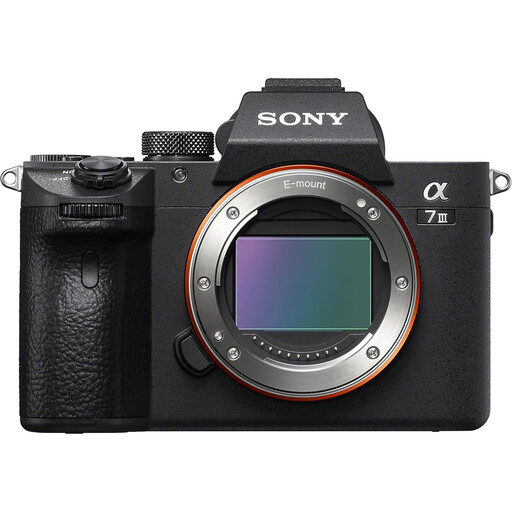
Sony Alpha 7 III full-frame camera body
Consider the body listing if you intend to choose a lens for both whole-bowl and detail views. The title identifies it as body only, while other listing information mentions a lens; confirm the exact box contents and your intended lens’s close-focus ability before buying.
View on Joybuy
 No image available
Sony Alpha 7 III with 28–70mm zoom lens
This full-frame camera-and-zoom listing is worth considering for general bowl views if you want the lens included. Check the 28–70mm lens’s close-focus ability for decorative details, and confirm RAW capture for this configuration if editing RAW files is part of your workflow.
View on Joybuy
 No image available
Sony A6400 with 16–50mm power zoom lens
Consider this APS-C kit for general bowl views when you want a zoom lens alongside the camera. Check whether the included 16–50mm lens frames your smallest details closely enough, and confirm RAW capture if your colour-editing workflow requires it.
View on Joybuy
Common questions
Do I need the highest-megapixel camera for ceramic bowls?
No: extra resolution is most relevant when your portfolio needs substantial crops or larger outputs. For glossy bowls, begin with careful focus, stable framing and soft light; compare pixel counts only after you know how large the finished images must be.
Will a kit lens cover whole bowls and close details?
A kit zoom can be a starting point for whole-bowl views, but do not assume it can fill the frame with a small mark or carving. Check the exact lens’s minimum focus distance, maximum magnification and working distance against the details in your portfolio.
What setup should I try before upgrading the camera?
Set up stable camera support, a simple non-reflective background and soft light, then photograph a representative glossy bowl. The Pottery People identifies these setup elements as important for showing ceramic texture while reducing distracting glare.
How should I dispose of an old camera in the UK?
Check the current electrical-equipment collection or retailer take-back options available where you live rather than putting an old camera in general waste. GOV.UK explains that battery-powered products can fall within the scope of waste electrical and electronic equipment rules; confirm which local service accepts your camera and its battery.


