Overhead demonstration teachers
If you show hands, tools and small clay details from above or beside the table, you need to plan the field of view and a stable camera position.


An interchangeable-lens camera lets you choose a lens for the worktable and your planned camera position. For a fixed, real-time lesson, a 4K/30p kit may be sufficient; if you want to slow down hand movements in editing, consider a model offering 4K/60p. Whichever route you choose, check the lens, mounting position, sound and full-session workflow before buying.
If you show hands, tools and small clay details from above or beside the table, you need to plan the field of view and a stable camera position.
If you operate the camera while teaching, consider how you will check framing and focus from your position, and whether the lesson will be recorded or delivered live.
If you mainly record a class from one angle, a compact camera with a kit lens may suit your workflow when 4K/30p meets your editing needs.
Set the camera position and worktable framing first, then decide how you will capture speech and deliver the lesson.
| Concern | What to check | Who this matters to |
|---|---|---|
| Tabletop framing | Check the included lens and whether it covers the workboard and focuses on hand detail from your planned camera position. | I need viewers to see both the work area and small changes in the clay without moving the camera into my way; around 36% of consumers put framing first. |
| Spoken instruction | Make a trial recording at the intended camera-to-tutor distance. Check audio accessory options if you may use an external microphone. | If the camera is above the table, I still need my explanation to be intelligible over room noise; for around 29% of consumers, sound is the primary concern. |
| Recording and live workflow | Test the camera, power, storage and transfer process; for live teaching, include the cable, computer and conferencing platform. | I teach alone and need a setup I can start and keep running through the session; workflow comes first for around 21% of consumers. |
| 60p and editing options | Check the frame rate in the intended recording mode and whether your editing workflow needs slow-motion footage. | I want to slow down brief hand movements so viewers can follow a technique; around 14% of consumers prioritise that editing option. |
The Canon EOS R50 V and Sony ZV-E10 II UK references are body-only listings. A suitable lens and stable support are separate decisions for a tabletop lesson.
Check the exact bundle and whether your chosen lens frames the workboard from the intended mounting height.
Canon and Sony cite 4K/60p for their referenced models, while Panasonic cites 4K/30p for the G100D. A real-time, fixed-angle lesson does not necessarily need 60p.
Prioritise 60p if you intend to slow down technique footage; otherwise, settle framing and sound before paying attention to the higher frame rate.
Panasonic lists OZO Audio for the G100D, but speech intelligibility still depends on where you stand, camera distance and room noise.
Record a short explanation from your teaching position and listen back before deciding whether the camera audio meets your needs.
The Department for Education says identifiable images in schools are personal data. Jisc also notes data-protection and permission considerations for higher-education recordings.
Before filming, confirm your organisation's policy, the recording purpose, the applicable lawful basis or permissions, and who can access or share the footage.
Canon's EOS R50 V is an APS-C interchangeable-lens option for planning a lens-based tabletop setup.
Sony's ZV-E10 II is an APS-C interchangeable-lens option for recorded lessons or a planned USB-connected live setup.
Panasonic's LUMIX G100D kit is a compact Micro Four Thirds option for a fixed-angle lesson.
These choices include two Sony lens kits for planning a tabletop view and a GoPro Creator Edition to assess for a compact filming setup. Check each camera's framing, support and sound from the position you intend to use.
 No image available
Consider this kit if you want to choose your tabletop framing with a lens and edit footage captured at 4K/60p. The product title specifies an APS-C interchangeable-lens camera, 26 megapixels and 10-bit 4:2:2 recording. Check workboard coverage from your planned camera position, along with mounting, power and storage for the lesson.
 No image available
This interchangeable-lens kit gives you a lens to assess for a fixed or side-on table view. Test its coverage at your intended camera height, and confirm the recording mode and frame rate if you plan slow-motion inserts. Check mounting, sound and full-session power separately.
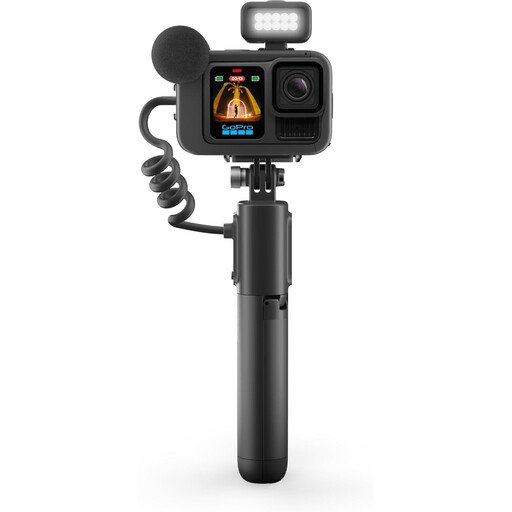 No image available
Consider this option only after checking whether it can frame the full workboard and close hand detail from a secure position. Confirm the exact bundle, mounting compatibility, sound at your teaching distance and the recording mode needed for the lesson.
If the recording includes identifiable people, establish the applicable lawful basis and your organisation's requirements before filming; there is no single permission process for every lesson. The Department for Education says schools must handle identifiable images under data-protection law, while Jisc notes additional considerations for higher-education recordings. Check who will see the footage and how it will be used and shared.
No. The Department for Education identifies different possible lawful bases for school photos and videos depending on the purpose. Follow your school's policy and establish the appropriate basis, access and sharing arrangements rather than assuming a generic consent form settles every use.
It can be enough when you mainly record a fixed-angle lesson for real-time viewing. Panasonic lists the G100D at 4K/30p; consider the 4K/60p capability cited by Canon and Sony if slowing down hand movements is part of your editing plan.
Sony documents USB use of the ZV-E10 II for livestreaming and web conferencing. Before a scheduled lesson, test the camera with your computer, cable, platform, microphone and power arrangement for the intended session length.
You can assess it with a trial recording from the actual teaching position rather than assuming it will capture clear speech. Panasonic lists OZO Audio for the G100D, but camera distance and room noise still matter when you explain a technique over the worktable.