What should you check first?
Start with the smallest detail your photographs must show, then consider where the camera will sit and whether you will also record video. Compare lens magnification alongside focus distance: neither the camera body nor a short focus distance settles the close-up question by itself.
| Concern |
What to check |
Who this matters to |
| Small tool details |
Check the exact lens’s minimum focus distance and maximum magnification against the detail you need to frame. |
If tiny markings or cutting edges must fill more of my photograph, a whole-tool view will not be enough. Around 36% of consumers put close-detail framing first. |
| Workbench angles |
Check how the screen moves with your tripod, copy stand and shooting orientation. |
When I photograph from above or close to the bench, I need to see the composition without standing behind the camera; around 29% of consumers make flexible framing their main concern. |
| Process video |
Check video modes and, if you plan to speak, microphone connectivity on the exact model. |
I need still photographs as well as footage of how a tool is used, so my camera choice has to serve both outputs. Around 21% of consumers place this combined need first. |
| Storage and carrying |
Consider the body with its actual lens attached, including how the lens stores. |
If equipment has to fit beside my workbench or travel to a workshop, I favour a setup I can put away easily; around 14% of consumers prioritise compactness. |
Relevant brands to consider
These camera-and-lens combinations illustrate different features to check for craft-tool photography; the lens supplied with any particular kit matters as much as the body.
Canon
The EOS R50 with an RF-S 18-45mm kit lens is worth considering when you want a vari-angle screen and close framing of larger tabletop details.
- Canon specifies a 24.2-megapixel APS-C sensor and vari-angle touchscreen for the EOS R50, and a 15 cm minimum focus distance with 0.25x magnification for the RF-S 18-45mm lens.
- The stated 0.25x magnification is not 1:1 macro. Check the exact kit lens if very small markings are central to your photographs.
Nikon
The Z50II and NIKKOR Z DX 16-50mm f/3.5-6.3 VR combine a vari-angle screen with a standard zoom that Nikon says focuses down to 0.2 m.
- Nikon specifies a 3.2-inch vari-angle touchscreen for the Z50II and in-lens Vibration Reduction for this zoom.
- A minimum focus distance alone does not establish whether the lens will frame your smallest tool detail tightly enough.
Sony
The Alpha 6400A with the E PZ 16-50mm OSS II offers a different screen movement and a standard zoom whose close-up figures can be checked against your subject.
- Sony describes a 180-degree upward-tilting screen on the Alpha 6400A and specifies 0.215x maximum magnification for the E PZ 16-50mm OSS II.
- The tilting screen does not move like the vari-angle screens described for the Canon EOS R50 and Nikon Z50II; the lens’s stated magnification is not 1:1 macro.
Joybuy camera choices
These Sony interchangeable-lens camera kits are relevant to photographing craft tools and, for some users, recording process video. Before choosing one for fine details, check the precise lens supplied and whether its close-up framing meets your needs.
 No image available
Sony Alpha ZV-E10 II K with 16–50 mm f/3.5–5.6 Power Zoom kit lens
Consider this kit if you want to photograph tools and record process footage. Its title specifies an APS-C interchangeable-lens camera, 26 megapixels and 4K60p video. Check whether the supplied lens frames your smallest details closely enough and whether a suitable memory card is included.
View on Joybuy
 No image available
Sony A6700 APS-C with 16–50 mm lens
Consider this interchangeable-lens kit if you need flexibility in how you position a camera around a workbench. Its title identifies a 16–50 mm lens and AI-powered autofocus. Confirm the supplied lens model and its close-focus figures before relying on it for small details; check the exact video modes if a particular recording rate matters.
View on Joybuy
 No image available
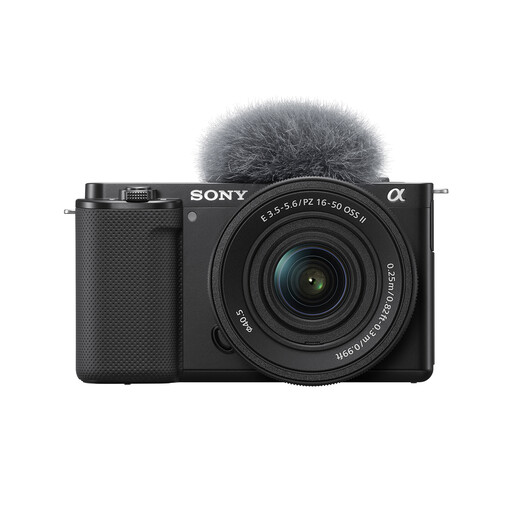
Sony ZV-E10K with 16–50 mm Power Zoom lens
Consider this interchangeable-lens camera if workbench photographs and demonstrations are both on your list. The named kit includes a 16–50 mm Power Zoom lens. Check that lens’s minimum focus distance and magnification against the smallest tool detail you intend to show.
View on Joybuy
 No image available
Sony A6400 APS-C with 16–50 mm Power Zoom lens
This interchangeable-lens kit is an option for whole-tool photographs and occasional demonstrations. Its title identifies a 16–50 mm Power Zoom lens. Confirm the lens variant and close-up specifications rather than assuming they match another 16–50 mm kit.
View on Joybuy
 No image available
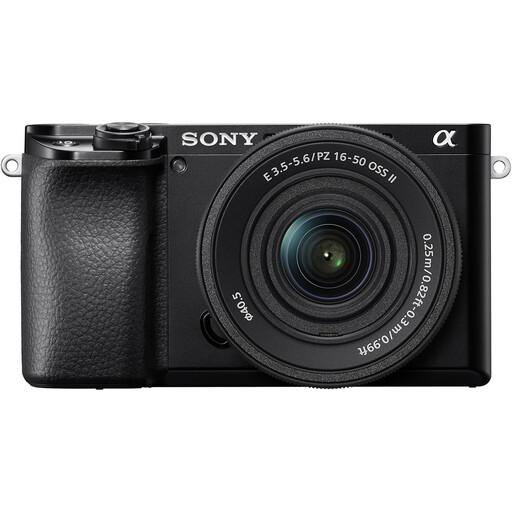
Sony A6100 APS-C with 16–55 mm zoom lens
Consider this camera-and-zoom combination for photographs of tools when you want an interchangeable-lens setup. The title specifies a 16–55 mm zoom and fast autofocus. Confirm the exact supplied lens and its magnification before choosing it for fine markings or small mechanisms.
View on Joybuy
Frequently asked questions
Do I need a macro lens to photograph craft tools?
Not necessarily: a standard zoom may frame a whole tool or a larger detail closely enough. For tiny markings or mechanisms, check its maximum magnification against the framing you need. Canon specifies 0.25x for the RF-S 18-45mm and Sony specifies 0.215x for the E PZ 16-50mm OSS II; neither figure is 1:1 macro.
Will a vari-angle screen help with overhead tool photographs?
It can make an overhead composition easier to see when the camera is mounted above your work. Canon specifies a vari-angle screen for the EOS R50 and Nikon does so for the Z50II, while Sony describes an upward-tilting screen for the Alpha 6400A. Check the movement with your intended support and camera orientation.
Can I publish photographs of my own tools?
You can generally use photographs you made yourself, but check the rights if someone else created the images or an ownership arrangement applies. The UK Intellectual Property Office says photographs will generally be protected by copyright as artistic works; owning the tools does not settle rights to another person’s photographs.
Do I have to add a copyright notice to my photographs?
No: the UK Intellectual Property Office says copyright exists automatically, and adding a symbol, name or year does not change its level of protection. You can still consider including identifying information in image metadata and should check a platform’s terms before uploading.


