What matters when choosing a camera?
Start with the paint and work surface under the lighting you will actually use. Then check overhead framing and speech capture before deciding whether your editing plans call for more than a straightforward 4K recording mode.
| Concern |
What to check |
Who this matters to |
| Consistent colour and exposure |
Confirm white-balance and exposure controls on the exact camera; test them with your paints and paper under steady lighting. |
If I compare mixtures across clips, I need white paper and pigments to look consistent rather than change with the camera setting. Around 36% of consumers put this need first. |
| Overhead framing |
Measure the work surface and mounting height, then check the exact lens and whether you can see the screen when mounted. |
When I film from above, I need my hands and the whole mixing area to stay in shot. Framing is the primary concern for around 29% of consumers. |
| Spoken instruction |
Check the microphone options on the exact model and record a speech test at the intended camera position. |
If the camera sits away from me, viewers still need to hear my explanation over the room sound. Around 21% of consumers prioritise clear instruction. |
| Editing flexibility |
Match the exact 4K frame rate and recording format to any planned slow motion or colour-grading workflow. |
When I slow down a brush movement or grade several clips, I need recording options my editing setup can use. This is the leading need for around 14% of consumers. |
Joybuy camera choices
These choices cover interchangeable-lens and compact cameras for filming lessons. Compare each camera with your planned lighting, work-surface framing and spoken-audio setup; the product format alone does not establish a fit for overhead filming.
 No image available
Sony Alpha ZV-E10 II K with 16–50 mm kit lens
Consider this model if you plan to slow down mixing actions or use a colour-grading workflow. Sony lists up to 4K/60p and 10-bit 4:2:2 recording for the ZV-E10 II. Check whether the included 16–50 mm lens frames your full work surface from the planned mounting height; consistent lighting remains important.
View on Joybuy
 No image available
Sony ZV-E10K with 16–50 mm Power Zoom lens
This interchangeable-lens kit is an option to assess for a fixed lesson setup. Check whether its included 16–50 mm lens covers your table from the available height, and confirm the white-balance controls and recording mode you need before choosing it for colour comparisons.
View on Joybuy
 No image available
DJI Osmo Pocket 3 Creator Combo
Consider this compact camera if its filming and included microphone arrangement suit your lesson. Its product name specifies a 1-inch CMOS sensor and 4K/120fps video. Before using it above a palette, check how you would mount it securely, whether the full surface fits in frame and how you would keep white balance consistent.
View on Joybuy
 No image available
Sony A6400 with 16–50 mm Power Zoom lens
This APS-C interchangeable-lens kit is worth checking for a fixed overhead composition. Confirm that the included 16–50 mm lens shows the entire mixing area at your mounting height, and check the exact camera controls and audio arrangement needed for your lesson.
View on Joybuy
 No image available
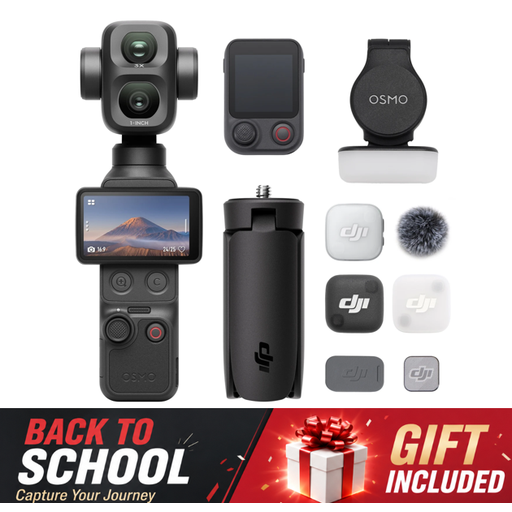
Osmo Pocket 4P Vlog Combo, Black
If you are considering this compact vlog-camera bundle for a lesson, check how it would be supported above the work surface and whether its field of view includes your hands and palette. Confirm its white-balance controls, spoken-audio options and recording modes against your planned setup.
View on Joybuy
Frequently asked questions
Should I use automatic white balance for a colour-mixing lesson?
Use a repeatable white-balance setting rather than relying on automatic adjustments when viewers must compare paint colours between clips. Adobe explains that white balance affects whether white objects look white under the scene lighting; confirm the controls on your chosen camera and test them with your actual paints and paper.
Do I need 4K/60p to film colour mixing?
No: 4K/30p can suit a fixed demonstration if slowed-down movement is not part of the lesson. If you plan to slow mixing or brush actions, check the exact higher-frame-rate mode; Sony lists up to 4K/60p for the ZV-E10 II, while Canon lists 4K/60p for the EOS R50 V.
Will I need an external microphone?
An external microphone may help when the overhead camera is far from your voice or the room is difficult to record in. Canon lists a 3.5 mm microphone jack for the EOS R50, while Panasonic lists built-in OZO Audio modes for the G100D; make a speech test from your intended filming position before deciding.
What should I check before mounting a camera above the table?
Check that the support can hold the camera securely and that the exact lens frames the entire palette and mixing surface from the available height. Measure the work area and camera-to-table distance before relying on a kit lens or choosing a different compatible lens.
How should I dispose of an old camera battery in the UK?
Use an appropriate battery or electrical-waste recycling route rather than household waste. GOV.UK advises that lithium-battery terminals should ideally be taped before recycling to help prevent fire risk.


