What to prioritise
Start with the space available for a square-on, tripod-mounted shot, then plan the lighting and colour reference. Compare camera bodies and kit lenses against that setup, rather than choosing by sensor resolution alone.
| Concern |
What to check |
Who this matters to |
| Colour and reflections |
Check for the exposure controls and RAW capture your workflow needs; plan space for two movable lights and a grey card or colour checker. |
When photographing glossy covers, I want to adjust reflections and keep colours consistent across a series. Roughly 36% of consumers put colour and glare control first. |
| Square, repeatable framing |
Check your camera-to-cover distance, lens range and closest focusing distance, and whether a tripod can hold the camera square to the cover. |
If I photograph several books, I need their rectangular covers framed from a consistent position. Around 29% of consumers make repeatable geometry their primary concern. |
| Setup and storage |
Compare the packed body-and-lens size, screen movement and supplied accessories for the exact kit. |
When others need the workshop after me, I want to see the shot from my camera position and clear the equipment away promptly. About 21% of consumers prioritise setup and storage. |
| Quiet and broader use |
If these features matter, check the exact body’s silent-shooting mode and manual-focus aids. |
I may also use the camera beyond static cover shots and want to work with less shutter noise around others. Roughly 14% of consumers put quiet operation or broader use first. |
Brands to consider
These examples concern specific camera kits and features, not every model made by each brand. Match the lens, screen and supplied accessories to your workshop position before choosing.
Canon
Canon’s UK-listed EOS R50 kit pairs an APS-C camera with an RF-S 18–45 mm lens.
- Canon lists a 24.2 MP sensor and vari-angle touchscreen, which may be useful when composing from a fixed camera position.
- Check that the lens frames your covers at the available distance. Canon states that a USB-C charger is not included with this kit.
Nikon
Nikon’s Z50II kit includes a NIKKOR Z DX 16–50 mm VR zoom lens that Nikon describes as retractable.
- Nikon documents a vari-angle monitor and electronic viewfinder; the retractable lens is worth considering when equipment must be stored between sessions.
- Confirm current availability and power accessories for the exact kit. Nikon’s UK kit listing states that a charger is not included.
Sony
Sony’s α6400 APS-C kit combines a camera body with a 16–50 mm power-zoom lens.
- Sony documents RAW recording, focus magnification and peaking on the α6400, as well as a silent-shooting feature.
- Those camera features do not control reflections or establish colour consistency; lighting, alignment and a colour reference still matter.
Joybuy cameras for cover photography
These cameras offer different starting points for photographing covers, from APS-C zoom kits to a full-frame kit and a compact fixed-lens option. Choose against your available working distance and planned tripod, lighting and colour-reference setup; the camera alone is not the complete copying arrangement.
 Image unavailable
Sony Alpha ZV-E10 II K with 16–50 mm f/3.5–5.6 Power Zoom
Consider this APS-C kit if you want a zoom lens for a shared-workshop setup. The product name specifies 26 MP stills; check manual-exposure controls, tripod mounting and whether the lens frames your covers at the available distance.
View on Joybuy
 Image unavailable
Sony Alpha 7 III with 28–70 mm zoom lens
This full-frame kit is an option if its 28–70 mm lens can frame a complete cover within your available space. Check tripod mounting and whether the screen movement suits the position from which you will compose the shot.
View on Joybuy
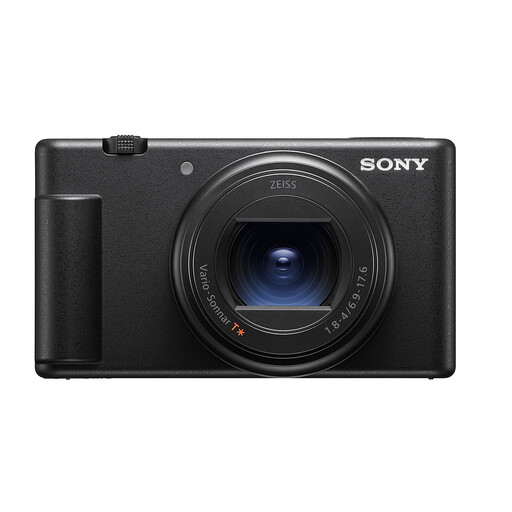 Image unavailable
Sony ZV-1 II, 1-inch 20 MP camera
Consider this compact, fixed-lens option when a smaller camera is important. Check its lens framing and closest focusing distance against your cover sizes, and confirm that its screen and tripod mounting work with your planned position.
View on Joybuy
 Image unavailable
Sony A6700 with 16–50 mm lens
This APS-C zoom kit is worth considering if its framing range suits your shooting distance. Confirm RAW capture, manual-exposure controls and tripod mounting if those are needed for your repeatable cover-photography workflow.
View on Joybuy
 Image unavailable
Sony A6400 with 16–50 mm Power Zoom lens
This APS-C kit offers a 16–50 mm lens to assess against your available cover-framing distance. If you plan to edit against a colour reference or keep exposures consistent, confirm the exact kit’s RAW and manual-exposure options, along with tripod mounting.
View on Joybuy
Common questions
Do I need a full-frame camera for book covers?
No, full frame is not a requirement for this setup. Artwork-photography guidance from Amateur Photographer emphasises a camera, tripod and controlled lights; choose a lens and working distance that let you photograph the whole cover square-on, then plan how you will manage colour and reflections.
Can I start with the lens included in a camera kit?
Yes, if it can frame your covers at a workable distance without forcing you to shoot very close at its widest setting. Test the full cover in your available space before relying on a kit lens for a batch of photographs.
How can I reduce glare on glossy covers?
Use movable off-camera lights and adjust their positions while keeping the camera square to the cover on a tripod. Avoid positioning a light close to the camera axis where its reflection appears in the cover.
How can I keep cover colours consistent?
Keep the lighting repeatable and use a grey card or colour checker as a reference. National Museums Scotland includes colour-reference use and RAW editing in its collection-photography guidance; creative camera presets serve a different purpose from reference-led colour balancing.
Can I publish my book-cover photographs online in the UK?
Do not assume that taking the photograph clears the rights to publish protected cover artwork. The UK Intellectual Property Office explains that copying or sharing protected images will usually require the copyright owner’s permission; check whether you have permission, a relevant licence or an applicable exception for your intended use.


