What matters when choosing?
Start with the largest invitation and smallest detail you need to photograph at the height available in your workshop. That working distance helps determine the lens and support you need before you compare camera-body features.
| Concern |
What to check |
Who this matters to |
| Consistent colour |
Check white-balance controls and whether your lighting and editing process can remain consistent. |
If paper whites and ink colours must match across repeat listings, I need a dependable way to assess each session’s colour. Around 34% of consumers put colour consistency first. |
| Full layouts and fine details |
Check the lens’s field of view at your overhead height and its minimum focusing distance for close details. |
I need the complete invitation to look square, but also want legible close views of type or finishing. Around 33% of consumers make framing and detail their primary concern. |
| Shared-workshop setup |
Check screen visibility from the mounted position and the workshop’s arrangements for supports, lights and chargers. |
When I must clear the table after photographing, equipment that is practical to position and pack away matters most. Roughly 20% of consumers prioritise the shared-workshop setup. |
| Room to expand |
Check what lens comes with the camera and whether the system offers a suitable close-focus option if needed later. |
If I photograph invitations only occasionally, I want a workable starting kit without ruling out a different lens later. Around 13% of consumers put expandability first. |
Joybuy cameras for this setup
These cameras offer different starting points for photographing invitations in a shared workshop, from zoom-lens kits to a compact wide-lens camera. For each one, check whether the lens frames both your full invitation and the smallest detail you need at your available camera height.
 No image available
Sony Alpha ZV-E10 II K with 16–50 mm f/3.5–5.6 kit lens
Consider this APS-C interchangeable-lens kit if you want to start with a zoom for full invitation layouts. The product name specifies 26 megapixels and a 16–50 mm f/3.5–5.6 power-zoom lens. Check the lens’s close-up framing before relying on it for fine details, and plan for stable overhead support and consistent lighting.
Joybuy
 No image available
Sony A6700 APS-C with 16–50mm lens
This mirrorless zoom-lens kit is an option to assess for whole-invitation framing. Check the supplied lens’s minimum focusing distance against your smallest required detail; if you plan to edit colour from RAW files, confirm the camera settings and file options needed for that workflow.
Joybuy
 No image available
Sony A6400 APS-C with 16–50mm power-zoom lens
Consider this zoom-lens kit if you need to move between full invitation views and wider detail shots. Sony’s UK specifications identify an approximately 24.2-effective-megapixel APS-C α6400 camera. Check the supplied lens’s close-up framing at your working distance and confirm the colour-workflow controls you intend to use.
Joybuy
 No image available
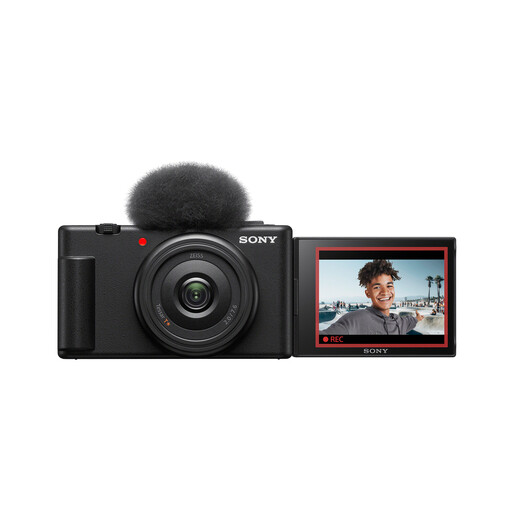
Sony ZV-1F compact camera
This compact camera is worth assessing if a small kit matters more to you than choosing among supplied zoom lenses. Its product name specifies a 1-inch sensor and an ultra-wide lens. Test the required full-invitation and close-detail framing against your overhead distance before choosing it for this task.
Joybuy
 No image available
Sony Alpha 7 III full-frame with 28–70mm zoom lens
This full-frame mirrorless kit is another option for framing whole invitations with a supplied zoom. The product name specifies a 28–70mm lens. Check its close-up framing at your available height and confirm the file and white-balance options needed if repeatable colour editing is central to your work.
Joybuy
Common questions
Should megapixels be my first priority for invitation photographs?
No: resolution helps when you crop a detailed invitation image, but it cannot correct reflections, blur, inaccurate colour or perspective distortion. Check the lens, overhead support, lighting and white-balance workflow alongside the camera’s resolution.
Do I need RAW files for photographing invitations?
RAW is worth considering if you regularly adjust exposure or white balance during editing. It does not make colours accurate on its own, so keep the lighting consistent and use a reliable reference when colour matching matters.
Should I buy a macro lens straight away?
Not necessarily: start by checking whether the supplied lens frames both the whole invitation and your smallest required detail at the working distances available. Consider a closer-focusing lens if it cannot give you the detail framing you need.
Can I use my own lights and chargers in a shared workshop?
Check with the workshop operator before bringing powered equipment, including where you may plug it in and how cables must be routed. For equipment used in a work setting, the Health and Safety Executive provides guidance on electrical-safety precautions; it does not grant permission to use equipment at a particular venue.


