Detail-focused loom demonstrators
You need to show yarn, fingers, heddles and shuttle movement at close range, while retaining the flexibility to frame looms of different sizes.


Choose an interchangeable-lens camera if changing loom sizes or camera positions makes precise framing a priority; a kit with a supplied zoom offers a more straightforward starting point than a body-only purchase. For normal-speed demonstrations, 4K/60p need not drive the choice, but whichever camera you choose, use stable support and test the actual yarn, loom and white backdrop under your intended lighting.
You need to show yarn, fingers, heddles and shuttle movement at close range, while retaining the flexibility to frame looms of different sizes.
You demonstrate and operate the camera yourself, so a screen you can see from the working position and a suitable microphone arrangement matter alongside framing.
You want a manageable kit for stationary instructional clips and do not need 4K/60p for your intended footage.
Start with the camera position and the view of the loom you need. Then check how you will keep the backdrop and yarn visible across takes, and whether you can operate the setup while weaving.
| Concern | What to check | Who this matters to |
|---|---|---|
| Framing and detail | Check the supplied lens or built-in zoom and whether it frames both the working area and close hand movements from your planned camera position. | If I change loom size or need to show individual threads, I need to compose close views without losing sight of the weaving; around 36% of consumers would put framing and detail first. |
| White-backdrop consistency | Check the recording and colour settings you intend to use, then test exposure with your backdrop and yarn under the planned lighting. | When pale yarn sits against a white backdrop, I want its texture to remain visible from take to take; roughly 29% of consumers would make exposure and colour consistency their primary concern. |
| Solo operation and speech | Check whether you can see the screen while weaving and use the microphone and monitoring arrangement your instructions require. | If I am weaving and explaining each step alone, I need to check my framing and spoken instructions without another operator; around 21% of consumers would prioritise solo operation and audio. |
| Simple starting kit | Check what lens, charging equipment and recording media the exact package includes, as well as its maximum 4K frame rate. | For stationary clips at normal speed, I would rather start with a compact setup than assemble a larger system; about 14% of consumers would put kit simplicity first. |
Resolution alone cannot establish how your lighting, pale yarn and backdrop will appear together.
Record a short clip of the actual weaving setup at your intended camera position and review whether detail remains visible in both the yarn and background.
An interchangeable-lens body needs a suitable lens, and a fixed overhead or side view needs stable support.
Check the exact bundle contents and plan the lens, mount, memory card and any microphone needed for your tutorials.
Panasonic lists 4K recording up to 30p for the LUMIX G100D; its slow and quick recording functions are listed in Full HD.
If slowed 4K footage of rapid hand movements is essential, check the capture and editing workflow before choosing a camera. Otherwise, assess the G100D for normal-speed 4K demonstrations.
Panasonic Store UK says its cited LUMIX G100D kit does not include a USB cable or AC adapter.
Check which compatible charging equipment you already have before setting up the camera.
You may need to obtain a compatible cable or adapter separately.
Sony’s ZV-E10 II is an APS-C interchangeable-lens option when the view around the loom needs to change.
Canon’s EOS R50 V is an APS-C option for tutorials where screen position, recording controls and spoken instruction shape the setup.
Panasonic’s LUMIX G100D kit suits consideration for compact, normal-speed demonstrations when a supplied zoom is useful.
These cameras offer interchangeable-lens kit and built-in-zoom approaches to framing a weaving demonstration. Compare the exact lens or zoom with your loom position, then plan stable support and a test with your white backdrop.
 Image unavailable
Consider this kit if you want a supplied zoom for changing between loom-wide and closer framing. The ZV-E10 II is an APS-C interchangeable-lens camera; Sony lists 4K/60p and 10-bit 4:2:2 recording for this model.
Choose a stable mount for the intended view, check the memory card needed for your recording mode, and test exposure with the actual yarn and backdrop.
 Image unavailable
This APS-C kit is worth considering if a supplied zoom helps you adjust the loom view. If a particular 4K frame rate or video colour setting matters to you, confirm it for this model before purchase.
Plan stable support for an overhead or side view and review a test clip against your intended backdrop.
 Image unavailable
This interchangeable-lens kit gives you a supplied zoom for adjusting the view between loom-wide and closer shots. Check its recording modes against your planned footage rather than assuming it has the same capabilities as the ZV-E10 II.
Use stable support for the camera position and check how your yarn and backdrop look in a test recording.
 Image unavailable
This APS-C camera is another zoom-lens option for varying the composition around a loom. Confirm the exact lens supplied with this bundle, as well as the video mode you intend to use, before deciding whether it fits your camera position.
A stable mount and a test with your backdrop remain important for repeatable shots.
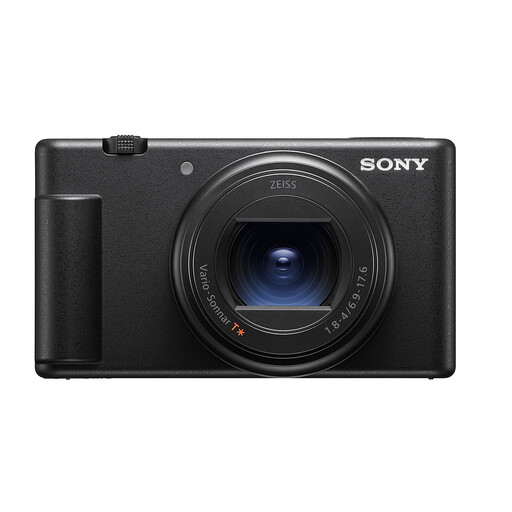 Image unavailable
Consider the built-in zoom if you would rather adjust framing without changing lenses. The product title identifies a 1-inch sensor and 4K video; check whether its view and close-focusing distance suit your planned position over or beside the loom.
If you film alone or give spoken instructions, also confirm the screen and audio connections you need before choosing this model.
Not if you plan to show the weaving at normal speed. If slowing fast hand or shuttle movements in 4K is important, check for a suitable 4K/60p mode; Panasonic lists the G100D at up to 4K/30p.
Choose a kit when you need a supplied lens to get started, but check that its field of view works from your intended camera position. Sony identifies a 16–50mm lens in its cited ZV-E10 II kit, while Panasonic identifies a 12–32mm lens in the cited G100D kit; do not assume every offer for either camera includes one.
Check the card against your chosen recording mode before purchase. Panasonic lists SD, SDHC and SDXC media for the G100D and specifies UHS-I UHS Speed Class 3-compatible SDHC/SDXC cards; consult the camera manual and card details for the mode you intend to use.