What matters when choosing?
Start with the photographs your listings need: dependable glaze colour, visible surface detail or a setup you will use regularly. Then check the lens and file workflow for the camera you are considering, rather than judging the body alone.
| Concern |
What to check |
Who this matters to |
| Repeatable glaze colour |
Check RAW recording and whether you can set white balance or photograph a neutral reference as window light changes. |
If I sell pots online, I need the same glaze to look consistent across listing sessions. Around 42% of consumers put colour consistency first. |
| Reflections and surface detail |
Check the exact lens’s minimum focusing distance and magnification; plan for soft indirect light and stable support. |
When I photograph a glossy rim or glaze pooling, I want the detail visible rather than lost in glare. For around 33% of consumers, reflection and detail control is the primary concern. |
| A repeatable listing routine |
Confirm the kit contents and choose screen positioning, file handling and a lens that suit your tabletop arrangement. |
If I photograph new pieces regularly, I need a camera arrangement I can set up again without fuss. Ease of routine use comes first for around 25% of consumers. |
Joybuy camera choices
These Sony interchangeable-lens cameras offer two different starting points for a pottery setup: one is listed with a kit zoom, while the Alpha 7 III listing needs a bundle-content check. For either camera, confirm that your chosen lens can frame the glaze details you photograph.
 No image available
Sony Alpha ZV-E10 II K with 16–50 mm kit lens
Consider this kit if you want to frame whole pieces with the listed zoom; check the lens’s close-focus distance and magnification before relying on it for small glaze details.
The listing names an APS-C camera with 26 megapixels and a 16–50 mm f/3.5–5.6 power zoom kit lens.
Joybuy
 No image available
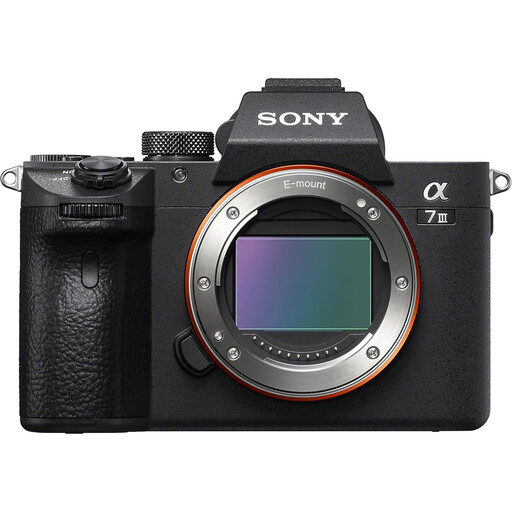
Sony Alpha 7 III full-frame mirrorless camera
Consider this camera if you have a compatible lens or intend to choose one for both whole vessels and glaze details.
The product title says body only, but the accompanying description mentions a 28–70 mm lens. Confirm what is supplied before buying, then check the actual lens’s close-focus suitability.
Joybuy
Frequently asked questions
Should I prioritise megapixels or RAW capture for pottery glazes?
For colour-sensitive listings, prioritise a repeatable RAW and white-balance workflow before choosing on megapixel count alone. Adobe describes direct colour-temperature adjustment for RAW files in Camera Raw, while Calibrite recommends a neutral target for custom white balance; resolution alone does not make a glaze colour accurate.
Can I photograph pottery by a window without studio lights?
Yes, indirect window light can be a workable starting point. The Pottery People recommends setting up near a window but avoiding direct sunlight, which can wash out colour and create hard shadows; keep the camera stable and watch how reflections fall on the glaze.
Do I need a macro lens for glaze close-ups?
Not necessarily for occasional details, but check whether your exact lens frames them closely enough. Canon specifies 15 cm minimum focusing distance and 0.25× magnification for the RF-S 18–45mm; if you chiefly photograph very small details, compare that framing with a lens intended for closer work.
What else should I arrange besides the camera body?
Arrange a suitable lens and stable support, then add a neutral white-balance reference if consistent glaze colour matters. Confirm the kit contents and your file-editing workflow so that the camera you choose fits the way you will photograph and prepare listings.


