What matters when choosing?
For printed invitations under artificial light, establish the framing distance and lighting arrangement before deciding how much native resolution your finished files require.
| Concern |
What to check |
Who this matters to |
| Fine detail and cropping |
Compare native pixel counts and check the chosen lens at the intended framing distance. Allow for the file sizes your editing workflow can handle. |
If I need separate close crops of lettering and texture, I want enough detail in the original file without relying on a composite mode. Around 36% of consumers would put detail and cropping first. |
| Colour and reflections |
Check the available white-balance controls and whether you can position and soften the artificial light; compare a test photograph with the physical invitation. |
When foil catches the light or printed colours look different from the card, I need a setup that lets me adjust the lighting rather than just change camera bodies. Colour and reflection control comes first for around 29% of consumers. |
| Repeatable close-ups |
Confirm the lens’s close-focus distance and how you will support the camera. Check whether the lighting allows the aperture needed to keep the invitation sharp. |
For a series of invitation suites, I need to return to the same framing and keep fine details in focus. Around 21% of consumers would prioritise a repeatable close-up workflow. |
| Portability |
Consider the body together with the lens, tripod and lights you intend to carry. Check whether the lens system offers a suitable close-focus option. |
If I photograph stationery in different workspaces, carrying the complete kit matters, but I still need stable framing once it is set up. Portability would be the primary concern for around 14% of consumers. |
Joybuy camera choices
These camera and lens options cover interchangeable-lens kits and a compact camera for invitation photography. Check each lens’s framing and close-focus suitability against the size of your invitations before choosing.
 Image unavailable
Sony Alpha ZV-E10 II K with 16-50 mm f/3.5-5.6 Power Zoom kit lens
For invitation stills, check whether the supplied lens can frame fine details from your planned camera position. The named APS-C kit specifies 26 megapixels; confirm the exact body and kit variant before ordering.
View on Joybuy
 Image unavailable
Sony A6400 APS-C with 16–50mm Power Zoom lens
This interchangeable-lens kit is an option if you want to start with the supplied zoom. Check whether that lens focuses closely enough for the invitation details you intend to photograph, and confirm the camera controls needed for your artificial-light workflow.
View on Joybuy
 Image unavailable
Sony Alpha 7 III full-frame with 28–70mm zoom lens
If you want a full-frame kit for invitation stills, assess the supplied 28–70mm lens at your intended framing distance. Confirm its close-focus suitability and the capture controls you need before building a repeatable lighting setup around it.
View on Joybuy
 Image unavailable
Sony A6700 APS-C with 16–50mm lens
For an interchangeable-lens invitation setup, the supplied 16–50mm zoom gives you a starting lens. Check its working distance for small print or texture shots, and plan how you will hold the camera steady and control reflections.
View on Joybuy
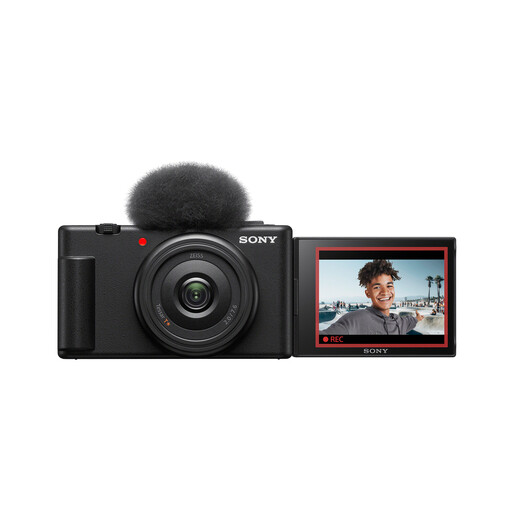 Image unavailable
Sony ZV-1F compact camera, 1-inch sensor and ultra-wide lens
If carrying a compact camera matters more than changing lenses, test whether this model’s fixed ultra-wide lens frames invitations as you need. Check its close-focus distance and whether its file options suit any detailed crops you plan to deliver.
View on Joybuy
Frequently asked questions
What should I work out before comparing camera bodies?
Work out how you will support the camera, light the invitation and frame it at the required distance. Then check for a lens that focuses appropriately and a body that produces files large enough for your intended crops; Canon’s product-photography guidance identifies both resolution and colour accuracy as relevant.
Is Pixel Shift useful for photographing invitations?
Pixel Shift can be useful for a stationary invitation in a stable, consistently lit setup. Nikon lists the feature for the Z8, while Fujifilm describes a multi-shot composite mode for the X-T5; neither mode removes glare or replaces a suitable close-focus lens.
Can I return a camera if I change my mind after ordering?
A change-of-mind return depends on how the camera was bought and the applicable terms. Citizens Advice describes a normally applicable 14-day cooling-off period for qualifying purchases made without seeing the item in person, with exceptions; check the seller’s terms before ordering. Faulty or misdescribed goods raise a separate issue from simply changing your mind.
What if a camera arrives faulty or differs from its description?
Contact the seller about a faulty or misdescribed camera rather than treating it as a change-of-mind return. Citizens Advice says legal rights apply when goods are broken, damaged, unusable or do not match their description; keep your order confirmation and a record of the problem.


