Controlled-light tabletop demonstrators
You film pieces and hands against a deliberately dark backdrop. Your priorities are lighting the puzzle surface, setting exposure and checking that the chosen lens frames it at your planned camera height.


For a puzzle demonstration against a dark background, choose a camera whose screen you can see from the filming position and whose recording mode suits the finished video. Check the lens or fixed field of view, lighting and overhead support as a complete setup: 4K/60p and advanced colour options are useful only if your footage or editing calls for them.
You film pieces and hands against a deliberately dark backdrop. Your priorities are lighting the puzzle surface, setting exposure and checking that the chosen lens frames it at your planned camera height.
You need to check composition while working around a camera above the table. A repositionable screen can help, provided you can see it from your actual mounting position and the support is suitable for the complete setup.
You mainly record a fixed explanation and do not need 60p footage or advanced colour-editing options. A 4K/30p mode may meet that requirement if its framing and recording limits suit your setup.
Plan the lighting and the view of the whole puzzle first. Then decide whether a fixed demonstration needs 30p or whether your intended footage calls for a higher frame rate.
| Concern | What to check | Who this matters to |
|---|---|---|
| Scene exposure | Check exposure controls and plan how to light the pieces and hands without unwanted glare. | Against a dark backdrop, I need the pieces and my hands to remain visible without losing detail to shadow or glare. Around 36% of consumers put scene exposure first. |
| Detail and framing | Check the recording mode and whether the lens covers the whole board at your mounting height, particularly if that mode crops the image. | I want the entire puzzle in shot while keeping individual pieces clear enough for my demonstration. For around 29% of consumers, detail and framing are the primary concern. |
| Solo overhead operation | Check screen visibility from the mounted position and the compatibility and load rating of the complete support setup. | When I work alone above the table, I need to see my composition without moving the camera each time. Around 21% of consumers prioritise this overhead usability. |
| Simple static recording | Decide whether 4K/30p meets your output needs; check the camera's recording-media requirements. | If my puzzle explanation stays mostly still, I would rather choose recording features I will use than plan around 60p or extensive colour editing. Simplicity comes first for around 14% of consumers. |
Panasonic lists 4K/30p for the LUMIX G100D, while Nikon says the Z50II crops its view in 4K/60p. A crop can leave less room for a full-board shot.
Choose the frame rate you need, then check that the relevant mode and lens cover the puzzle from your planned height.
A camera specification does not establish that your lens shows the whole board or that a particular arm and head safely hold the combined load.
Measure the puzzle area, decide on a mounting position and check lens coverage and support compatibility before buying.
Depending on the configuration, you may also need a lens, mounting plate, suitable recording media or lighting.
Sony describes greater sensitivity and less noise for the ZV-E10 II, but that manufacturer claim does not establish how clearly pieces will appear in your particular scene.
Plan illumination, exposure and focus around the puzzle surface rather than relying on the camera body alone.
The ZV-E10 II is an interchangeable-lens APS-C option for creators considering higher-frame-rate recording and further colour editing.
The EOS R50 V offers a video-focused APS-C route with a vari-angle touchscreen.
The Z50II offers a vari-angle screen and distinct 4K/30p and 4K/60p recording routes.
The LUMIX G100D is a Micro Four Thirds option to consider for a mostly static demonstration.
These choices include interchangeable-lens cameras and compact pocket cameras for recording a puzzle demonstration. For either type, check the view of your board and a suitable mounting arrangement before choosing; the included accessories differ by model and bundle.
 No image available
Consider this kit if you need 4K/60p and 10-bit 4:2:2 recording for your demonstration. Check whether its included lens covers the whole puzzle at your planned camera height, and plan lighting and a securely rated overhead support separately.
 No image available
This interchangeable-lens kit is an option when you want a supplied lens for 4K puzzle recording. Check its view of the complete board at your mounting height; a suitable overhead support and lighting still need separate planning.
 No image available
Consider this pocket-camera bundle if you want a compact option for filming the demonstration. Its stated features include a 1-inch CMOS sensor, 4K/120fps video and an included microphone. Check the view of the puzzle and safe overhead mounting independently.
 No image available
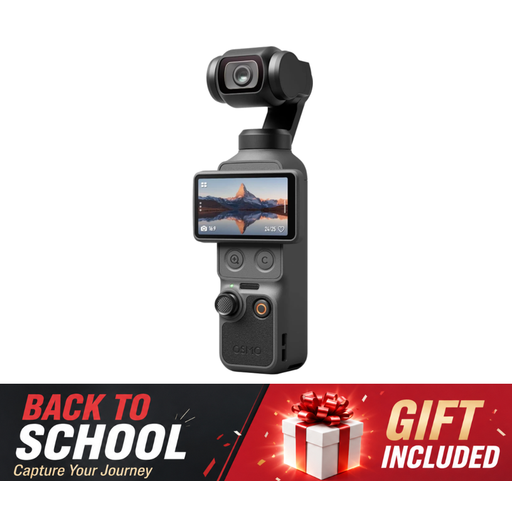
This pocket-camera bundle is an option for compact 4K recording. Its stated 4K/240fps setting applies to slow-motion mode; it also lists 107 GB of built-in storage and a 2-inch rotatable screen. Check the mode you intend to use, full-board framing and overhead support compatibility.
 No image available
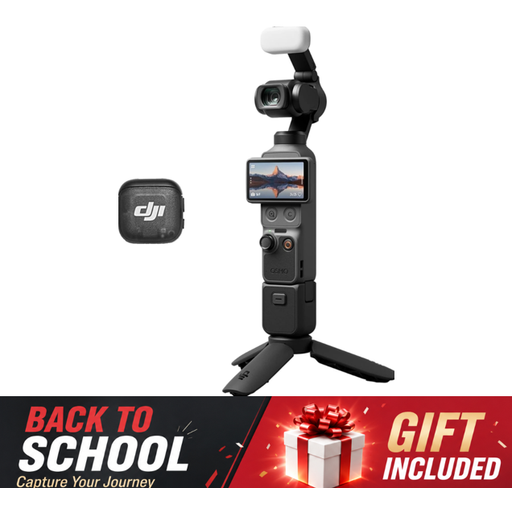
Consider this pocket-camera bundle if a compact format and a handle with a stated 1/4-inch thread suit your setup. It lists 4K recording and 107GB of built-in storage. The thread alone does not establish that an overhead support safely holds the complete setup; check framing and support suitability.
No: 4K/30p can suit a mostly static explanation if it matches your intended output. Consider 60p when you need its motion or slow-motion options, but check the exact mode and framing: Nikon specifies a crop for the Z50II at 4K/60p.
Check that the support, head and mounting plate are compatible with the camera and lens and safely rated for their combined load. Also confirm that the board fits in shot and that you can see the screen from your working position; an articulating screen does not establish rig safety.
Do not rely on the camera body alone for that result. Plan how you will illuminate the puzzle, control exposure and frame the pieces against the background; sensor and recording specifications cannot establish how your particular scene will look.