Detail-led portfolio makers
If your images need to show precise creases, layered edges or miniature construction, assess the lens’s magnification and focusing distance as well as the camera body.


Choose the lens and shooting setup around the images your origami portfolio needs: a zoom lens can frame complete models, while a macro-capable lens is worth considering when tiny folds or paper texture must fill the frame. An interchangeable-lens camera with a screen you can view from your chosen tabletop angle gives you room to adapt, but close-up sharpness also depends on stable support, careful focus and lighting.
If your images need to show precise creases, layered edges or miniature construction, assess the lens’s magnification and focusing distance as well as the camera body.
If you photograph complete models across a series, look for a camera you can frame comfortably from your chosen angle and use on a fixed support.
If you also make folding demonstrations or process clips, consider recording and screen features alongside the lens you need for still photographs.
Decide whether complete models or small details will dominate your portfolio before choosing a lens. Then check how you will position and steady the camera; consider video features only if you plan to use them.
Choose it when: complete models and changes in tabletop framing are your main subjects.
Trade-off: check the supplied lens’s magnification before relying on it for frame-filling images of tiny folds.
Choose it when: paper texture, tight folds or miniature joins need to occupy much of the image.
Trade-off: very close framing leaves less depth of field and may make lighting placement more awkward.
| Concern | What to check | Who this matters to |
|---|---|---|
| Small details | Check the exact lens’s maximum magnification and its minimum focus and working distances. | If I want tiny folds and paper texture to fill a photograph, I need a lens that can frame them closely without obstructing the light. Around 36% of consumers put close-detail reproduction first. |
| Repeatable tabletop images | Check screen movement and whether your intended lens can frame the complete model from your available camera position. | When I photograph a series of models, I want consistent framing and sharpness without repositioning each piece. Repeatable tabletop work is the primary need for around 29% of consumers. |
| Setup simplicity | Confirm the supplied lens, compatible lens mount and any support or remote accessories you intend to use. | If I am building my first setup, I want to know which parts I need for my planned photographs rather than assume the camera body covers every shot. Around 21% of consumers chiefly prioritise a manageable setup. |
| Stills and process video | Check the recording mode and screen position you need, then assess the lens separately for stills. | If my portfolio includes folding demonstrations, I need a camera arrangement that works for motion as well as finished-piece photographs. Video alongside stills comes first for around 14% of consumers. |
A camera’s resolution does not tell you how large a tiny fold can appear in the frame. Sony specifies 1:1 magnification for its E 30mm F3.5 Macro, while Canon specifies up to 1:2 for its RF 35mm F1.8 IS Macro STM; those figures describe the lenses, not every camera or kit in their systems.
List the full-model and detail shots you need, then check the magnification and focusing distance of the precise lens you would use.
Frame-filling detail work may require a separate macro lens.
At close range, a narrow zone of focus can leave neighbouring paper layers soft, and camera movement can affect sharpness. Canon’s close-up guidance recommends a tripod or other support for still-life subjects.
Steady the camera, test different apertures and inspect sharpness across the model before photographing the whole series.
Close focusing does not necessarily leave much room between the lens and the origami. Sony specifies a 2.4 cm minimum working distance for its E 30mm F3.5 Macro, which makes light placement worth planning.
Try the intended camera, lens and lighting positions together where possible, particularly if you need side light on layered paper.
The UK Intellectual Property Office says the creator of a photograph will generally be its first copyright owner. That does not automatically give you permission to reproduce someone else’s protected photographs or artwork in a portfolio presentation.
Keep track of which images you created and check permission before incorporating protected material made by someone else.
The EOS R50 is one APS-C option for tabletop composition, with a vari-angle screen and a compatible RF close-up lens route.
The Z50II offers a vari-angle screen and an electronic viewfinder for composing tabletop photographs and previewing settings.
The α6400 and E-mount lens system offer a route from general tabletop images to close views using a dedicated macro lens.
These interchangeable-lens camera packages are options to assess for complete origami models and tabletop framing. If your portfolio also needs frame-filling details, check the exact supplied lens’s close-focus specifications and whether a suitable additional lens fits your chosen camera.
 No image available
Consider this APS-C interchangeable-lens package if you want a zoom for complete models and also plan to record process video.
The product name specifies a 26 MP camera, a 16–50 mm f/3.5–5.6 power zoom lens and 4K 60p recording. Check the supplied lens’s close-focus specifications for detail shots, and confirm which tabletop accessories you need separately.
 No image available
This camera-and-zoom package is relevant if complete origami models are your main subjects.
The product name identifies an APS-C body and a 16–50 mm lens. For close views of folds, check that lens’s magnification and minimum focus distance; confirm support or remote accessories separately if you need them.
 No image available
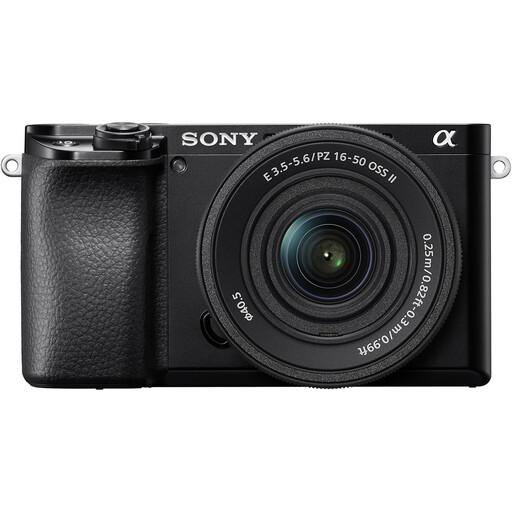
Consider the A6400 for whole-model tabletop photographs if a tilting screen suits the angles you use.
The supplied lens is identified as 16–55 mm in one product title and 16–50 mm in its description. Confirm the exact lens before choosing this package, particularly if close-detail images matter.
 No image available
This zoom-lens package is a candidate for photographs of complete origami models, with a tilting screen to consider for high-angle framing.
The product name specifies an APS-C camera and 16–55 mm zoom lens. Check the supplied lens’s magnification and focusing distance before planning close-up shots, and confirm any support accessories you require.
 No image available
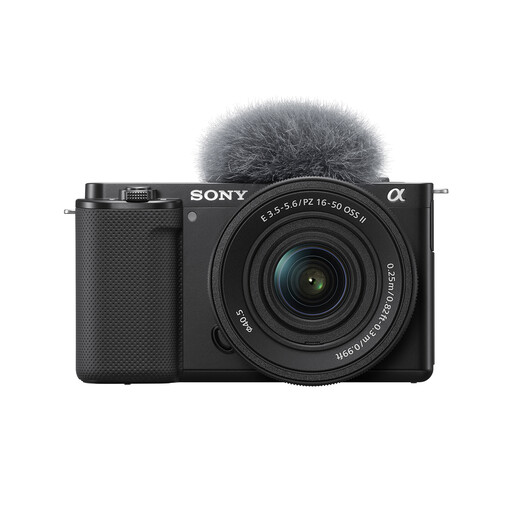
Consider this interchangeable-lens package if you want to frame complete models and may also make craft videos.
The product name specifies a 16–50 mm power zoom lens. Check its close-focus capability for small folds, confirm the sensor format if APS-C is a requirement, and check which fixed-support accessories you will need.
Not if your chosen lens frames complete models at the distance you want to work from. Consider a macro lens when tiny folds or paper texture must fill the frame, and compare the exact lenses’ magnification and working distances rather than relying on the camera body alone.
Use a tripod or other fixed support and test different apertures, then inspect sharpness across the model. Canon’s close-up guidance notes that depth of field becomes very small at close range and recommends stable support for still-life photography.
Yes, particularly when your camera is above the table or near its surface and the screen would otherwise be hard to see. Canon specifies a vari-angle touchscreen for the EOS R50, as does Nikon for the Z50II; check the screen movement of the particular camera you intend to buy.
The UK Intellectual Property Office says the creator of an image will generally be its first copyright owner. If your portfolio also reproduces another person’s protected photograph or artwork, check whether you need their permission to use it.