What matters when buying?
Start with the smallest detail you need to show, then consider how you will position the camera and whether you also need video. The priorities below concern consumers choosing a camera to photograph costume accessories; each percentage refers to those putting that need first.
| Concern |
What to check |
Who this matters to |
| Small-detail magnification |
Check the exact lens’s maximum magnification and working distance; confirm mount compatibility. |
If clasps or beadwork need to fill the frame, lens magnification comes before extra body features. Around 36% of consumers put small-detail capability first. |
| Repeatable listing shots |
Check screen movement and how you will support the camera for table-top shots. |
When photographing many items from the same position, consistent framing and focus matter most; roughly 29% of consumers prioritise that listing workflow. |
| Photographs and video |
Check screen articulation, relevant video modes and autofocus behaviour with an item held towards the camera. |
If listings also need demonstrations or presenter-led clips, the camera must handle both kinds of content. About 21% of consumers make that their primary concern. |
| Portable, handheld use |
Check the complete camera-and-lens setup and whether stabilisation applies to the way you shoot. |
For accessories photographed away from a fixed table-top setup, carrying and using the camera by hand may take priority. Around 14% of consumers put that flexibility first. |
Joybuy camera kits for listings and video
These interchangeable-lens Sony kits offer a starting point for accessory listings and product clips. Before choosing either for tiny beads, clasps or textures, check the included zoom lens’s close-focus distance and maximum magnification.
 No image available
Sony Alpha ZV-E10 II K with 16-50 mm f/3.5-5.6 Power Zoom Lens
A kit to consider if you photograph accessories and also make short product clips, while retaining the option to change lenses for closer work.
- The product title specifies 26 megapixels and 4K60p video.
- Check whether the included 16-50 mm lens focuses closely enough for your smallest items.
Joybuy
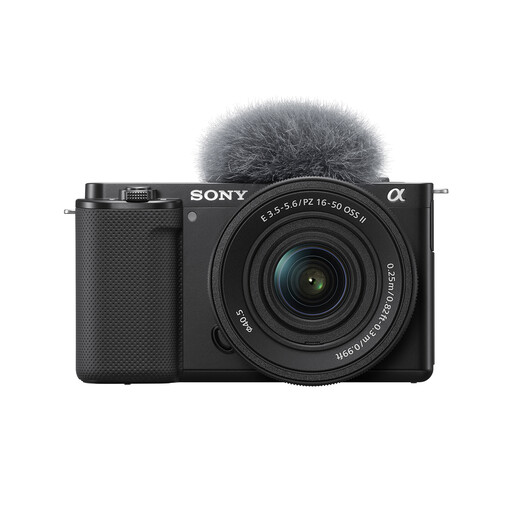 No image available
Sony ZV-E10K with 16–50mm Power Zoom Lens
An interchangeable-lens kit to consider for whole-accessory photographs alongside product demonstrations.
- Includes a 16–50mm power zoom lens.
- Check that lens’s close-focus distance and magnification before relying on it for small details; if handheld stills matter, also check the stabilisation available for your setup.
Joybuy
Common questions
Do I need a 1:1 macro lens for costume accessories?
Not for every accessory: a lens that focuses sufficiently close may work for larger items and whole-item listings. For tiny details that need to fill the frame, compare magnification; Sony UK and Nikon UK specify 1:1 macro lens options, while Canon UK specifies up to 1:2 for its RF 35mm F1.8 Macro IS STM.
Why is only part of my close-up photograph sharp?
Close focusing leaves a shallow depth of field, so different parts of a three-dimensional accessory can fall outside the sharp area. Canon UK advises careful focusing for macro work; for a stationary item, stable support and a review of test shots can help you place focus where it matters.
Should I prioritise stabilisation for table-top product shots?
For stationary table-top accessories, stable camera support and controlled lighting are more direct ways to manage the setup than relying on handheld stabilisation alone. Stabilisation addresses camera shake under applicable conditions, but it does not increase close-up depth of field or stop subject movement.
Can I use another seller’s accessory photos in my UK listing?
You will usually need the copyright owner’s permission to copy or share those photos online. The UK Intellectual Property Office advises that photographs are generally protected by copyright; using your own images or obtaining an appropriate licence avoids assuming that a publicly visible photograph is free to reuse.


