Who is this decision for?
The deciding factor is often what lies just beyond the entrance or boundary you want to monitor.
Householders planning around a shared entrance
If your door, drive or garden edge faces a neighbour's property, a communal route or a public area, you need to establish a limited view before weighing up alerts and recording features. The ICO advises positioning domestic cameras to capture only your own property where possible.
People monitoring a front door
If your main task is seeing and speaking with visitors, a doorbell's doorstep framing and workable power arrangement matter more than surveillance of a wider boundary. Check the view from the intended mounting position, including any shared path beside the door.
Householders deciding how to keep recordings
If you want to review footage later, compare local and cloud storage, the recording modes you would use and the equipment or service each requires. A live view and access to saved clips are not necessarily the same feature.
What should you check before buying?
Start with the installed view and work outwards: choose the coverage you need, then check how footage is kept and whether the position can be powered and connected.
| Concern |
What to check |
Who this matters to |
| View and privacy controls |
Inspect the view from the intended mounting point. Check whether the exact model can block part of the image and control audio, rather than merely adjust motion alerts. |
When a neighbour's window or a shared path sits beside my entrance, I want to avoid capturing it unnecessarily. Roughly 36% of consumers put a proportionate view and privacy controls first. |
| Entrance or boundary coverage |
Match a doorbell or fixed camera to one defined area. Check the mounted view, including any second camera, pan, tilt or tracking function. |
I need to see visitors at the doorstep or activity within my own boundary without choosing a wider view than the task requires. Around 29% of consumers prioritise that fit between coverage and position. |
| Recording and storage |
Confirm where clips go, how long they remain available, what hardware or plan is needed and whether continuous recording is supported. |
If I need to retrieve footage, live viewing alone is not enough; I want a recording arrangement I can maintain. For about 21% of consumers, storage and recording terms come first. |
| Power and connection |
Check the exact supply and network requirements at the proposed position, including any battery, existing wiring or cable route. |
A doorbell at my entrance needs a workable power and network connection before its alerts are useful to me. Approximately 14% of consumers place setup practicality above the other concerns. |
Relevant brands to consider
These examples illustrate different entrance, coverage and recording decisions; check the settings and requirements of the particular model you choose.
Ring
Video doorbells and cameras with app-based live viewing, visitor communication and optional subscription-supported recording.
- Ring says live video and answering notifications are available without a subscription.
- Saving, reviewing and sharing recordings requires a compatible subscription. Ring's 24/7 recording is limited to eligible continuously powered cameras and requires an additional per-camera service.
- Check whether the exact privacy setting blocks an image area or only changes motion alerts.
eufy
Doorbell options for entrance monitoring, including the Video Doorbell E340's two-camera doorstep layout.
- eufy describes the E340 as having a people-facing camera and a downward-facing camera for the area in front of the door.
- That layout still needs checking from the installed position near a shared route. For wired E340 operation, eufy specifies a supply of 8 to 24V and greater than 10VA, with the battery left installed.
Reolink
Outdoor cameras and systems with local-storage options for a defined private monitoring area.
- Reolink describes compatible local options including microSD cards, NVRs and Home Hubs.
- Confirm the storage equipment needed for the chosen model. Reolink's pan-and-tilt RLC-823S1 requires particular care in positioning and configuration near other properties or shared space.
Joybuy doorbell options for entrance monitoring
These video doorbells address monitoring at a front entrance, not a whole garden or driveway boundary. Compare their stated views and power options against your mounting position, and confirm privacy and recording settings for the exact device before choosing.
 No image available
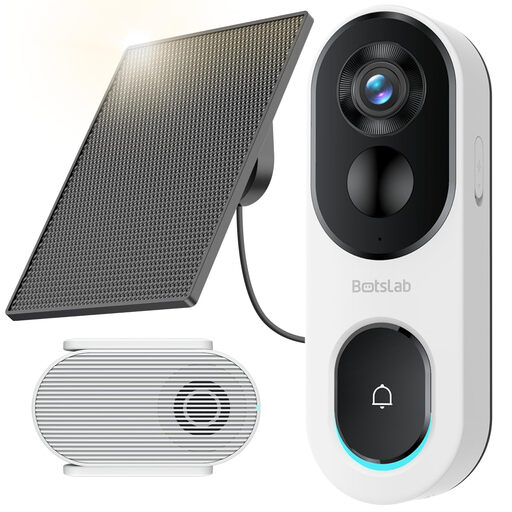
BOTSLAB R810SE 2K solar-powered video doorbell
For a defined front-door view where you can position the solar-powered unit appropriately. The product name specifies 2.4GHz Wi-Fi, two-way audio and a head-to-toe view; check whether that view includes a shared route and what the image and audio controls do.
Confirm the power arrangement and package contents for this variant before ordering.
View on Joybuy
 No image available
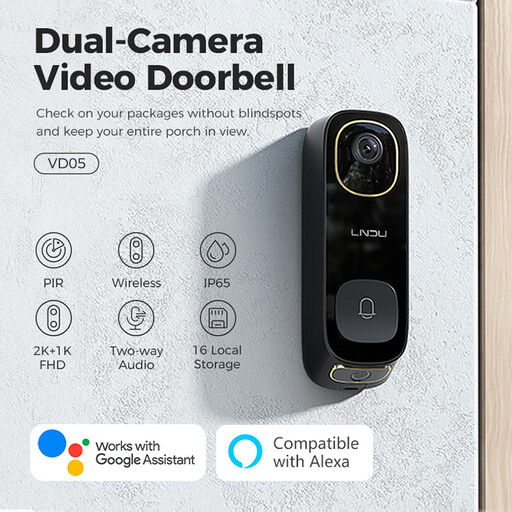
LNDU VD05 2K dual-PIR video doorbell with monitor
For monitoring a single entrance where two-way audio and a separate monitor suit the intended setup. Check the mounted view and the exact image and audio controls before positioning it beside shared space.
Confirm the applicable weather-resistance rating for this variant before outdoor use, along with its recording terms.
View on Joybuy
 No image available
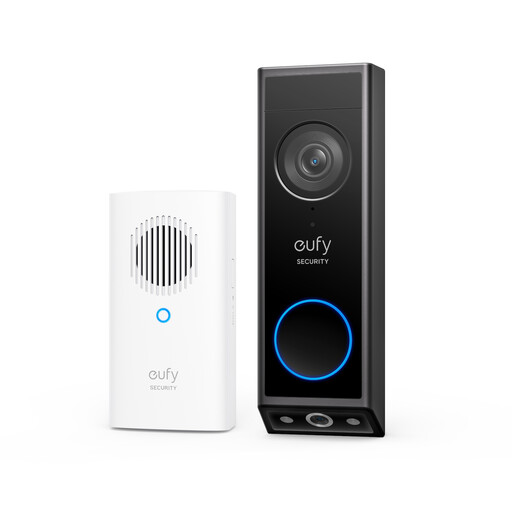
eufy E340 2K dual-camera video doorbell with chime
For an entrance where seeing both a visitor and the area immediately in front of the door matters. eufy describes one camera facing people and another facing downwards; inspect both views for neighbouring or shared areas.
The E340 supports battery or wired operation. According to eufy, wired use requires an 8 to 24V supply greater than 10VA and the battery remains installed. Confirm the recording terms and privacy controls for this variant.
View on Joybuy
 No image available
eufy Security Video Doorbell C31 2K, battery or hardwired
For front-door visitor monitoring where battery operation or suitable existing doorbell wiring is being considered. The product name specifies live video calling and ties 24/7 recording to hardwiring.
Check wiring compatibility before choosing that recording mode. Also confirm the installed view, privacy controls and how this variant stores footage; use a qualified installer for electrical work beyond product setup.
View on Joybuy
 No image available
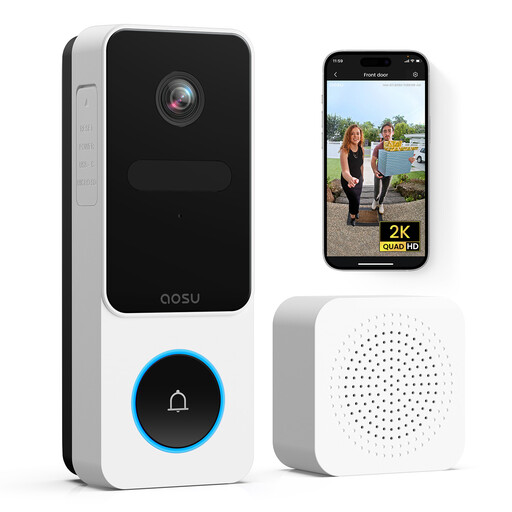
aosu 2K 170° video doorbell with chime
For an entrance where you want to assess a tall, wide doorstep view. The product name specifies a 170° angle, 2.4GHz Wi-Fi and two-way audio; check carefully whether the mounted view extends onto neighbouring property or a shared path.
Confirm the image-blocking and audio controls, power requirements and recording terms for this variant before choosing it.
View on Joybuy
Questions about cameras near shared spaces
Does UK data-protection law apply to my home camera or smart doorbell?
According to the ICO's domestic CCTV guidance, it applies if your system captures another person's property, a public area or a communal space. The ICO says the guidance covers fixed cameras and smart doorbells and advises capturing only your own property where possible. Its guidance is under review following changes made by the Data (Use and Access) Act, so check the current ICO guidance when planning your installation.
Will a motion zone stop a shared path appearing in recordings?
Not necessarily: a motion zone can change alerts without blocking the corresponding part of the image. Ring documents privacy features separately from motion zones. Check the exact model's image-blocking, audio and recording controls, as well as the view from its final position.
Can I use a Ring doorbell without a subscription?
Ring says you can watch live video and answer notifications without a subscription, but saving, reviewing and sharing recordings requires a compatible subscription. Its 24/7 cloud recording requires an eligible continuously powered camera, a Ring Protect subscription and a per-camera add-on.
What should I check before choosing local recording?
Check which storage method the exact camera supports and what equipment you will need. Reolink describes local options including microSD cards, NVRs and Home Hubs; for your chosen setup, confirm the storage medium, capacity, overwrite behaviour and how you will protect and access recordings.
Can the eufy Video Doorbell E340 run on existing doorbell wiring?
eufy says the E340 can use battery or wired power, provided the wired supply is 8 to 24V and greater than 10VA; the battery stays installed in wired mode. Check your existing supply against those requirements and use a qualified installer if the work goes beyond product setup.


