What matters when choosing?
Start with the size of your drawing surface and the height of your overhead support; those determine which framing options are worth considering. Then choose the recording and monitoring workflow your sessions require.
| Concern |
What to check |
Who this matters to |
| Whole-board and detail framing |
Measure the drawing area and lens-to-paper distance. Test all four corners in the wide shot and focus at your intended detail distance. |
I need viewers to see the whole composition without losing the fine marks when I move closer. Around 36% of consumers would put this framing need first. |
| Full-session recording |
Check the intended mode's recording conditions, card guidance, power plan and whether you can see the screen from the mounted position. |
When I teach a complete lesson, I do not want to interrupt the drawing to deal with a recording limit or an unseen framing change. Around 29% of consumers would prioritise that workflow. |
| Recording and editing options |
Confirm the frame rate, bit depth and card requirements for the exact mode you plan to edit. |
If I plan to slow down hand movements or deliberately grade the footage, the recording format matters to my edit. Around 21% of consumers would make those controls their primary concern. |
| Setup simplicity |
Compare the supplied or built-in lens, charging arrangement and screen position on your overhead support. |
For occasional clips, I would rather set up quickly than manage several lens choices, provided the desk fits in frame. Around 14% of consumers would put simplicity first. |
Joybuy camera choices
These cameras offer interchangeable-lens and fixed-lens approaches to filming at a drawing desk. For any of them, check the supplied lens or built-in zoom against your board size and mounting height before relying on it for a full demonstration.
 No image available
Sony Alpha ZV-E10 II K with 16–50 mm f/3.5–5.6 Power Zoom kit lens
Consider this interchangeable-lens kit if you want to adjust framing and use 4K/60p or 10-bit 4:2:2 recording. Test the supplied zoom for both board coverage and close detail at your camera height; check power, card requirements and recording duration for your planned session.
View on Joybuy
 No image available
Sony ZV-E10K with 16–50mm Power Zoom lens
This interchangeable-lens kit gives you a supplied zoom to try for the overhead shot. Confirm that it fits the whole drawing area and focuses at your intended detail distance; also check the exact recording mode and its session-length requirements.
View on Joybuy
 No image available
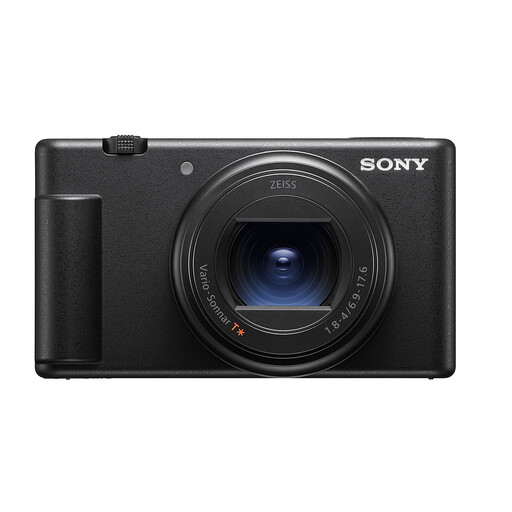
Sony ZV-1 II fixed-lens camera
Consider this compact camera if you want to avoid choosing a separate lens. Sony specifies an 18–50mm full-frame-equivalent zoom and approximately 5cm minimum focus distance, but the lens cannot be swapped: test full-board coverage from your available height before committing to the setup.
View on Joybuy
 No image available
Sony A6100 APS-C mirrorless camera with zoom lens
This is an interchangeable-lens option to assess for a drawing-desk setup. Confirm the exact lens supplied, as the lens ranges given for this item differ, then test board coverage and close focus. Check the recording mode and continuous-session requirements for the lesson you plan to film.
View on Joybuy
 No image available
Sony A6400 APS-C mirrorless camera with 16–50mm Power Zoom lens
The supplied zoom offers a range of framing positions to test on your overhead support. Check that it captures all four corners of the drawing surface and focuses at the detail distance you need; confirm the intended recording mode, power and card requirements for longer takes.
View on Joybuy
Common questions
Do I need 4K/60p to film a drawing demonstration?
No: a 4K/30p mode can suit a straightforward tutorial. Consider 60p if you specifically want to capture hand movements at that rate or slow sections down in an edit, and check the camera's mode and media requirements before choosing it.
Is a fixed-lens camera suitable for an overhead drawing shot?
Yes, if its lens frames the entire work surface from your available mounting height and focuses for the detail shots you need. If that test fails, an interchangeable-lens camera gives you the option of selecting a different lens.
Which memory card should I use for 4K recording?
Follow the requirements for your exact camera and recording mode. Fujifilm recommends UHS Speed Class 3 for 4K movie recording on the X-M5; do not assume that recommendation applies unchanged to another model.
Can I return an online camera purchase if it does not suit my setup?
For an online order, GOV.UK says customers generally have 14 days from receiving an item to notify the seller that they are cancelling, followed by another 14 days to return it. Check the applicable conditions and the seller's return instructions before testing the camera extensively; a faulty or misdescribed item raises separate rights from a change-of-mind return.


