
24/7 Customer Support

Free returns

Same-day & Next-day Delivery

Quality Guaranteed

Unlock Your Welcome Offers: FREE Delivery | Up to 80% OFF | Free 30-day JoyPlus trial
Download the APP
A car dash cam can provide useful evidence after a collision, protect against disputed claims and record incidents while your vehicle is parked. However, product listings often focus on headline specifications while leaving important limitations in the small print.
Before buying, UK drivers should look beyond terms such as “4K”, “night vision” and “24-hour protection”. The right choice depends on recording coverage, power requirements, storage, installation and how the camera performs in your specific vehicle.
A 4K dash cam records more pixels than a 1080p model, but resolution alone does not guarantee readable number plates. Lens quality, sensor performance, exposure control and compression also affect the footage. A lower-resolution camera with a suitable sensor and stable recording may be more useful than a poorly configured high-resolution model.
Check whether the advertised resolution applies to the front camera only. Some front and rear dash cam systems record in 4K at the front but use 1080p or 2K for the rear channel.
A 24-hour parking mode dash cam usually needs a continuous power supply. Many models require a separate hardwire kit connected to the vehicle’s fuse box. Using only the supplied cigarette-lighter cable may power the camera while driving but will not support continuous monitoring after the ignition is switched off.
Hardwiring should be completed carefully, with the correct low-voltage protection. If you are not comfortable identifying a suitable fuse circuit, professional installation can help avoid battery drain or wiring damage.
Dash cams use loop recording, which overwrites older unlocked clips when the memory card is full. Impact footage may be protected by a G-sensor, but cards can still become unreliable if they are unsuitable for continuous writing.
Check the supported microSD card capacity and speed rating, format the card according to the manufacturer’s instructions and review important footage promptly. A bundled 64GB card is convenient, but frequent users may need additional compatible storage.
A front camera records the road ahead, while a rear camera can document impacts from behind, reversing incidents and traffic approaching your vehicle. For families, commuters and delivery drivers, a front and rear dash cam generally provides broader evidence than a single-channel camera.
A mirror dash cam can combine recording with a digital rear-view display. This may suit vans, SUVs or vehicles with limited rear visibility, although cable routing and mirror size should be checked before purchase.
Look for a named image sensor where the information is available, as well as practical features such as WDR and a wide aperture. WDR helps balance bright and dark areas, while a wider aperture can allow more light into the lens. These features do not remove glare or guarantee plate readability in every situation.
A night vision dash cam should be assessed by its low-light sensor and sample footage rather than the label alone. Headlights, wet roads and street lighting can all affect results.
A GPS dash cam can log route and speed data with recordings. This may help organise footage, but drivers should remember that location and speed information can also require careful review before sharing.
A Wi-Fi dash cam or wireless dash cam normally connects to a smartphone app for viewing and downloading clips. This can be more convenient than removing the card, but the connection is generally intended for short-range file transfer rather than mobile internet access.
Also check the vehicle voltage, camera dimensions, cable length and mounting position. The camera should not obstruct the driver’s view. In the UK, keep the windscreen and number plates clear, and avoid placing equipment where it could interfere with safe driving.
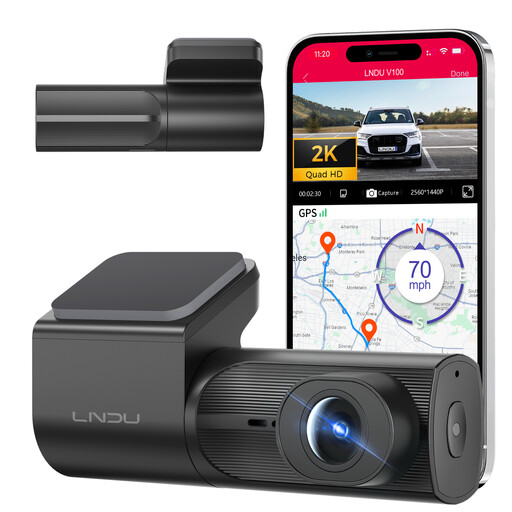
Why This Fits Their Persona: A compact front-facing option for commuters and first-time buyers who want 2K recording, app access and parking monitoring without moving to a larger multi-camera system.
Its listing identifies the separate hardwire requirement for 24-hour parking mode, helping buyers plan the installation rather than assuming the supplied car charger is sufficient.
2K recording, built-in Wi-Fi, G-sensor emergency locking, loop recording and night vision support.
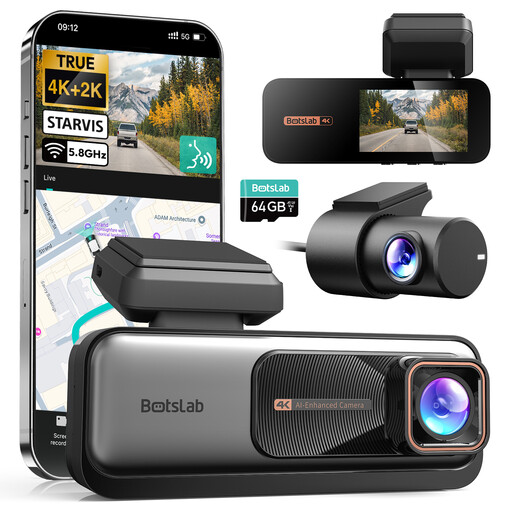
Why This Fits Their Persona: Suits drivers who want higher-resolution front footage, rear coverage and integrated location data for regular motorway, commuting or family travel.
The specification distinguishes 4K front recording from 2K rear recording and states that parking monitoring requires a separate hardwire kit.
Sony STARVIS sensor, 170° front and 150° rear viewing angles, built-in GPS, 5.8GHz Wi-Fi and included 64GB card.
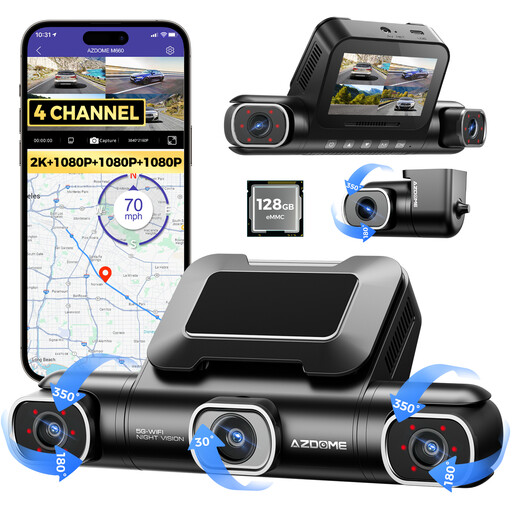
Why This Fits Their Persona: A multi-angle choice for taxi drivers, commercial vehicle users and motorists who want coverage around the cabin as well as ahead and behind.
The four-channel design reduces reliance on a single forward-facing viewpoint, while the listing clearly separates 2.5K front recording from 1K additional channels.
Four camera channels, built-in GPS, 128GB eMMC storage, voice control and three parking modes with a separately purchased hardwire kit.
We have compiled a complete, real-time list of products that fully satisfy these strict selection criteria and UK safety regulations.
Before installation, clean the mounting surface and position the camera behind the rear-view mirror where possible. Route cables under trim without obstructing airbags or pedals. Test the view during daylight and at night, then confirm that the date, time and recording loop are correct.
A standard dash cam draws power through the vehicle’s accessory socket. Parking monitoring adds the cost of a compatible hardwire kit and may require installation. Wi-Fi transfers can also use phone storage, so remove unwanted clips regularly.
Keep in mind that recordings may include identifiable people, number plates and locations. Store footage securely, share it only when necessary and check current UK data protection guidance if using cameras for business or passenger transport.
Generally, dash cams are permitted, but the device and cable must not obstruct the driver’s view. Do not handle the camera while driving. If footage includes personal information, use it responsibly and avoid unnecessary public sharing.
Usually, higher-resolution footage creates larger files and can fill a memory card faster. Loop recording will overwrite older unlocked files, so select a compatible high-endurance card and regularly back up clips that may be needed.
It can if parking mode is wired incorrectly or the vehicle remains unused for an extended period. A suitable hardwire kit with low-voltage cut-off is important for continuous monitoring. Check the vehicle and camera requirements before installation.