
24/7 Customer Support

Free returns

Same-day & Next-day Delivery

Quality Guaranteed

Unlock Your Welcome Offers: FREE Delivery | Up to 80% OFF | Free 30-day JoyPlus trial
Download the APP
A car dash cam can provide useful video evidence after a collision, help document incidents around a parked vehicle and improve visibility behind the car. However, choosing one based only on a headline such as “4K” or “24-hour protection” can lead to unexpected costs and disappointing footage.
Before buying, UK drivers should look beyond resolution. Camera coverage, memory-card support, installation, parking power requirements and data handling all affect how practical a dashcam will be in daily use.
A 4K dash cam can record more image detail than a 1080P model, but resolution alone does not guarantee readable footage. Lens quality, field of view, exposure control, compression and the cleanliness of the windscreen also matter. A very wide lens may capture more road but make distant number plates appear smaller.
For night driving, check whether the product specifies night vision, WDR or a low-light sensor. These features can help balance bright headlights and dark surroundings, but footage quality will still depend on weather, road lighting and installation position.
Many products advertise parking mode dash cam functionality, but continuous monitoring generally needs a separate hardwire kit connected to an always-on fuse and an ignition-controlled fuse. A standard 12V socket usually stops supplying power when the vehicle is switched off.
Hardwiring should be carried out safely, with cables routed away from airbags and driving controls. A suitable installation can also help reduce the risk of draining the vehicle battery. Check whether the hardwire kit is included, compatible with the car and required for the specific parking mode.
A dash cam may require a microSD card, rear-camera cable, adhesive mount or GPS antenna. Some models include a dash cam with memory card, while others do not. Storage capacity also matters: front and rear or 3-channel recordings use space more quickly than a single front camera.
Loop recording normally overwrites older unlocked files when the card is full. A G-sensor can lock footage after a detected impact, but important clips should still be copied to another device promptly.
A front-only car camera recorder is compact and simpler to install. A front and rear dash cam adds evidence of traffic approaching from behind, although the rear cable must be routed through the vehicle.
A 3-channel dash cam records the road ahead, cabin and rear view. This can be useful for taxi drivers, rideshare operators and commercial vehicles, but it creates larger video files and a more involved installation. Some specialist systems add side cameras for wider coverage.
Mirror-style systems, such as a mirror dash cam, replace the practical function of the standard rear-view mirror with a screen-based view. They can be useful for vans or vehicles with limited rear visibility, but check that the straps, camera position and screen brightness suit your vehicle.
For everyday driving, 1080P can provide a straightforward record of events. A 2K or 4K dash cam may preserve more detail, particularly when recording road signs or nearby number plates, but it usually requires more storage.
Check whether the advertised resolution applies to all cameras or only the front unit. For example, a system may record in 4K at the front but 1080P at the rear or inside. Also look for practical details such as:
A GPS dash cam can record route, location and speed data alongside video. Confirm how this information is displayed and whether an external antenna needs a clear view of the sky.
A Wi-Fi dash cam allows clips to be viewed or downloaded through a smartphone app, avoiding the need to remove the memory card regularly. Wi-Fi does not necessarily mean cloud storage, so check how files are transferred and saved.
Some models include ADAS dash cam functions, such as lane-departure or forward-collision alerts. These should be treated as driving aids rather than replacements for observation. Their usefulness can vary with camera alignment, road markings, weather and traffic conditions. Voice control dash cam models can also reduce the need to touch the device while driving, but commands and supported languages differ.
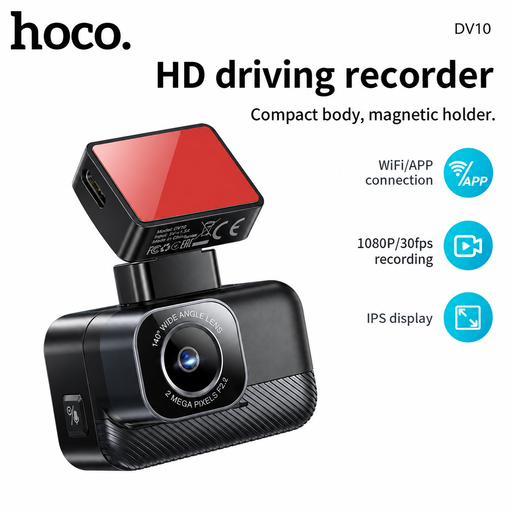
Why This Fits Their Persona: A compact front camera for drivers who want a simple installation, built-in preview screen and smartphone connectivity without a larger multi-camera system.
The specification clearly identifies 1080P front recording and support for up to 128GB, helping buyers avoid assuming it includes rear coverage or a high-capacity card.
40g compact body, 140° lens, 1.47-inch display and Wi-Fi app support.
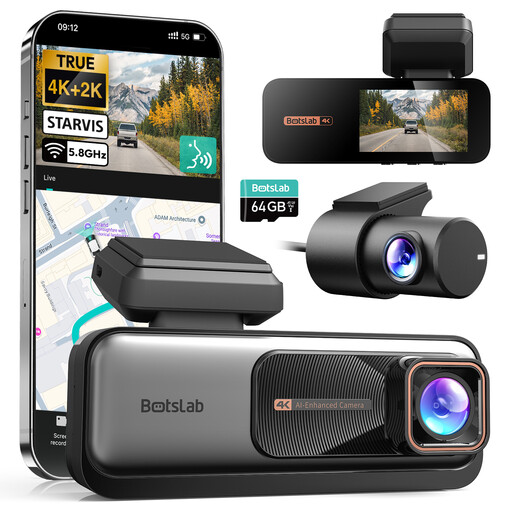
Why This Fits Their Persona: Suits motorists who prioritise front-and-rear detail, route data and convenient wireless file access for regular driving.
It specifies different front and rear resolutions—4K and 2K—rather than presenting the system as identical 4K coverage on every camera. Parking monitoring also requires a separate hardwire kit.
170° front and 150° rear lenses, built-in GPS, 5.8GHz Wi-Fi, G-sensor and a 64GB card.
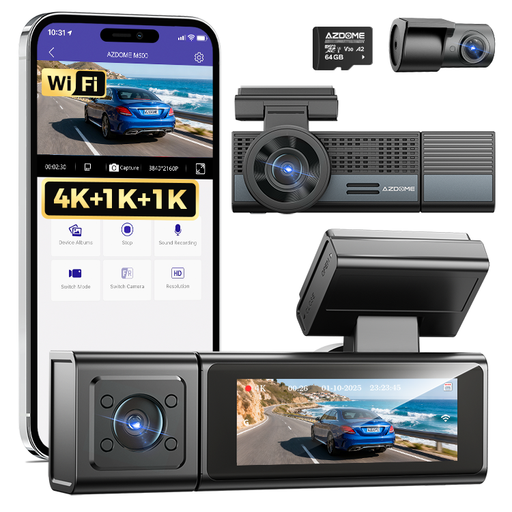
Why This Fits Their Persona: A practical match for taxi, rideshare and commercial drivers who need simultaneous front, cabin and rear recording.
The three-channel layout makes the recording coverage explicit, while the included 64GB card gives a defined starting point for storage planning.
4K front recording, interior and rear cameras, built-in Wi-Fi, GPS and infrared cabin night vision.
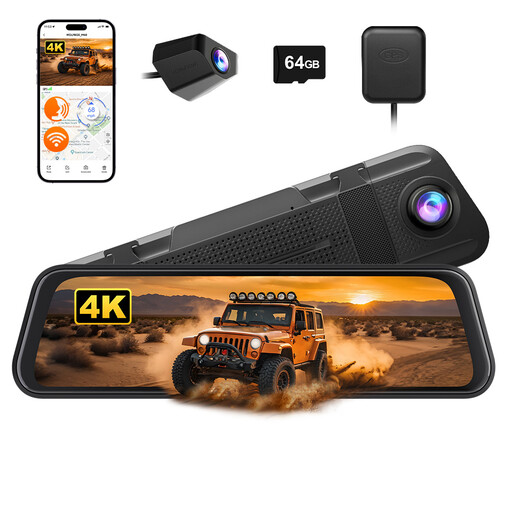
Why This Fits Their Persona: Suitable for drivers who prefer a large screen-based rear view, including some SUVs, trucks and vehicles where rear visibility is limited.
The rear camera can be installed internally or externally, and the listing states that 24-hour parking monitoring normally needs a separate hardwire kit.
10-inch adjustable display, 4K front and 1080P rear recording, GPS, Wi-Fi, voice control and a 64GB card.
We have compiled a complete, real-time list of products that fully satisfy these strict selection criteria and UK safety regulations.
Mount the camera where it does not obstruct the driver’s view. Cables should be secured neatly and kept clear of airbags. Test the camera after installation to confirm that the horizon is level, the rear image is correctly oriented and recording starts when the vehicle powers on.
For public-road use, check product documentation for relevant UK and European road-use markings, including E-mark information where applicable. If the camera records passengers, pedestrians or other identifiable people, consider privacy obligations under UK data-protection rules. Avoid publishing footage publicly without considering whether individuals can be identified.
The main ongoing costs are memory-card replacement and, where required, a hardwire kit or professional installation. Multi-camera systems use storage more quickly. Regularly format the card in the camera according to the manufacturer’s guidance and replace it if recording errors occur.
Lifespan depends on heat exposure, storage-card condition, daily operating time and installation quality. Models using a supercapacitor rather than a conventional battery may be designed for greater tolerance of temperature changes, but buyers should still follow the manufacturer’s operating limits.
A front camera records incidents ahead, while a front and rear system adds coverage of approaching traffic and rear impacts. Drivers of hatchbacks, vans, taxis or vehicles frequently parked in busy areas may find the additional camera useful. Choose a 3-channel dash cam if cabin recording is also necessary, but check storage and installation requirements first.