
24/7 Customer Support

Free returns

Same-day & Next-day Delivery

Quality Guaranteed

Unlock Your Welcome Offers: FREE Delivery | Up to 80% OFF | Free 30-day JoyPlus trial
Download the APP
A car diagnostic scanner can do much more than switch off a warning light, but choosing the wrong one can leave you paying for features your vehicle cannot use. UK drivers, home mechanics and small garages often encounter the same purchasing traps: impressive feature counts, unclear compatibility and software costs that appear only after checkout.
This guide explains what to check before buying an OBD2 scanner, then matches practical options to different types of user.
A scanner may list ECU coding, injector coding, DPF regeneration or active tests, but availability depends on the vehicle’s make, model, engine, year, control module and software configuration. A device may support a function in general without supporting it on your specific car.
Before purchase, provide the seller with the VIN, vehicle registration details where appropriate and the precise functions you need. This is particularly important for ECU coding, immobiliser work, battery registration and manufacturer security gateways.
An entry-level vehicle code reader may only access the engine ECU. That can be sufficient for a basic check-engine diagnosis, but it will not necessarily scan the ABS, SRS, transmission, body control or air-conditioning modules.
A full-system car scanner should clearly state which systems it can access. “All-system” does not mean every function is available on every vehicle, so check the coverage list rather than relying on the headline.
Some automotive diagnostic tools include free updates for a limited period, while others offer lifetime software updates. A low purchase price can become less attractive if essential vehicle coverage requires a recurring payment.
Also check for separate manufacturer services. For example, FCA AutoAuth access may require a personal account and a manufacturer-controlled subscription, even when the scanner itself has no update fee.
For many UK cars, support for OBD2/EOBD, CAN and UDS is a sensible starting point. Newer vehicles may also require CAN FD or DoIP support. A CAN FD diagnostic scanner can communicate with certain newer vehicle networks, but protocol support alone does not guarantee full function coverage.
Look for:
Decide whether you only need a car fault code reader or require wider workshop functionality. A basic scanner should read and clear diagnostic trouble codes, show live data and display freeze-frame information.
For deeper troubleshooting, consider:
A bidirectional scan tool sends commands to supported vehicle modules so that components such as windows, fans, valves or fuel pumps can be operated during diagnosis. It can reduce guesswork, but active tests should only be used when you understand the procedure and the manufacturer’s safety conditions.
A wireless OBD2 diagnostic tool is convenient for driveway work because your phone or tablet can display the data away from the driver’s footwell. Check the supported operating systems, Bluetooth range, app storage requirements and whether software packs are downloaded individually.
For ECU coding and programming, use a stable power supply or battery maintainer where instructed. A voltage drop during a coding procedure can interrupt communication and create additional faults. Never treat a scanner as a substitute for safe workshop procedures, repair information or professional assistance where the job exceeds your skill level.
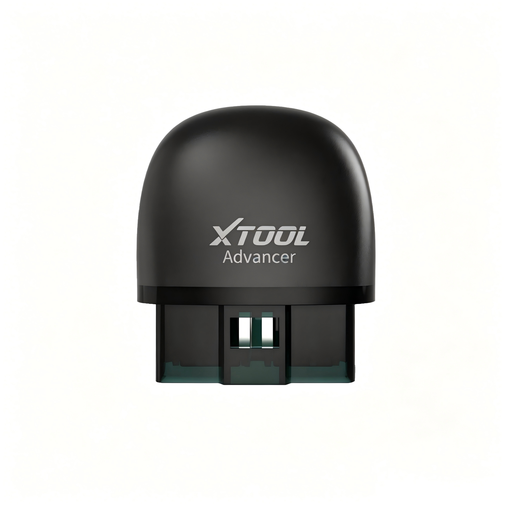
Why This Fits Their Persona: A compact phone-connected option for UK drivers who want everyday diagnostics, battery checks and maintenance support without a dedicated handheld tablet.
It is described as having no subscription for standard diagnostics, while its full-system coverage goes beyond an engine-only code reader. Confirm vehicle support before ordering.
Wireless Bluetooth connection, CAN FD support, live data, oil reset, battery testing and I/M readiness checks.
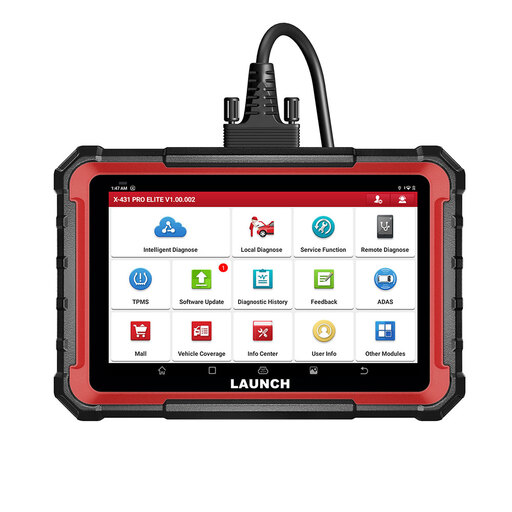
Why This Fits Their Persona: Its larger touchscreen and tablet format suit enthusiasts, mobile mechanics and users who prefer a dedicated interface over a smartphone app.
The listing separates the two-year free update period from later renewal options, so buyers can factor ongoing costs into their decision.
Full-system diagnostics, active tests, ECU coding, CAN FD and DoIP support, plus a large display and report-sharing functions.
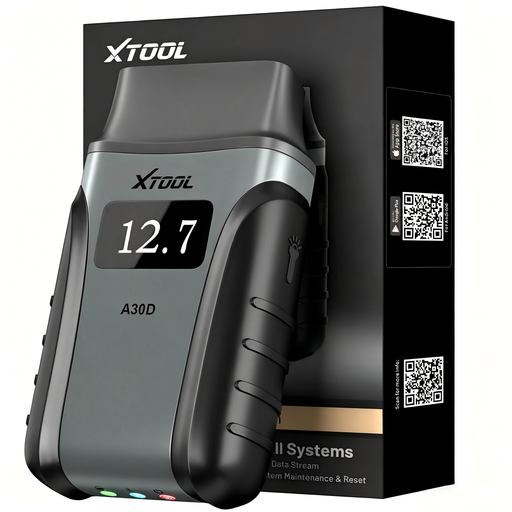
Why This Fits Their Persona: A practical fit for home garages and small workshops needing wireless full-system access, active tests and regular service resets across multiple vehicles.
The listing states that software updates and its listed service functions have no subscription charge. FCA AutoAuth, where required, remains separate.
Bidirectional tests, 19 reset functions, eight-PID live graphing, iOS and Android support and CAN FD compatibility.
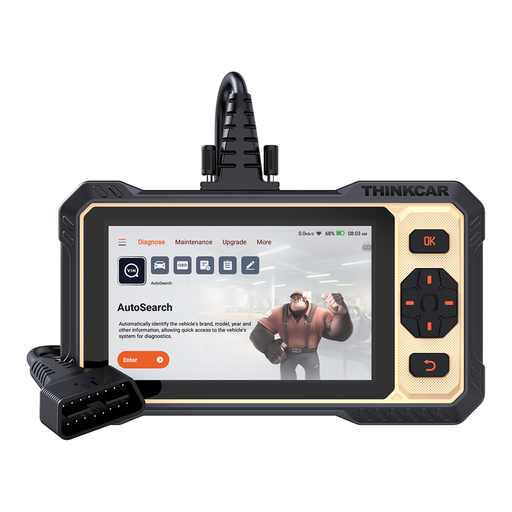
Why This Fits Their Persona: Its handheld screen and direct connection are suitable for repeated use in a garage where a shared phone is inconvenient.
Its stated coverage is clearly focused on four core systems rather than implying universal access to every module. Buyers can match that scope to their workload.
ECM, TCM, ABS and SRS diagnostics, active testing, CAN FD support, more than 20 listed service functions and free software updates.
It can be useful if you want to understand warning lights, check readiness monitors before an MOT-related emissions test, monitor live data or confirm whether a repair has cleared a code. It does not replace a mechanical inspection, and clearing a code without fixing its cause may allow the warning to return.
Not always. Some models offer lifetime updates or no subscription for standard functions, while others include updates for a defined period and then offer renewal. Manufacturer security services, such as FCA AutoAuth, may involve separate fees. Check precisely what “lifetime” or “free updates” covers before buying.
Follow the product instructions. Some devices include sleep or low-power modes, but leaving any accessory connected permanently can affect the vehicle battery in certain circumstances. Unplug the device when the car is unused for extended periods, particularly if the battery is older or the vehicle has electrical issues.