
24/7 Customer Support

Free returns

Same-day & Next-day Delivery

Quality Guaranteed

Unlock Your Welcome Offers: FREE Delivery | Up to 80% OFF | Free 30-day JoyPlus trial
Download the APP
By Joybuy Product Recommendation Officer
A suitable set of car diagnostic tools can help you understand warning lights, inspect live data and complete certain maintenance procedures without immediately booking a garage appointment. However, choosing a scanner based only on phrases such as “professional”, “full system” or “99% coverage” can lead to wasted money.
This guide explains the practical differences between an OBD2 scanner, an automotive diagnostic scanner and a full-system car scanner, so you can match the equipment to your vehicle and level of use.
Many low-cost vehicle fault code readers communicate only with the engine ECU. That may be enough to investigate a basic engine warning light, but it will not necessarily access the ABS, SRS, transmission, body control or battery systems.
If you work on modern cars, check whether the product specifically lists full-system diagnostics or only standard OBD2 functions. A device that reads and clears engine codes is not automatically a full-system car scanner.
Functions such as oil reset, EPB reset, DPF regeneration, injector coding and battery registration are usually vehicle-, system- and year-dependent. A scanner may include a function in its menu, but that does not mean it will operate on every compatible make and model.
Before ordering, confirm compatibility using the vehicle’s make, model, registration details or VIN, particularly if you need ECU coding, gearbox relearning or active tests.
Some tools include lifetime free updates, while others provide updates for a limited period before a renewal fee applies. Check whether “lifetime” refers to software access, selected functions or a particular device policy.
Newer vehicles may also use protected gateways. For example, FCA AutoAuth access can require a separate account or payment, even when the scanner itself supports the relevant protocol. Treat update and security-gateway terms as part of the total ownership cost.
For occasional home use, an OBD2 diagnostic tool with read/clear DTCs, live data, freeze-frame data and VIN detection may be sufficient. EU and UK vehicles generally use EOBD compatibility from the relevant production periods, but coverage still depends on the vehicle and protocol.
For servicing several systems, look for an automotive diagnostic scanner that states access to engine, transmission, ABS and SRS. A full-system car scanner goes further by checking available electronic control units across the vehicle.
A bi-directional scan tool, also called an active test car scanner, can send commands to selected vehicle components. Depending on the make and model, this may include testing cooling fans, fuel injectors, windows, door locks, valves or air-conditioning components.
This capability is useful for fault localisation, but it must be used carefully. Follow the vehicle service information, maintain stable battery voltage and confirm the exact test before activating a component.
Check whether the scanner supports newer communication standards such as CAN FD and, where relevant, DoIP. CAN FD support can improve compatibility with newer vehicles, but it does not guarantee every function for every model.
Bluetooth adapters are compact and convenient for mobile mechanics or home garages. Handheld tablets generally offer a larger display, report storage and a more structured workflow. Also compare:
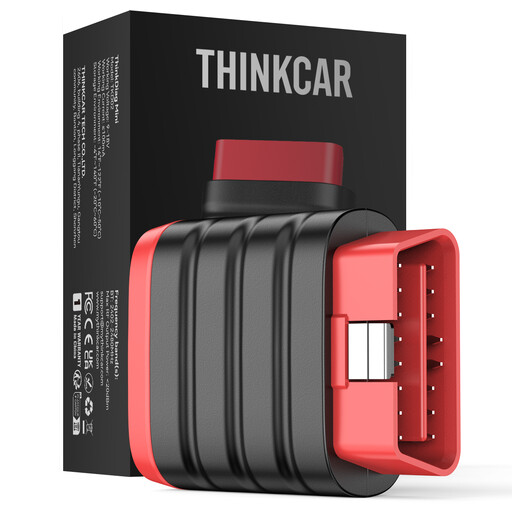
Why This Fits Their Persona: A compact Bluetooth option for UK drivers who want phone-based scanning for routine fault-code checks rather than a workshop tablet.
Its stated functions include full-system scans, DTC reading and clearing, live data and VIN detection. It does not claim maintenance resets or special functions, making the scope clearer.
Bluetooth 5.0, iOS and Android support, battery-voltage testing and lifetime free updates.
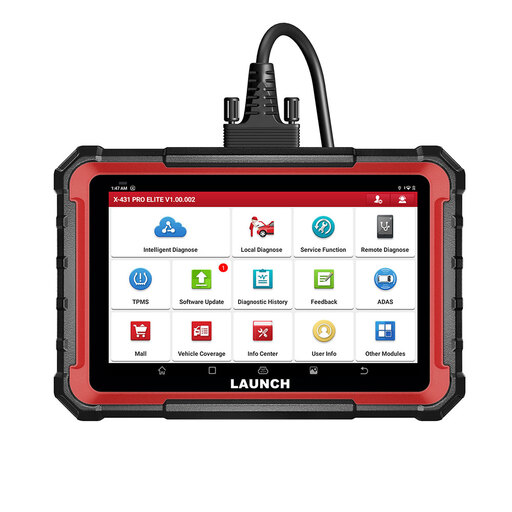
Why This Fits Their Persona: Suited to independent garages, mobile mechanics and advanced users who need a tablet workflow for wider diagnostic and service tasks.
The listing clearly separates its two-year free update period from later renewal. It also notes that ECU coding varies by vehicle and should be checked by VIN.
8-inch touchscreen, CAN FD and DoIP support, active tests, ECU coding and report sharing.
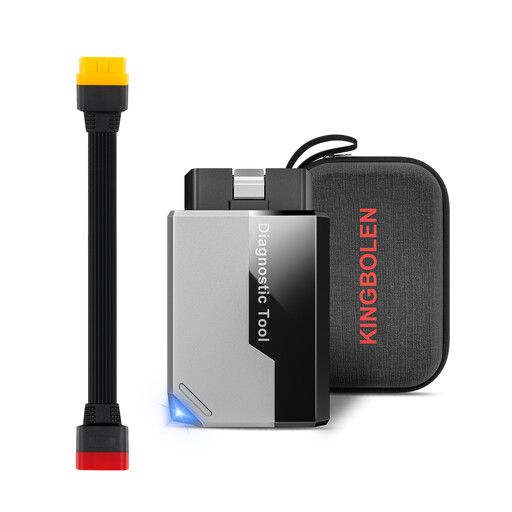
Why This Fits Their Persona: Practical for DIY owners and mobile mechanics who prefer a pocket-sized device connected to a smartphone.
It specifies full-system scanning, 15 reset functions and bi-directional testing, while also warning that special functions vary by model and year.
Bluetooth 5.2, a 36cm extension cable, CAN FD support and lifetime update access stated in the listing.
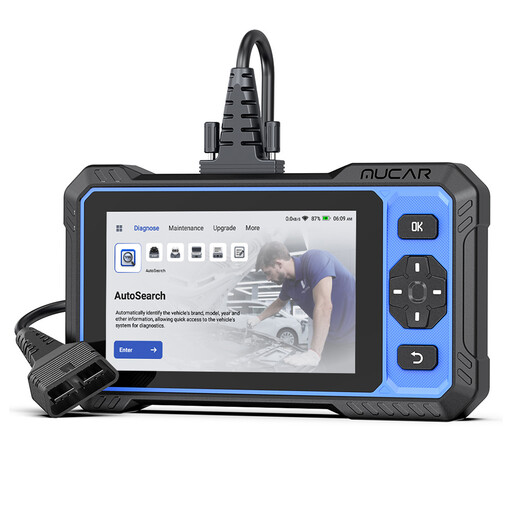
Why This Fits Their Persona: A suitable direction for users who want four-system scanning, active tests and service resets without moving immediately to a larger workshop platform.
Its listed scope identifies ECM, TCM, ABS and SRS diagnostics, plus 15 resets. Compatibility and function availability should still be confirmed before purchase.
6.2-inch touchscreen, CAN FD and FCA AutoAuth support, bi-directional control and lifetime free updates.
We have compiled a complete, real-time list of products that fully satisfy these strict selection criteria and UK safety regulations.
It depends on the vehicle’s protocol, engine type, production date and the systems you want to access. Standard OBD2 or EOBD functions may cover emissions-related diagnostics, while ABS, SRS, transmission and body modules require wider manufacturer support. Confirm compatibility before buying.
Not always. Some products specify lifetime free updates, while others include a fixed update period and may require renewal afterwards. The scanner may continue to operate after a subscription ends, but newer vehicle coverage and added functions can depend on active software access.
Some can, but these functions are not universal. ECU coding, injector coding, battery registration, DPF procedures and gearbox adaptations depend on the vehicle’s make, model, ECU and software version. Use the manufacturer’s service information and confirm the exact function before starting.