Drivers who need a clear view
If you use a phone for navigation, check the screen and mount together from your normal driving position. GOV.UK says a hands-free device must not block your view of the road and traffic ahead.


Choose a mount only after checking the complete phone-and-holder position from your normal driving seat: in Great Britain, GOV.UK says a hands-free device must not block your view of the road and traffic ahead, and you must remain in control. Dashboard, windscreen and vent mounts suit different vehicle layouts, while usable built-in navigation may remove the need for a separate holder; check the fit of the mount, phone and case, and choose charging only when the power arrangement is compatible.
If you use a phone for navigation, check the screen and mount together from your normal driving position. GOV.UK says a hands-free device must not block your view of the road and traffic ahead.
Choose an attachment that suits your actual dashboard surface or vent, as well as your phone and case. Brodit UK’s vehicle-specific bracket selection distinguishes vehicle model, year and driving side.
Check whether you need a cable, a charging mount or your car’s existing navigation. Belkin describes cable management on its F7U017 mount and states that a car charger is sold separately; vehicle and phone compatibility can also affect integrated systems.
For drivers choosing hands-free navigation in a private car in Great Britain, the choice usually turns on a clear sightline, a secure fit, charging needs and whether the vehicle already has a suitable system.
| Concern | What to check when buying | Who this matters to |
|---|---|---|
| Clear view and stable placement | Check the complete holder with your phone fitted from your normal seat; assess grip and adjustability rather than the empty mount. | If I need navigation in view without obstructing the road, I prioritise clear positioning and a secure hold; about 33% of consumers share that primary concern. |
| Fit with the vehicle, phone and case | Match the clip or attachment to your vent or dashboard, and check the phone-and-case fit against the exact holder instructions. | When my car has an unusual vent or dashboard, I need an attachment that fits both the vehicle and my cased phone; about 27% of consumers put that fit first. |
| Charging during navigation | Confirm whether the mount charges the phone or only holds it or manages a cable; check phone, case and power compatibility. | If navigation may leave me needing power, I look for a charging arrangement that works with my phone and car; around 20% of consumers prioritise keeping the phone powered. |
| Whether a separate mount is needed | Check the vehicle’s equipment and owner documentation, plus compatibility with your phone and software. | If my car already has navigation or phone integration, I want to know whether it meets my needs before adding another screen; roughly 20% of consumers prioritise using the existing system. |
The phone can obstruct the view even when the mount alone appears unobtrusive. GOV.UK requires the road and traffic ahead to remain visible.
Fit the phone, then check the complete arrangement from your normal driving position before using it on the road.
Vent designs, dashboard surfaces and phone-and-case dimensions vary. A car-specific bracket may also be tied to a particular model, year and driving-side configuration.
Match the vehicle attachment and phone holder separately, and follow the instructions for both your car and the exact mount.
A car-specific bracket system may require a separately selected phone holder.
A holder can manage a charging cable without supplying power, and magnetic attachment alone does not establish that a mount charges wirelessly.
Check the exact model’s charging function and its phone, case and power requirements. Belkin states that the car charger for its F7U017 is sold separately.
A separate car charger or another compatible power arrangement may be needed.
These brands have product lines relevant to different attachment and charging needs; check the exact model and vehicle rather than treating a brand name as a fit guarantee.
Vehicle-specific ProClip brackets can be paired with a separately selected phone holder, making the exact vehicle configuration important.
The range includes vent-mounted holders, including a mechanical cradle and a separate MagSafe-compatible model.
Easy One Touch 6 is available in distinct dashboard/windscreen and vent variants for comparing attachment points.
The Magnetic Wireless Charging Car Vent Mount is an option for drivers considering a magnetic vent mount with wireless charging.
These Joybuy options cover dashboard or windscreen suction mounting and vent-mounted holders, including wireless-charging models. Check the finished position for a clear view and verify your phone, case, vehicle attachment and power needs before choosing.
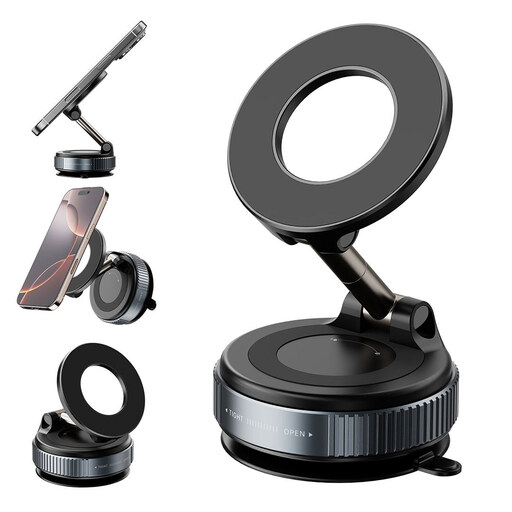 No image available
Consider this holder if you have a suitable smooth, flat mounting surface and want to adjust the phone’s viewing position.
The description specifies a vacuum base and 360° rotation. Non-MagSafe phones require a magnetic adapter, and thick metal cases may weaken the magnetic hold.
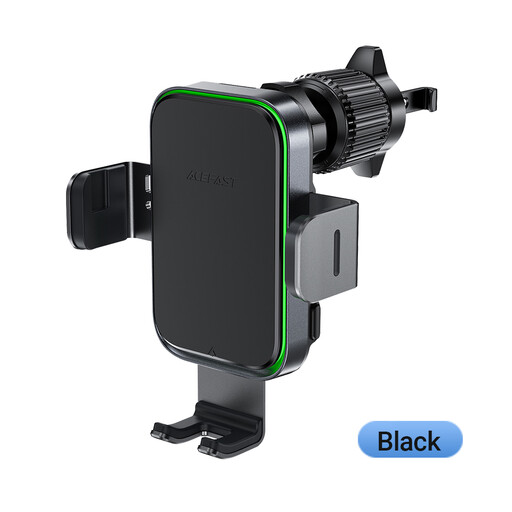 No image available
Consider this mount if you need a phone holder with wireless charging and its stated phone compatibility suits your device.
The description specifies automatic clamping and a 360° rotating ball head. Check the phone, case and vehicle power arrangement before buying.
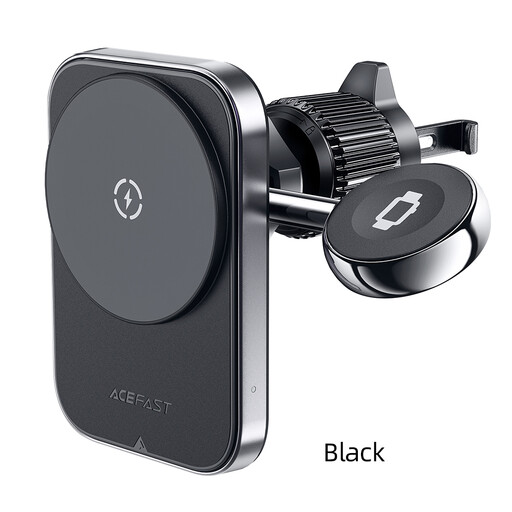 No image available
Consider this mount if you want a wireless-charging holder and its installation position suits your car.
The supplied product information specifies Qi-compatible charging at 17.5 W and dashboard or air-vent installation. Its instructions say not to obstruct airbag deployment zones.
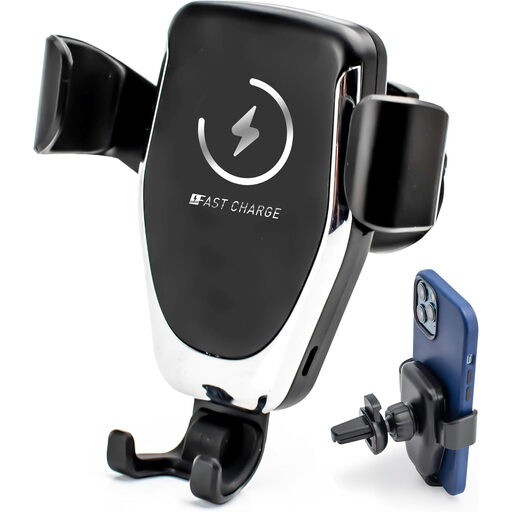 No image available
Consider this vent-mounted option if you want a holder with wireless charging and your vent and phone setup are compatible.
The product information specifies 15W Qi charging, a 1-metre USB-C cable and a 360° adjustable ball joint. It states that cases up to 5 mm thick are supported.
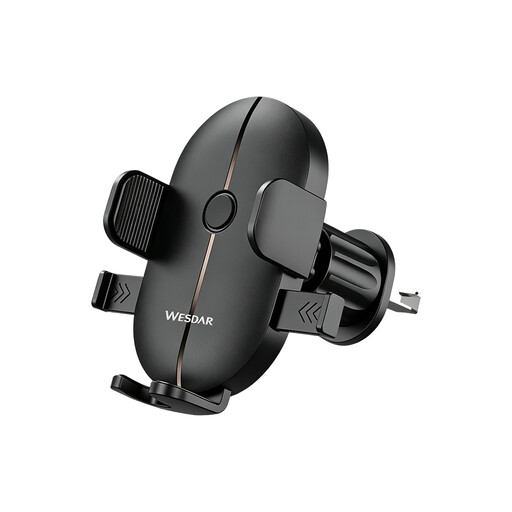 No image available
Consider this holder if you want a non-charging vent mount and your vent design accepts its attachment.
The product information describes a rear mounting hook, side holding jaws and a bottom phone support. Fit depends on the vehicle’s vent and the dimensions of the phone and case.
No. GOV.UK says the handheld-use restriction still applies while stopped at traffic lights or queuing in traffic. Hands-free access does not remove the need to keep the road view clear and remain in control.
No position is automatically suitable: the complete mount and phone must not block your view of the road and traffic ahead. Check the arrangement from the driver’s seat; official windscreen guidance also addresses obstructions to the driver’s view.
Check the dashboard surface or vent against the exact holder instructions, and consult your vehicle’s owner documentation. For a car-specific bracket, match the vehicle, model year and driving-side designation rather than assuming an example for another car applies.
Not necessarily. Belkin states that its F7U017 provides cable management and that its car charger is sold separately. Check whether the exact mount includes charging, then confirm phone, case and vehicle power compatibility.
No. GOV.UK lists built-in sat nav as a hands-free option, but phone integration depends on the specific vehicle system and phone software. Check the documentation for your own equipment before relying on an integrated system.