Drivers with a restricted forward view
Compare possible positions from your normal driving seat before choosing a dashboard, windscreen or vent mount. GOV.UK says a hands-free device must not block the view of the road and traffic ahead.


Choose a phone-mount position only after checking the complete setup from your normal driving seat: the phone must not block your view of the road and traffic ahead, and you must remain in control of the vehicle. Then match the mount to your car’s fixing point and your phone-and-case combination, checking retention and charging access before setting off. An existing built-in navigation display may remove the need for a phone mount, but does not remove the need to avoid distracting interaction.
Compare possible positions from your normal driving seat before choosing a dashboard, windscreen or vent mount. GOV.UK says a hands-free device must not block the view of the road and traffic ahead.
Check that the fixing point suits your vehicle and that the holder fits your actual phone and case. Belkin and Brodit specify model- or system-specific fit requirements; those details do not apply to every mount in their ranges.
Check whether the fitted phone leaves room for a charging cable to reach its port. iOttie, Belkin and Quad Lock describe different access or charging arrangements on specific products and configurations.
For consumers choosing a phone mount mainly for sat-nav journeys in the UK, GOV.UK says hands-free use must not block the view of the road and traffic ahead, and drivers must remain in control. The percentages below describe the relative priorities used to organise these buying scenarios, not a survey of UK mount buyers.
| Concern | What to check when buying | Who this matters to |
|---|---|---|
| Unobstructed navigation view | Assess the phone and mount together from your normal driving position; check the screen and arm do not enter your view of the road and traffic ahead. | If I need directions in view, I still need a clear forward sightline from my seat. Around 36% of consumers put an unobstructed road view first. |
| Retention and vehicle fit | Check the fitting method and the requirements for your vent, dashboard or other intended surface; confirm the phone is held by the selected setup. | I want the mount and fixing point to suit my car so the phone stays secured for navigation. This is the primary concern for around 29% of consumers. |
| Phone and case compatibility | Compare your exact phone-and-case combination with the model’s stated cradle, magnetic or adaptor requirements. | When I use a particular case or phone, I need to know it fits the holder as intended. About 21% of consumers prioritise phone-and-case compatibility. |
| Charging access | With the phone fitted, check port clearance, cable routing and which charging components are included in the exact configuration. | On a longer journey, I may need to keep a charging connection usable as well as secure the phone. Around 14% of consumers put charging access first. |
The installed phone and mount can affect the sightline even when the empty fixing point appears unobtrusive. GOV.UK says the device must not block the view of the road and traffic ahead.
Check the complete setup from your normal driving position, and consider another mounting route if it intrudes into your view.
Requirements can differ by model. Belkin specifies vent and case limits for particular mounts, while Brodit describes a system that pairs a vehicle-specific clip with a separate holder.
Match the exact product configuration to your vehicle, vent, phone and case before choosing.
A separate compatible holder, case or adaptor may be needed for some configurations.
Charging capability does not establish that the phone will be retained securely or positioned without obstructing your view.
Choose and check the mounting position first, then confirm cable access and which charging components are included.
Some configurations require a separate car charger or charging head.
A vehicle-specific ProClip route paired with a separate device-specific or adjustable holder.
Vent-mount options include a physical cradle and the WIC002 MagSafe model, with different phone-fit requirements.
A configurable Universal Car Kit with choices of mounting point, adaptor and head.
The Easy One Touch 6 Dash & Windshield Mount is a cradle-based option for dashboard or windscreen positioning.
A suction-mount option included in an independent comparison for compatible magnetic phones.
These Joybuy choices include general car-phone holders, suction-mounted windscreen or window options and dashboard mounts. Check each product’s stated fitting surface and phone-fit requirements, then assess the complete installed position from your driving seat.
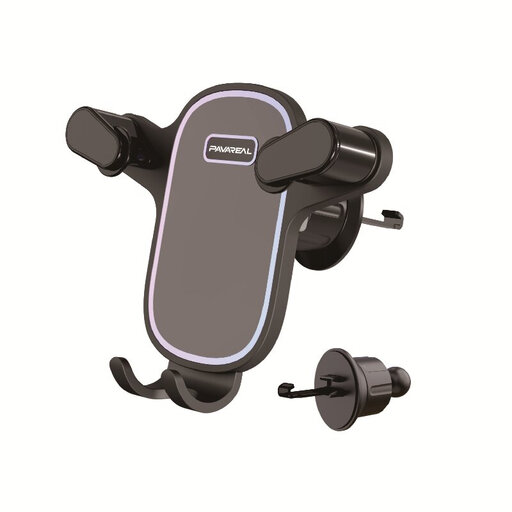 No image available
Consider this car-phone holder if you want one-hand placement and removal for navigation.
The description states that its gravity mechanism grips the phone and that the holder allows multi-angle adjustment.
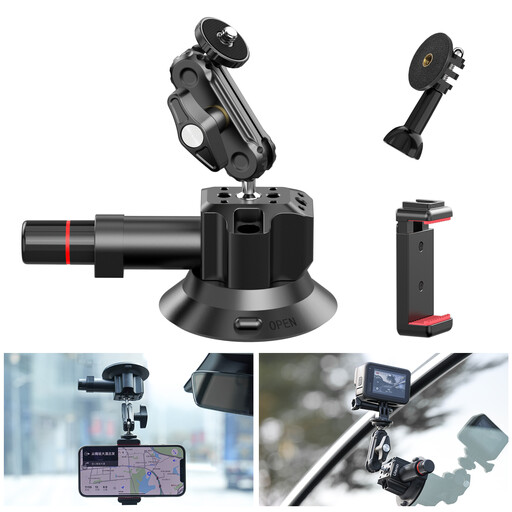 No image available
Consider this mount if a suction fitting suits the windscreen or window surface you intend to use.
The product description specifies a smartphone clamp, an adjustable magic arm and a 1/4" fitting.
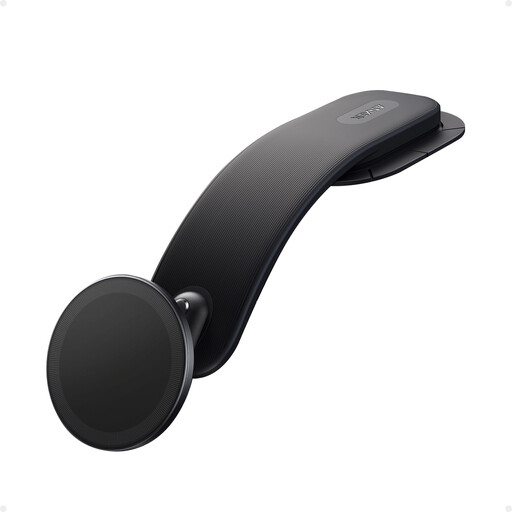 No image available
Consider this dashboard option if its stated adhesive fitting surface suits your vehicle.
The description specifies 360° rotation, tilt of up to 45° and a 3M adhesive attachment.
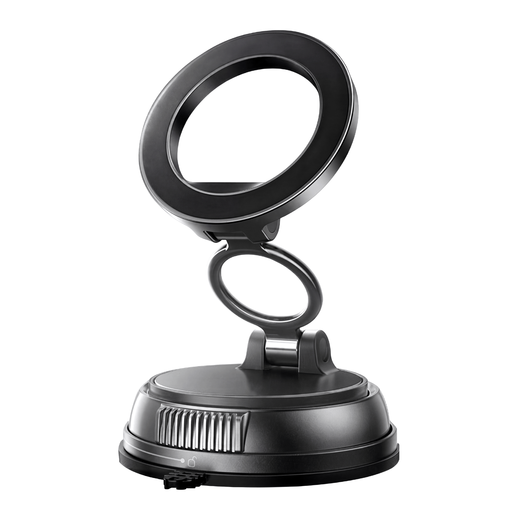 No image available
Consider this magnetic mount only if its fixing surface and phone-and-case requirements suit your setup.
The description specifies a case-thickness limit of 0.03 cm and says non-MagSafe phones require a magnetic adapter; it also says thick cases may weaken magnetic force.
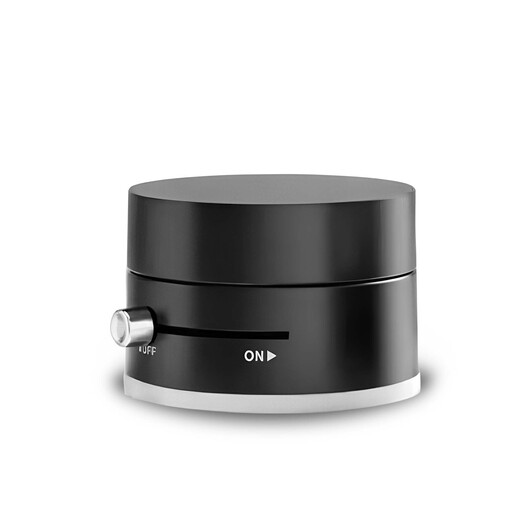 No image available
Consider this dashboard option if the intended fitting surface is smooth and hard.
The description specifies an adjustable viewing angle and a switch-locked vacuum base. It says rough surfaces need the included mirror-finish sticker, non-magnetic phones need an insert, and thick metal cases may weaken magnetic force.
No. GOV.UK gives dashboard holders or mats and windscreen mounts as examples of hands-free access, but says the device must not block your view of the road and traffic ahead and you must remain in full control. Check the complete installed setup from your driving position.
GOV.UK says the handheld-device rule in Great Britain also applies when stopped at traffic lights or queuing. Northern Ireland publishes separate guidance against using a hand-held phone while driving, including when stopped at traffic lights or queuing. Do not hold the phone or sat-nav while driving.
With the phone fitted and you seated normally, check your road view, the fixing point, phone retention and charging-cable access. Follow the exact mount’s fitting instructions; a manufacturer’s fit description does not establish visibility in your car.
Not necessarily. Belkin says a car charger is sold separately for its F7U017bt vent mount, while Quad Lock presents wireless-charging heads as selectable kit components. Check the contents of the exact configuration and whether you need a separate cable or charger.