Drivers using navigation in cars with basic dashboards
Compare dashboard, windscreen and vent positions in your own cabin. The phone needs to be visible without being held, but it must not hide the road or make controls harder to use.


Choose a position that holds your phone without blocking the road view or interfering with vehicle control, then check that the holder fits your car, phone and case. GOV.UK says drivers in Great Britain must keep a clear view of the road and traffic ahead and remain in full control; nidirect warns that hands-free use can still distract drivers in Northern Ireland. A vent mount depends on suitable vents, while dashboard and windscreen mounts need a suitable attachment surface and a careful sightline check; choose charging only after confirming compatibility with the whole setup.
The right attachment point depends as much on the car interior and phone case as on the type of holder.
Compare dashboard, windscreen and vent positions in your own cabin. The phone needs to be visible without being held, but it must not hide the road or make controls harder to use.
A magnetic charging mount may suit a compatible phone and case. Check the exact charging and attachment requirements, as well as whether the car can support the mount in a useful position.
Measure fit with the case attached and inspect the vent shape before choosing a holder. A clamp or a suitable dashboard or windscreen position is worth considering if magnetic or vent compatibility is uncertain.
Start with a safe viewing position, then narrow the options by attachment fit, phone retention and charging needs. Check the assembled setup from your normal driving position, not just the empty mount.
| Priority | What to check | Your needs |
|---|---|---|
| Road view and control | Check the view with the phone attached and the seat set for driving. Keep the road and traffic ahead visible, and check access to controls and warning lights. GOV.UK requires a clear road view and full control in Great Britain; nidirect warns that distraction remains a risk in Northern Ireland. | I want to glance at directions without holding the phone or losing sight of the road. I can set the route and adjust the display before driving. |
| Stable phone hold | Check how the holder grips the phone with its case and whether the viewing angle stays set. Which? assesses holders on bumpy drives and with a manual shake test; a mount’s stated attachment type alone does not show how it will behave in your car. | On uneven roads, I need the phone to stay in place and the directions to remain readable. |
| Cabin fit | Inspect vent shape and strength, dashboard surface or a suitable windscreen position. PCMag UK notes that small or circular vents are often unsuitable for vent mounts. Check that the installed phone does not cover essential controls or an airbag deployment area. | My car’s attachment points may limit where a holder can go. If I move it between cars, I also need to check the position in each one. |
| Charging and case fit | Check the exact mount’s phone and case requirements, charging standard and vehicle power connection. PCMag UK cautions that a metal plate on or near a wireless-charging coil can interfere with charging. Plan where any power cable will run. | For longer journeys, I want a charging arrangement that works with my case without leaving a cable across controls. |
| Heat exposure | Consider where sunlight reaches the mounted phone and follow the operating-temperature guidance for your model. Apple UK lists an operating ambient temperature of 0° to 35°C for its cited iPhone 16 Pro; that range should not be assumed for every phone. | When the cabin is hot or the mount sits in direct sun, I need to consider the phone’s own operating limits as well as whether the holder stays attached. |
A mount keeps the phone out of your hand, but it does not remove distraction. GOV.UK requires drivers in Great Britain to remain in full control, and nidirect warns that hands-free use can still lead to prosecution in Northern Ireland if proper control is lost.
Enter the destination and adjust the display before moving. If a navigation task needs sustained attention, stop safely before dealing with it.
The mounted phone may hide part of the road even when the empty holder looks unobtrusive. GOV.UK requires a clear view of the road and traffic ahead in Great Britain; the Driver and Vehicle Standards Agency’s MOT manual treats a significant obstruction through the swept windscreen area as a major defect.
Sit in your normal driving position with the intended phone and case fitted. Check the road view, mirrors, instruments and controls before settling on a location.
PCMag UK notes that small or circular vents are often incompatible with vent mounts. Magnetic attachment and wireless charging also have separate phone and case requirements; a metal plate near the charging coil can interfere with wireless charging.
Check the vent and the exact holder’s fit requirements against your phone with its case on. Consider a clamp if the magnetic attachment requirements are uncertain.
A secure hold does not establish that a phone will operate normally in a hot cabin. Operating limits vary by device; Apple UK lists 0° to 35°C ambient temperature for the cited iPhone 16 Pro.
Consider a position away from direct sun where practical, avoid leaving the phone exposed in a parked car and follow guidance for your actual phone model.
These examples illustrate different attachment and charging approaches; specifications belong to the named products, not every mount from the brand.
Belkin offers vent-mounted options for drivers considering magnetic charging as well as a separate non-charging cradle.
The Easy One Touch Wireless 2 Dash/Windshield Mount combines a phone clamp with Qi wireless charging.
The Magnetic Wireless Charging Car Vent Mount is a vent-mounted option for a compatible iPhone and case.
The Performance Car Vent Mount for MagSafe is a model to consider when comparing magnetic vent holders for a compatible iPhone.
These Joybuy options cover dashboard or windscreen holders and vent-mounted holders for phone navigation. Choose an attachment point in your car first, then compare the stated phone, case and charging requirements.
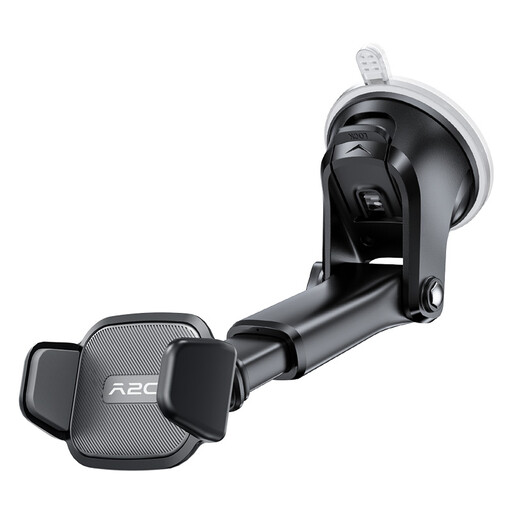 No image available
Consider this holder if you have a suitable dashboard or windscreen position for navigation. Check the intended suction surface: the listing cautions against textured or leather dashboards. Confirm phone fit and any charging requirements before choosing it.
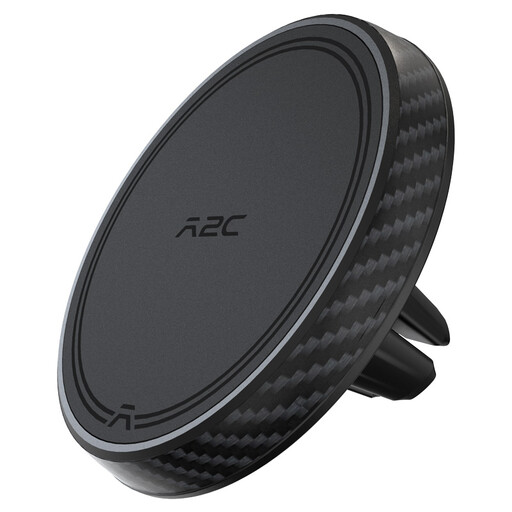 No image available
This vent-mounted option is for a phone and case that meet its magnetic attachment and wireless-charging requirements. Check your vent fit and the installed road view, then confirm the charging standard, output and vehicle power connection needed for your setup.
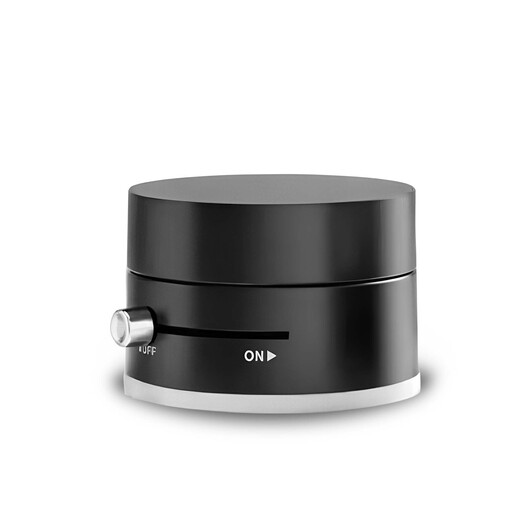 No image available
This magnetic suction-cup holder is worth considering where a suitable smooth, hard mounting surface leaves a clear road view. Check whether your phone needs a magnetic insert: the listing says thick metal cases may weaken the hold. It also advises against prolonged high-temperature and direct-sun exposure for the suction cup.
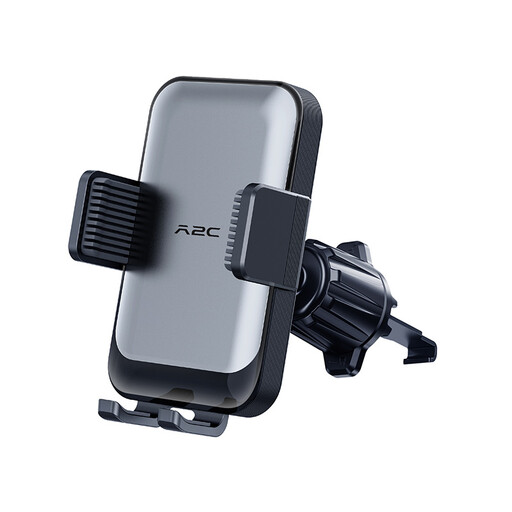 No image available
This automatic-clamp option may suit a driver who prefers a vent clip to magnetic attachment. The listing excludes circular, oval and recessed hidden-style vents, so check vent-blade shape and thickness. Confirm that your phone fits with its case and that the installed holder preserves your road view.
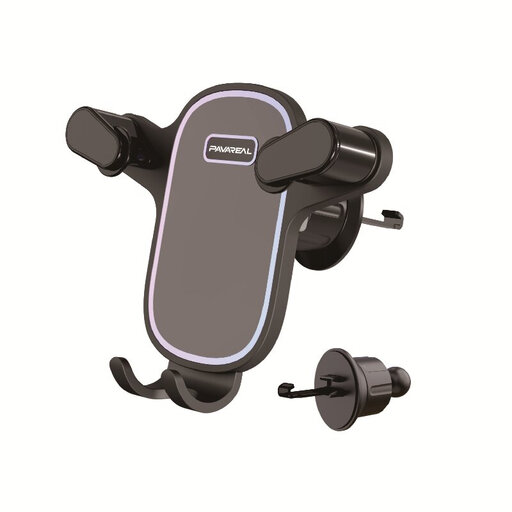 No image available
This gravity-based holder offers another way to place a phone for navigation without magnetic attachment. Check its fit against your phone and the intended vehicle vent, and assess the installed position from your driving seat. Treat the listing’s stability description as a product claim rather than an independent road-test result.
GOV.UK describes dashboard holders, mats and windscreen mounts as ways to access a device hands-free in Great Britain. Do not hold the device while using it: it must not block your view of the road and traffic ahead, and you must remain in full control of the vehicle.
Nidirect says using a hand-held mobile phone while driving is illegal in Northern Ireland. It also warns that hands-free use can distract you and lead to prosecution if you do not have proper control. Set up navigation before moving and check Northern Ireland-specific guidance rather than assuming Great Britain’s rules describe every condition.
No. GOV.UK lists a windscreen mount as a hands-free option in Great Britain, but the device must not block the road and traffic ahead. Check the view with your phone attached while seated normally; the Driver and Vehicle Standards Agency’s Great Britain MOT manual classifies a significant obstruction through the swept windscreen area as a major defect.
Choose by the attachment points available in your car. PCMag UK notes that small or circular vents are often unsuitable for vent mounts; a dashboard or windscreen holder offers another position if its surface and installed sightline work. With any type, check the phone and case in place and make sure controls remain accessible.
No. Magnetic retention and wireless charging require separate compatibility checks. Belkin specifies its cited Qi2 car charger for Qi2-compatible devices and MagSafe-compatible cases, while iOttie specifies its cited clamp charger for Qi-enabled phones. Check the exact phone, case, mount and power connection; PCMag UK also cautions against placing a metal plate on or near a wireless-charging coil.