What should you check before buying?
Settle the connection and calling-app arrangements first; then assess how the tablet will be seen, heard, positioned and maintained in the room where it will be used.
Wi-Fi tablet
Choose when: The care home permits the device and calling app on Wi-Fi, and the connection works in the intended room.
Trade-off: Calls depend on that network and may need help to resume after a password or connection change.
Cellular tablet
Choose when: The tablet needs its own internet connection because suitable Wi-Fi is unavailable or the device moves between locations.
Trade-off: It needs a compatible data plan, and mobile reception must be checked at the calling location. Ofcom reports that UK mobile-network experience varies by operator and location.
| Priority | What to check | Your needs |
|---|
| Connection | Ask the home about device access, the chosen app and Wi-Fi in the calling room. For cellular, check the network’s local coverage and data-plan requirements. | I want calls to work where the tablet will actually sit, without relying on a connection the home does not permit. |
| Calling routine | Install the exact app, sign in, add contacts and test answering a call. Try any simplified interface with the app rather than assuming it supports every step. | The person using the tablet should be able to recognise what to tap, while someone else can help with accounts and settings when needed. |
| Picture and sound | Check the front camera’s position with the intended stand, test speaker volume in the room and consider whether headphones are practical. | I need the relative and caller to see and hear one another from the usual chair, bed or table. |
| Placement and controls | Check the tablet’s size and weight, stand stability, case fit, charging-port access and available display or accessibility adjustments. | A tablet that stays upright and has recognisable controls may be easier to use than one that must be held throughout a call. |
| Ongoing support | Confirm app compatibility and update support for the exact model, particularly if refurbished. Decide who will handle charging, updates and sign-in problems. | I need a calls device that the family can keep set up, not just one that completes its first call. |
Which brands offer relevant features?
These brand examples help identify features to investigate; the exact model and calling-app workflow still determine whether a tablet fits the setup.
Apple
Apple lists the iPad (A16) with an 11-inch display, landscape 12MP Centre Stage front camera, Wi-Fi 6 and an optional 5G cellular version.
- Apple says Assistive Access offers bigger onscreen items, focused features and supporter-led personalisation on iPad.
- Test the exact calling app in the configured interface; those features do not establish that every app works well in that mode.
Samsung
Samsung UK describes Galaxy Tab A11+ Wi-Fi and 5G variants; its Wi-Fi model has an 11-inch display, 5MP front camera, quad speakers and a 3.5mm headphone jack.
- Samsung describes display, contrast and TalkBack accessibility options for its mobile devices.
- Samsung says feature availability can vary by model, and updates depend on factors including model, location and carrier.
Lenovo
Lenovo’s model-specific Android upgrade documentation is useful when assessing a Lenovo tablet, particularly a refurbished one.
- Its upgrade matrix provides a place to check documented plans for a specific listed model.
- Lenovo says some updates are country-specific and that products absent from the matrix have no upgrade plan listed there.
Joybuy tablet options
These tablets include Wi-Fi models for a permitted care-home network and models advertised with cellular connectivity for situations where a separate mobile-data connection is needed. Check the calling app, connection and bedside setup for the particular device before buying.
 No image available
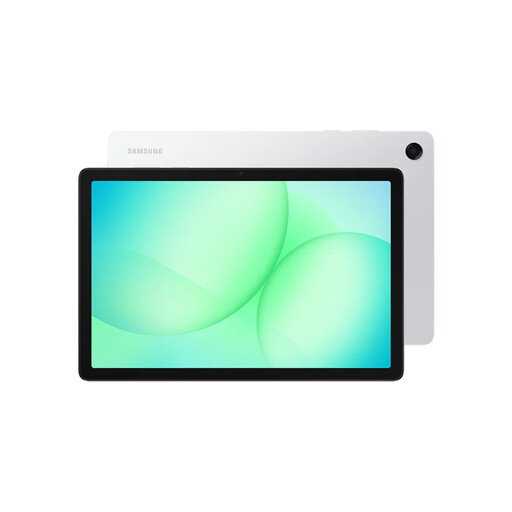
Samsung Galaxy Tab A11+ 11-inch 128GB Wi-Fi, Grey
Consider this Wi-Fi model where the care home permits the calling app on a reliable network. The product name specifies an 11-inch display and 128GB storage. Check the app workflow and a stand or case for this exact model before handover.
 No image available
Samsung Galaxy Tab A11+ 5G X236 6GB/128GB, Silver
The 5G variant is worth checking when the tablet needs mobile data rather than relying solely on care-home Wi-Fi. Its name specifies 6GB RAM and 128GB storage. Confirm a compatible data plan, reception in the calling room, app compatibility and update support for this exact model.
 No image available
DOOGEE U11 11-inch Android 15 Wi-Fi, Blue
This is another Wi-Fi option to assess for calls on a permitted care-home network. Its name specifies an 11-inch display, Android 15 and 5 GHz Wi-Fi. Check the chosen app, exact-model update support and a suitable stand before relying on it for regular calls.
 No image available
Samsung Galaxy Tab A11+ Wi-Fi 8GB/256GB, Grey
This Wi-Fi variant is an option when calls can use the home’s permitted network. Its name distinguishes it by 8GB RAM and 256GB storage. Confirm the calling app, update support and stand fit for this exact variant rather than relying on specifications for another Galaxy Tab A11+ model.
 No image available
TECLAST T70 14-inch Dual-SIM 4G LTE, 2025 Edition
The advertised dual-SIM 4G LTE connection offers a cellular route to assess if care-home Wi-Fi is unsuitable; the advertised 5G Wi-Fi refers to Wi-Fi, not 5G mobile service. Its name also specifies a 14-inch, 1920×1200 display. Check reception, a stable place to stand the larger tablet, the delivered Android version against the advertised Android 15, and support for the chosen calling app.
Questions before handover
Should a tablet staying in a care home use Wi-Fi or cellular?
Choose Wi-Fi if the home permits the chosen app and calls work reliably in the intended room. Consider cellular if the tablet needs its own connection, but check the network there and arrange a compatible data plan. Ofcom reports that UK mobile performance varies by operator and location.
What should I agree with the care home before buying?
Ask about Wi-Fi access, permitted devices and apps, charging and who can help reconnect the tablet. Ordinary live calls should not be treated as permission for hidden recording: the Care Quality Commission says hidden recording equipment can affect privacy and dignity and should be checked against the provider’s policy.
What should we test before leaving the tablet with the older relative?
Make a call using the exact app and account, then test answering, contacts, sound, camera framing on the stand, charging and reconnection. If using Apple’s Assistive Access or another simplified layout, repeat the call in that configured interface rather than assuming the app’s usual workflow is unchanged.
Can a refurbished tablet work for video calls?
It can if the exact model runs the chosen app and its condition, battery, charging equipment and update support meet the family’s needs. Check the full model number against the manufacturer’s information; Lenovo notes that some update plans are country-specific and that unlisted products have no upgrade plan shown in its matrix.


