For regular calls made mainly inside one care home, a 10–11-inch Wi-Fi tablet with a stable protective stand or case and a simplified home screen is usually the practical starting point. Choose cellular only when the home’s Wi-Fi, guest access or permitted calling app cannot support calls, or when the resident regularly leaves the home; check the local set-up before buying.
Who this set-up can suit
Families setting up hands-free calls in one care home
For relatives whose family member calls from a bedside table, chair or communal area and cannot hold a device throughout a call. Prioritise a stable stand, simple access to the calling app and confirmed local Wi-Fi and app access. MoneySavingExpert Forum and NHS England both highlight the practical value of supported device set-up.
Families facing uncertain care-home connectivity
For households that do not yet know whether personal devices can join the network, whether the intended app can be used, or whether signal is dependable in the resident’s usual room. The choice is between testing Wi-Fi first and arranging cellular backup where it is genuinely needed.
Residents who need a simplified interface
For residents with reduced vision, dexterity or confidence using touchscreens. Larger display settings, magnification, spoken feedback or a less cluttered home screen may make it easier to reach the calling app.
What to check before buying
Start with the care home’s practical arrangements, then choose the connection type and tablet set-up that fits the resident’s usual calling routine.
| Priority |
What to check |
Your needs |
| Hands-free positioning |
Check that the stand is stable on the actual table or tray; keep the front camera clear; make sure charging ports and buttons remain reachable. |
I need the resident to see and be seen without holding the tablet for the whole call, while reducing the risk of it being knocked over. |
| Connection route |
Confirm Wi-Fi or guest-network access in the usual room; test the intended app; check mobile coverage at the location before relying on cellular. |
I want reliable calls without paying for a mobile plan if the care-home Wi-Fi already works for the resident’s routine. |
| Screen and camera |
Look for a roughly 10–11-inch display where a larger image matters; check the exact model’s front camera and its position for landscape calls. |
A larger view and natural camera framing matter more to me than the smallest possible tablet. |
| Ease of operation |
Try display and font enlargement, magnification and a prominent app shortcut; introduce spoken controls only when the resident is comfortable with them. |
I want a short, repeatable route into the calling app rather than a home screen full of unfamiliar choices. |
| Refurbished condition |
Ask for the exact model, operating-system and app compatibility, battery condition, charger, warranty and return terms. |
A refurbished tablet can work for me if it supports the chosen app and can manage regular charging and calls. |
Common buying pitfalls
-
Buying cellular before testing the home’s Wi-Fi and calling app
Video calls use mobile data when the tablet is not connected to Wi-Fi. A data plan may add an ongoing burden without resolving a local login, app-permission or in-room coverage problem.
Confirm guest-network access and make a real call in the resident’s usual location first. If cellular is needed, use Ofcom’s location-specific coverage checker and choose a plan around expected use.
A cellular-capable tablet and mobile-data plan add a recurring commitment.
-
Assuming a large display is enough for hands-free calls
A tablet can still be awkward if it slides on a bedside table, must be held, or has its front camera blocked by the case. The care-home scenario described by MoneySavingExpert Forum specifically called for a sturdy case and stand.
Test the case or stand with the chosen tablet, surface and landscape camera position. Check that charging, volume controls and the front camera remain accessible.
A protective case with an integrated stand, or a separate stable stand, may be needed.
-
Buying a refurbished tablet without checking its exact model and condition
A lower-cost device may have an ageing battery, uncertain warranty, unsuitable charger or an operating system that does not work with the selected calling app.
Choose only when the seller identifies the exact model and states battery condition, returns and warranty terms. Install and test the calling app, charging routine and accessibility settings during the return period.
-
Turning on advanced accessibility controls without practice
Magnification, TalkBack, VoiceOver and voice controls can be useful, but they may change gestures and navigation that the resident already knows.
Set up one change at a time, practise placing and answering a call, and keep a simple route back to the home screen. Ask whether staff can support the established routine.
Relevant brand references
Apple
Relevant for families who prefer iPadOS and want an 11-inch iPad with a landscape 12MP Centre Stage front camera, available in Wi-Fi and Wi-Fi + Cellular versions.
- Apple lists FaceTime over Wi-Fi or a mobile network, Wi-Fi 6, VoiceOver and Voice Control for the iPad 11-inch (A16).
- These manufacturer specifications do not confirm that a particular care home permits FaceTime or a personal device on its network.
Samsung
Relevant for families considering an Android tablet with an 11-inch display, expandable storage and a wired-headphone option.
- Samsung states that the Galaxy Tab A11+ Wi-Fi has an 11-inch display, 5MP front camera, quad speakers, microSD expansion and a 3.5mm audio jack.
- Confirm the exact storage and RAM variant, accessibility set-up and care-home connection before choosing a model.
Lenovo
Relevant for families specifically considering a cellular Android route; Lenovo’s Tab P11 5G combines an 11-inch display with 5G connectivity.
- Lenovo describes the Tab P11 5G as an 11-inch 5G tablet.
- Lenovo says optional WWAN availability varies by region, must be configured at purchase and requires network-provider service, so it is a conditional choice when Wi-Fi is unsuitable.
Joybuy tablet options
Joybuy tablet options for family video calls with a care-home resident, including Wi-Fi and cellular routes. A stable case or stand and the home’s local calling arrangements still need to be checked separately.
 No image available
Samsung Galaxy Tab A11+ 5G X236, 6GB RAM, 128GB
A cellular option for calls away from Wi-Fi or where the home’s permitted Wi-Fi route is unsuitable.
The title states 5G connectivity, 6GB RAM and 128GB storage. Confirm local network coverage, a suitable data plan and a stable stand that does not block the camera, ports or controls.
Joybuy
 No image available
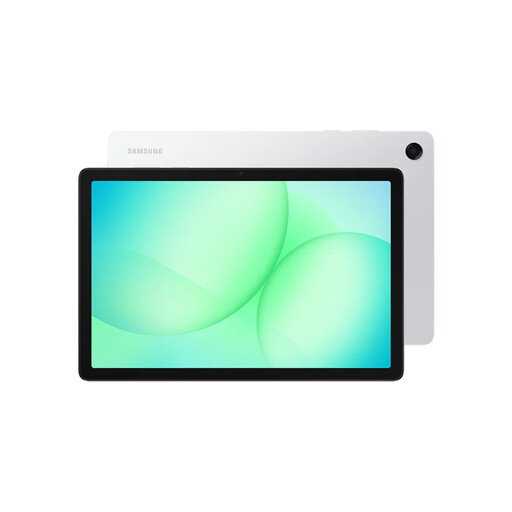
Samsung Galaxy Tab A11+ 11-inch, 128GB Wi-Fi
A Wi-Fi route for regular fixed-location calls once the care home has confirmed reliable app access in the resident’s usual room.
The product name states an 11-inch display, 128GB storage and Wi-Fi. Check a compatible case or stand, guest-network access and the planned calling routine before buying.
Joybuy
 No image available
Samsung Galaxy Tab A11+, 8GB RAM, 256GB Wi-Fi
This Wi-Fi model suits table-based family calls where the home’s network and chosen app have already been tested.
The title states 8GB RAM, 256GB storage and Wi-Fi. It does not provide a mobile-data fallback, so confirm in-room connection reliability and practise the resident’s accessibility settings.
Joybuy
 No image available
DOOGEE U11 PRO 11-inch Android Tablet, 256GB
An 11-inch Wi-Fi tablet to consider for regular indoor calls after the home’s app and connection arrangements are confirmed.
The listing states 256GB storage, an 11-inch screen, a 5MP front camera and a 3.5mm jack. Verify the final model configuration, suitable stand and the resident’s simplified calling set-up.
Joybuy
 No image available
Apple 11-inch iPad Air (2026, M4) Wi-Fi, 128GB
A Wi-Fi iPad option for a fixed-location calling routine where local network access has been confirmed.
The title states an 11-inch display, M4 chip, Wi-Fi and 128GB storage. Check the front-camera details, a compatible protective stand and access to the intended calling app before purchase.
Joybuy
Frequently asked questions
Does a care-home resident need a 4G or 5G tablet for video calls?
Not usually when calls take place on working care-home Wi-Fi and the intended app can access that network. A cellular tablet and data plan are more appropriate when Wi-Fi or app access is unavailable, unreliable in the resident’s normal room, or calls are regularly made away from the home; check mobile coverage for that location.
What should be confirmed with the care home before buying a tablet?
Ask whether a personal tablet can join Wi-Fi or a guest network, whether the intended calling app can be used, and whether coverage is reliable where the resident normally calls. Also agree how charging, headphones, placement and any staff assistance can fit the resident’s routine; NHS England’s care-home technology case study highlights collaboration with managers and staff.
Which accessibility settings are worth preparing first?
Begin with a larger display and font size where needed, a prominent calling-app shortcut and, if useful, magnification. Android offers TalkBack and voice controls, while Apple lists VoiceOver and Voice Control; test each feature with the resident because it can change normal touch navigation.


