Choose a Wi-Fi tablet if the care setting permits it and a video call works reliably in the resident’s room. Consider a cellular tablet if Wi-Fi is unavailable or unreliable, but check the chosen mobile network indoors before relying on it. Either route needs a stable stand, a case fitted to the tablet, calling controls the resident can use and an agreed charging place.
Who is this for?
Families choosing a connection for a care setting
The useful connection is the one that works where the resident will make calls. Ofcom’s postcode-level mobile coverage information can help narrow down networks, but a call in the room is still needed to judge the arrangement.
Callers who find a tablet difficult to hold
A stand can keep the screen positioned during a family call. Choose the case and stand for the exact tablet model, then agree with the setting where the device can sit and charge.
Families arranging simpler calling controls
Apple documents Assistive Access for a focused iPad interface. Android accessibility features and update commitments need checking for the exact model; either setup also needs someone who can manage the calling app and account.
What matters when choosing?
Start with a call in the intended room, then check whether the tablet can stay positioned, be charged appropriately and be operated without confusing steps.
| Concern |
What to check |
Who this matters to |
| Connection in the room |
Ask about permitted Wi-Fi access and test the calling app in the room. For cellular, check the intended network locally and test it indoors if possible. |
If calls fail where my relative sits, a larger screen will not help us stay in touch. About 36% of consumers put a dependable, permitted connection first. |
| Hands-free positioning and charging |
Check case and stand fit against the exact model, including camera and charging-port clearance. Agree a hard, flat charging place with the setting. |
When my relative cannot comfortably hold the tablet, I need it to remain steady and within view throughout a call. About 28% of consumers prioritise that physical setup. |
| Simple calls and continued support |
Try the chosen calling app with the configured controls; confirm who manages account recovery. Check the exact model’s published update policy. |
I want my relative to find and answer calls without working through unfamiliar prompts, and I need to know who will maintain the device. About 36% of consumers make straightforward use and support their primary concern. |
What can make the setup difficult?
-
Buying a Wi-Fi-only tablet before trying the room’s connection
A postcode coverage indication or a building-wide description of Wi-Fi cannot show whether the calling app will work reliably in the resident’s room.
Confirm access with the setting and make a trial call where the tablet will sit. If Wi-Fi is unsuitable, use Ofcom’s local mobile coverage information to shortlist networks, then test indoors where possible.
-
Assuming any case will fit any stand
Model and generation affect accessory fit. A case could also obstruct a control, camera or charging port, or prevent the tablet from sitting securely in a stand.
Choose accessories specified for the exact tablet and test the camera view, stability and charging clearance together.
An incompatible combination could mean changing the case, stand or cable.
-
Leaving the charging place undecided
A bedside position is not necessarily an appropriate place to leave a tablet charging. Electrical Safety First advises charging devices on a hard, flat surface rather than a bed or sofa.
Agree the location with the setting and keep the cable clear of walking routes.
-
Assuming all Android tablets have the same accessibility and update support
Samsung says available software updates depend on the device model. Accessibility settings also need to be checked on the tablet that will actually be used.
Identify the exact model before purchase, try the required calling controls and check its manufacturer-published support information.
Brands to consider
Apple
An iPad is worth considering when a supporter can set up a focused calling interface for the resident.
- Apple describes Assistive Access as a simplified iPadOS experience with focused features and larger onscreen items.
- Check the chosen iPad’s update information and test the calling app in its configured mode rather than assuming every app interaction will be simple.
Samsung
Galaxy Tab models provide an Android route for families prepared to check the features and connection type of a specific variant.
- Samsung documents accessibility controls including TalkBack and visual display adjustments.
- Samsung says available software updates depend on the model; confirm the policy and required controls for the tablet being considered.
Google
The Pixel Tablet is an Android option for families who want a stated update endpoint and can use its Wi-Fi connection in the intended room.
- Google states that Pixel Tablet operating-system and security updates are guaranteed until June 2028.
- Its Wi-Fi setup does not resolve unreliable room Wi-Fi; test the connection before choosing it for calls in the care setting.
Cellular tablet options on Joybuy
These cellular-capable tablets are options to consider if permitted Wi-Fi does not work reliably in the resident’s room. Check the intended mobile network indoors, as well as the calling interface and exact-model accessory fit, before choosing either one.
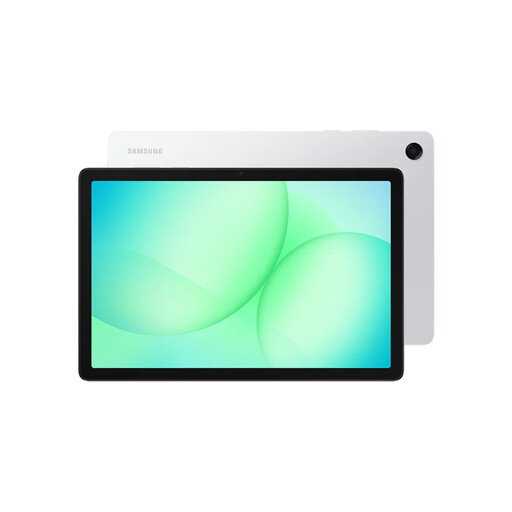 Image unavailable
Samsung Galaxy Tab A11+ 5G X236, 6GB/128GB, Silver
Consider this tablet if the family needs a cellular option after testing the room’s Wi-Fi. The product name specifies 5G, 6GB RAM and 128GB storage; check the chosen network’s indoor service and the exact model’s calling controls, update policy, case and stand fit.
View on Joybuy
 Image unavailable
TABWEE W90 11-inch tablet, dual 4G SIM, 256GB
The 11-inch screen and stated dual 4G SIM capability make this a candidate when a larger display and mobile connection are needed. Its name also lists 5G Wi-Fi, which is distinct from its stated 4G mobile connection. Confirm the exact operating-system version, front-camera details, network compatibility, calling controls and accessory fit before relying on it in the care setting.
View on Joybuy
Common questions
When is a cellular tablet worth considering instead of Wi-Fi?
Consider cellular when the care setting cannot provide Wi-Fi that is permitted, manageable and reliable in the resident’s room. Ofcom’s mobile coverage information can help shortlist a network, but test a call indoors where possible before relying on it.
Can an iPad make video calling less confusing?
Apple’s Assistive Access offers a focused, simplified iPadOS interface that a trusted supporter can personalise. Set up the intended calling app and check that the resident can start or answer a call in the configured mode.
Where should the tablet be charged?
Agree a charging place with the care setting before leaving the device there. Electrical Safety First advises using a hard, flat surface rather than a bed or sofa; arrange the cable so it does not cross a walking route.
How can we compare software-update support?
Check the manufacturer’s information for the exact model. Google states that Pixel Tablet operating-system and security updates are guaranteed until June 2028, while Samsung says update availability depends on the model; neither statement establishes the support period of a different tablet.


