What to prioritise
Start with your games and intended settings, then weigh everyday use, the machine’s condition and whether it needs to move around the home.
Dedicated-graphics laptop
Choose when: You need one movable computer and your games’ target settings call for a dedicated GPU.
Trade-off: Power and cooling design matter; a GPU name alone does not establish sustained game performance.
Integrated-graphics laptop
Choose when: The exact integrated GPU and laptop configuration have suitable evidence for your games and settings.
Trade-off: Do not treat “casual” or a general gaming label as proof that a demanding game will meet your target.
Refurbished gaming laptop
Choose when: The documented model meets your game needs and the seller clearly describes its condition, charger and support.
Trade-off: Used components or modifications can affect condition and safety; check the individual machine.
Desktop PC
Choose when: The computer can stay in one place and a complete desktop setup suits your games and budget.
Trade-off: Compare the full setup, including any display and peripherals you need; a tower listing alone does not settle the comparison.
Game requirements are specific to each title: CD PROJEKT RED gives Cyberpunk 2077’s non-ray-tracing minimum as 1080p, low settings and an expected 30 fps. That is not a universal target for casual gaming, and a minimum is not a promise of higher settings or performance in other games.
| Concern |
What to check when buying |
Who this matters to |
| Game settings and performance |
Compare each game’s current publisher requirements with the exact CPU, GPU, graphics memory, RAM and storage; look for results at your intended resolution and preset. |
If I want particular games to run at settings I can accept, I need evidence for those titles rather than a graphics badge. Around 38% of consumers put meeting their named games’ targets first. |
| Everyday use and portability |
Check the exact integrated or dedicated GPU against game-specific evidence; for a gaming laptop, consider the laptop and power adapter alongside cooling and sustained-performance information. |
If I need one computer for everyday tasks as well as games, I want the exact configuration to meet both needs without buying graphics capability I will not use. About 23% of consumers prioritise an everyday laptop that also suits their verified games. |
| Condition and repair |
For a used laptop, check its condition, supplied charger, seller details, recalls, available driver support and model-specific repair information. UK product-safety guidance and iFixit’s model-specific repairability information can inform these checks. |
If I am weighing refurbished against new, I want to understand the machine’s condition and what may need attention. Roughly 23% of consumers focus first on purchase condition, ownership cost and repair risk. |
| Complete desktop setup |
Compare desktop and laptop configurations for the same games, settings and budget, and confirm whether a display and input devices are included. |
If my computer will stay at a desk, I want to compare complete setups rather than pay for portability I do not need. About 16% of consumers prioritise a fixed home setup. |
Joybuy laptop choices
These Joybuy choices are gaming laptops with dedicated graphics for consumers who want one movable computer for gaming and everyday use. Check each exact configuration against the games and settings you use.
 No image available
Lenovo Legion Pro 5 R9, 32GB, 2TB, RTX 5060
For consumers looking for a gaming laptop with dedicated graphics for home gaming.
GeForce RTX 5060 graphics; 32GB DDR5 RAM; 2TB SSD; 16-inch WQXGA display.
Joybuy
 No image available
Lenovo LOQ 15 IAX9, 83LK00DBUK
For consumers considering a dedicated-graphics laptop for games and everyday computing.
Intel Core i5-12600HX; GeForce RTX 4050; 16GB DDR5 RAM; 1TB SSD; 15.6-inch Full HD 144 Hz display; Windows 11 Home.
Joybuy
 No image available
Lenovo LOQ Essential 15ARP11, Ryzen 7 170, RTX 5050
For consumers considering a gaming laptop with dedicated graphics and a UK keyboard.
RTX 5050 Laptop GPU with 8GB GDDR7; 16GB DDR5 RAM; 1TB SSD; 15.6-inch Full HD 144 Hz display; Windows 11 Home; UK keyboard.
Joybuy
 No image available
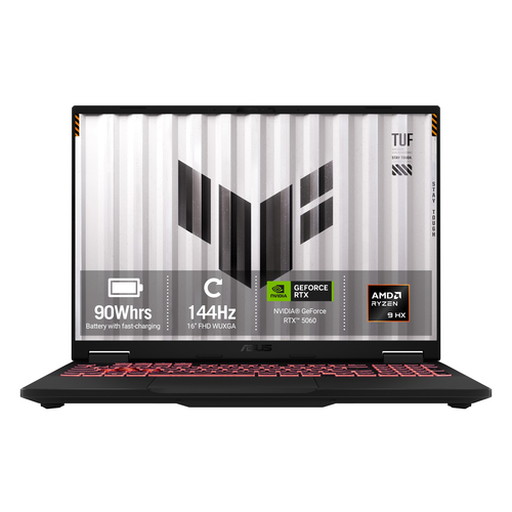
ASUS TUF Gaming A16 FA608PM-TU091W
For consumers looking for one laptop for gaming and everyday computing.
Ryzen 9 8940HX; RTX 5060 Laptop GPU; 16GB DDR5 RAM; 1TB NVMe SSD; WUXGA 144 Hz display; UK English keyboard.
Joybuy
 No image available
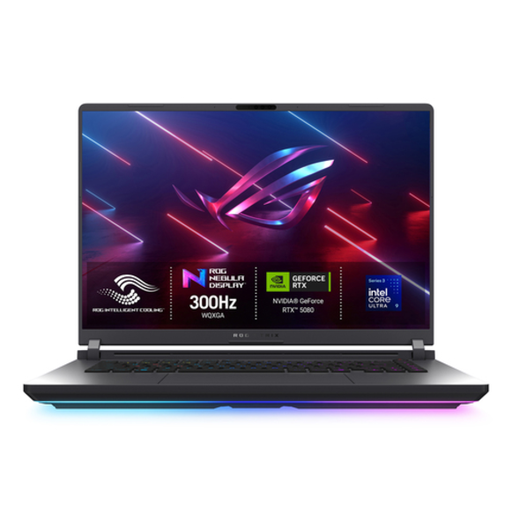
ASUS ROG Strix G16 G615LW-TS262W, RTX 5080
For consumers considering a gaming laptop with a dedicated RTX 5080 Laptop GPU.
Core Ultra 9 290HX Plus; RTX 5080 Laptop GPU with 16GB GDDR7; 32GB DDR5 RAM; 1TB SSD; 16-inch WQXGA 300 Hz display.
Joybuy
Frequently asked questions
Is a game's minimum PC specification enough for my target settings?
Not necessarily. CD PROJEKT RED associates Cyberpunk 2077’s non-ray-tracing minimum with 1080p, low settings and an expected 30 fps, and its recommended tier with 1080p, high settings and 60 fps. Check the current publisher requirements for each game and look for evidence for the exact laptop at your chosen settings; those figures do not apply to every game.
How do I check graphics drivers and the condition of a refurbished laptop?
Identify the exact GPU and operating system, then check the relevant official driver information and the laptop maker’s support details. For a used machine, check available instructions and product recalls, ask whether it has been modified, and assess repair information for the exact model.
Do cancellation and fault remedies apply to online or refurbished purchases?
For applicable UK distance sales, GOV.UK guidance says the seller must tell customers they can cancel up to 14 days after delivery without giving a reason. Remedies for faulty or misdescribed goods are separate; Bromley Council guidance says trader-supplied second-hand goods have the same statutory rights as new goods, while expectations about satisfactory quality take prior use into account. Check the seller and the terms that apply to your transaction.
What electrical-safety and conformity details should I check?
Check that the supplied mains connection is suitable for UK domestic use and investigate any damaged or replacement charger. Regulation 35 of the Electrical Equipment (Safety) Regulations 2016 addresses equipment intended for domestic use in the UK. Great Britain recognises CE alongside UKCA for relevant product regulations, while Northern Ireland has distinct market-placement rules; a marking or listing alone does not verify the condition of an individual used charger.


