Staying with your current operating system is a sensible choice when an existing watch, essential app or familiar accessibility setup matters more than changing platforms. Switching can still work, but check the transfer method, account access and connected-device compatibility before choosing a handset: moving data does not mean every app, password or routine will carry over.
Who needs to plan a switch?
The operating-system decision matters most when a new phone must preserve something you already rely on, not simply accept a copy of your photos.
Continuity-first replacement buyers
If messages, accounts and everyday apps need to remain accessible, check how each one moves or requires a fresh sign-in. The Competition and Markets Authority’s UK Mobile Consumer Survey examined smartphone purchasing and operating-system switching among adults with personally owned phones.
Connected-device users
An existing watch can affect the phone choice. Apple says Apple Watch setup requires a compatible iPhone; Google says a Wear OS watch connects to one phone at a time and may need to be reset when moved.
Long-term and accessibility-focused buyers
If you plan to keep the phone for years or depend on a particular way of interacting with it, compare the exact model’s security-update commitment and try the accessibility features and assistive devices you use.
What should you check before choosing?
Decide which existing routines cannot be interrupted, then check the proposed phone and transfer route against them. Staying on the same platform can avoid some cross-platform changes, but it does not remove the need to confirm backups, sign-ins and watch requirements.
Keep your current operating system
Consider it when: Your existing apps, watch or accessibility routine makes continuity the priority.
Trade-off: You limit your handset choice to that platform, and a replacement still requires account and device checks.
Move from Android to iPhone
Consider it when: The intended iPhone meets your needs and you can plan Apple’s Move to iOS transfer during setup.
Trade-off: Apple says that after setup, using the automatic route requires erasing the iPhone and starting again; otherwise, content must be moved manually.
Move from iPhone to Android
Consider it when: Your chosen Android phone meets your needs and you have checked its setup-transfer method.
Trade-off: Transfer coverage varies. Samsung says Smart Switch does not move passwords or Apple Keychain data from an iPhone to Galaxy.
| Concern |
What to check |
Who this matters to |
| Apps, data and accounts |
Check essential app availability and how you will restore sign-ins, authentication and backups before wiping the old phone. |
If I rely on my old phone to approve sign-ins, I need a way back into essential services after the move. Around 36% of consumers may put access continuity first. |
| Watches and connected routines |
Confirm the exact watch model’s phone requirements and whether changing phones requires a reset. |
My watch is part of my daily routine, so I need to know whether it will pair with the replacement. For around 29% of consumers, connected-device continuity may be the primary concern. |
| Support and repair |
Compare the exact model’s published security-update period and check its battery and screen service options separately. |
If I intend to keep the replacement for several years, its support and repair route matter beyond the initial transfer. Around 21% of consumers may prioritise long-term ownership. |
| Accessibility |
Try the exact handset with the interaction features, assistive hardware and apps you use. |
When I depend on a particular screen-reader or control method, I need to know I can use it on the new phone. Accessibility continuity may come first for around 14% of consumers. |
Mistakes that can disrupt a move
-
Giving up the old phone before testing access
A completed transfer does not prove that every account works. Samsung says Smart Switch does not transfer passwords or Apple Keychain data from an iPhone to Galaxy.
Keep the old phone available while you test essential apps, messages, authentication and payment access on the replacement.
Restoring accounts can take additional time, and locally stored data may be lost if the old phone is erased too early.
-
Assuming a smartwatch will follow you to any phone
Apple Watch setup requires a compatible iPhone. Google says a Wear OS watch connects to one phone at a time, and a factory reset erases its apps, settings and data.
Check your exact watch model’s compatibility and save watch data where its app permits before changing phones.
Moving a watch may involve another setup and, if it must be reset, loss of data held on the watch.
-
Treating security updates as a complete ownership promise
A security-update commitment does not establish how easily a screen or battery can be serviced, or whether a particular app or accessibility workflow will suit you.
Read the exact model’s support statement and check service options and the features you rely on separately.
Relevant brands to consider
These brands offer documented transfer or compatibility guidance worth checking against the particular phone you intend to buy; their inclusion is not a handset recommendation.
Apple
Relevant if you are replacing an iPhone or considering a move from Android to iPhone, particularly when you use an Apple Watch.
- Apple’s Move to iOS guidance explains an Android-to-iPhone transfer during setup; the content being moved must fit on the destination device.
- Apple Watch setup uses a compatible iPhone. If you are leaving iPhone, check your watch model before choosing another platform.
Samsung
Relevant if you are considering a Galaxy phone and need to plan an iPhone-to-Android transfer.
- Samsung’s UK Smart Switch guidance describes cable and wireless ways to move selected iPhone content to Galaxy.
- Samsung says passwords, Apple Keychain data and Apple-owned apps are not transferred by Smart Switch.
Google Pixel
Relevant if you are considering an Android replacement and want to check Google’s setup guidance and the chosen Pixel model’s support terms.
- Google’s Android guidance covers setup transfers from an iPhone or another Android device.
- Google’s stated seven-year security-update commitment for Pixel 9a is specific to that model; check the statement for any other handset separately.
Android phones to compare on Joybuy
These Android handsets are options to examine if you are staying with Android or considering a move to it. Choose a transfer route and check your essential apps, watch and support requirements against the exact model before deciding.
 No image available
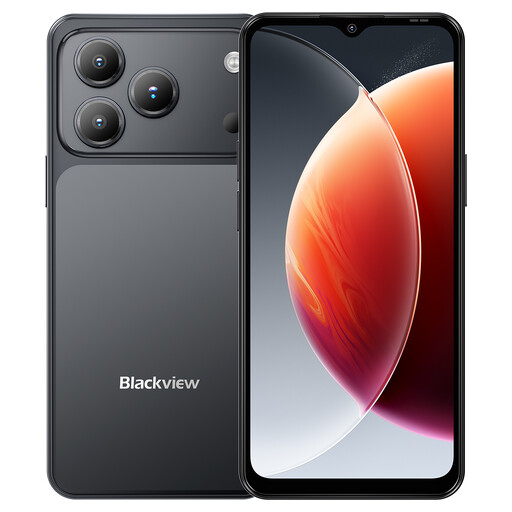
Blackview Wave 7C, 128GB, Black
Consider this Android 16 handset if you need to compare an Android replacement with your current phone. Its title lists 128GB storage, a 6.56-inch display and 4G dual SIM; check your app and watch requirements and the exact model’s security-update period.
Joybuy
 No image available
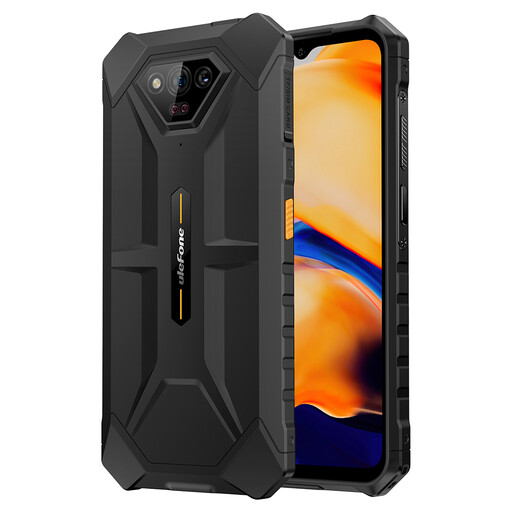
Ulefone Armor X13, 64GB
Consider this handset if you are comparing Android replacements and need to check whether its configuration suits your storage needs. The title lists 64GB storage, a 6.52-inch HD+ display and a 6320mAh battery; confirm the transfer method, essential-app compatibility and support period for this model.
Joybuy
 No image available
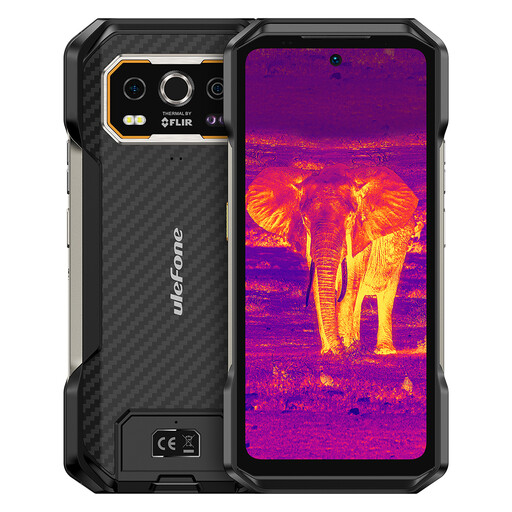
Ulefone Armor 27T Plus 4G, 256GB
Consider this Android 15 model if its listed configuration meets your replacement needs. The title specifies 256GB storage, a 6.78-inch FHD+ 120Hz display and NFC; check the particular apps and connected devices you use before switching platforms.
Joybuy
 No image available
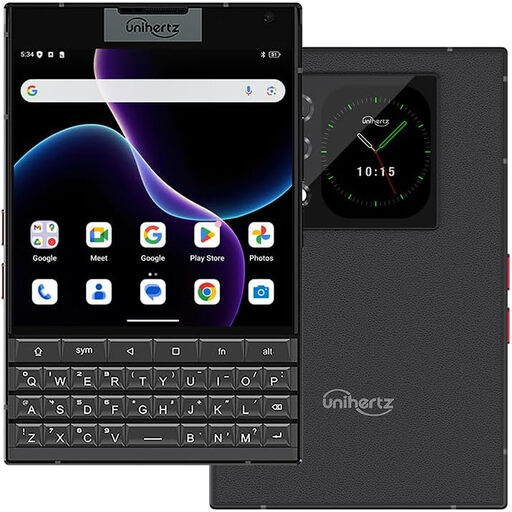
Unihertz Titan 2, 512GB, Black
Consider this Android handset if a physical QWERTY keyboard is part of the interaction style you want to keep or adopt. Its title lists 512GB storage, 5G and dual SIM; test the keyboard and check your apps, watch and accessibility requirements on the exact model.
Joybuy
 No image available
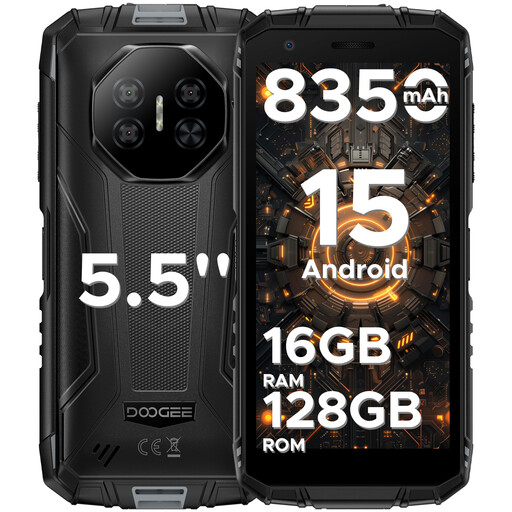
DOOGEE Fire 3 Pro, 128GB
Consider this Android 15 handset if you are comparing replacement-phone configurations. Its title lists 128GB storage, a 5.5-inch HD+ display and 4G dual SIM; confirm how you would move essential accounts and whether your connected devices work with it.
Joybuy
Common questions
Will every app and password move from iPhone to Android?
No. Samsung says Smart Switch does not transfer passwords, Apple Keychain data or Apple-owned apps to Galaxy. Check how you will sign in to essential services and restore authentication before erasing the iPhone.
Should I plan an Android-to-iPhone transfer before setting up the iPhone?
Yes, if you intend to use Apple’s Move to iOS route. Apple says it runs during setup; after setup, using that automatic route requires erasing the iPhone and starting again, while moving content manually is another option. Check that the content will fit and keep both devices powered.
Can I keep using my smartwatch after changing phone platforms?
That depends on the exact watch and replacement phone. Apple Watch setup requires a compatible iPhone, while Google says a Wear OS watch connects to one phone at a time and may need a reset when moved. Check compatibility and any data-saving steps before choosing the phone.
Does a long security-update commitment mean a phone will be easy to repair?
No. A security-update period addresses software maintenance, not battery or screen service. Compare the exact handset’s published support period with its repair terms and service options as separate decisions.


