What matters when choosing
Decide whether the charger, cable or socket position actually needs changing. Then check device compatibility before weighing up the convenience of extra ports or a longer reach.
| Concern |
What to check |
Who this matters to |
| Device compatibility and power |
Match the exact model and connector, then check its required charging method and minimum or recommended wattage. |
If I rely on a laptop or tablet at my desk, I need a replacement that can charge that device, not just one with a fitting plug. Around 36% of consumers put compatibility and sufficient power first. |
| Trustworthy, undamaged equipment |
Choose a genuine replacement from a trusted supplier; replace damaged chargers, cables and leads rather than taping them. |
When a lead is worn or a charger's origin is uncertain, I want to resolve that safety concern before considering convenience. Safety is the primary need for around 29% of consumers. |
| Charging several devices |
Check port types and the stated output for the particular combination of ports you will use. |
If my phone and laptop charge at the same desk, I want fewer plugs without leaving the laptop short of power. That multi-device need comes first for around 21% of consumers. |
| Socket access and cable routing |
If an extension is necessary, check that it is fused inline and will not be overloaded; keep charging equipment uncovered. |
When the socket is awkward to reach, I need a workable cable route without trapping a charger or adding unsafe adaptors. Around 14% of consumers prioritise socket access and routing. |
Charger and cable options on Joybuy
These options cover USB-C wall chargers and a replacement USB-C cable for bedside or desk use. Choose between them by identifying which part of your existing setup needs replacing, then checking the exact device's charging requirements.
 No image available
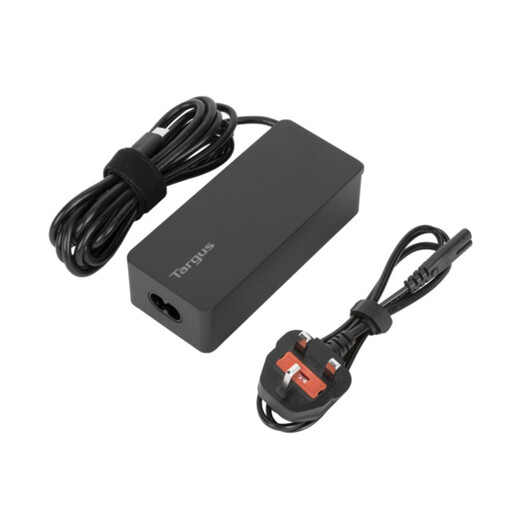
Targus 65W USB Type-C Charger
Consider this replacement charger for a USB-C device whose charging requirements it meets.
The product name specifies 65W. Check the exact device model, charging method and required wattage before buying.
View on Joybuy
 No image available
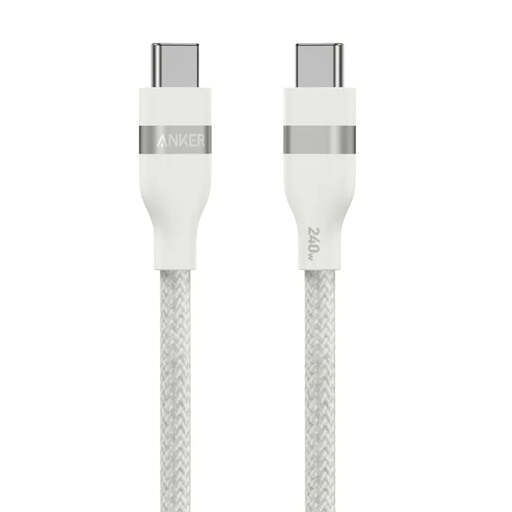
Anker USB-C to USB-C Braided Cable, 0.9 m, 240W, White
Consider replacing the cable rather than the charger if the existing charger is suitable and undamaged but its USB-C cable needs changing.
The product name specifies a 0.9 m length and 240W cable capability. Check that the length reaches without trapping the cable; its rating does not increase the output of the connected charger.
View on Joybuy
 No image available
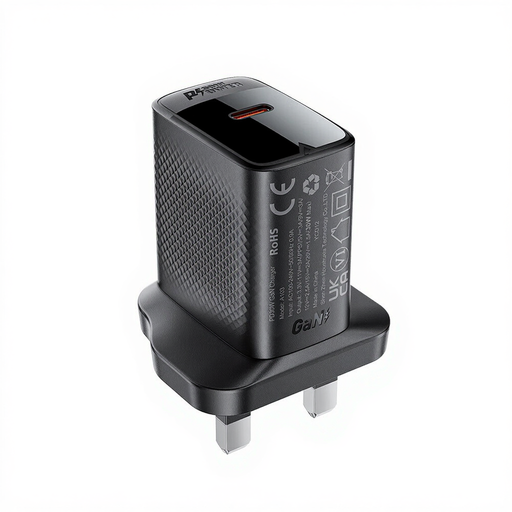
ACEFAST PD30W GaN USB-C Charger, Black
Consider this wall charger for a USB-C device after checking that its charging requirements match.
The product name specifies PD30W and GaN. Do not assume its 30W rating meets a laptop's recommended wattage.
View on Joybuy
 No image available
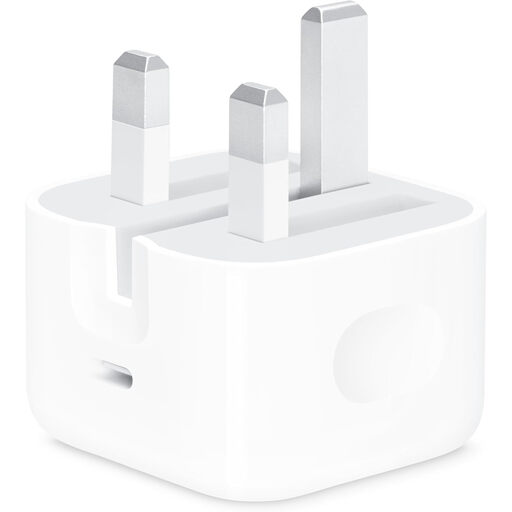
Apple 20W USB-C Power Adapter
Consider this adapter only after checking the charging requirements of the particular device you intend to use with it.
The product name specifies 20W and USB-C. Check whether a compatible cable is included or needs to be obtained separately.
View on Joybuy
Common questions
Do I need a new charger or just a cable?
Replace just the cable if the charger is suitable and undamaged but the cable is worn, has the wrong connector or cannot support the intended charging level. Replace a damaged, missing or unsuitable charger instead; London Fire Brigade advises replacing faulty leads rather than repairing them with tape.
Can any USB-C charger charge my laptop?
No: the matching connector alone does not establish adequate charging power. Apple advises checking USB PD support and the recommended minimum wattage for a USB-C-chargeable Mac; Microsoft warns that lower-wattage charging may be slow or may not charge some Surface devices. Check guidance for your exact laptop model.
Can I use a multi-port charger beside the bed?
You can consider one if it is suitable for the connected devices and provides enough power with the intended ports in use. Keep the charger and devices uncovered, and follow London Fire Brigade's advice not to leave devices continuously charging after a charge cycle.
When does an extension lead make sense for charging?
Use an extension lead to reach a socket only when you can avoid overloading it; it will not fix an incompatible charger. London Fire Brigade advises a fused inline lead rather than a plug-in cube type and says worn leads should be replaced, not taped.
Should I keep the original charger as a spare?
Keep it as a spare only if it remains undamaged and suitable for the device. Its label and model information may help you compare charging requirements, but a damaged charger or cable should not remain in use.


