
24/7 Customer Support

Free returns

Same-day & Next-day Delivery

Quality Guaranteed

Unlock Your Welcome Offers: FREE Delivery | Up to 80% OFF | Free 30-day JoyPlus trial
Download the APP
Choosing between chargers and charging stations is rarely as simple as selecting the highest wattage or the largest number of ports. A charger may support several devices but distribute power slowly, while a compact charging station may only work with specific phones, watches or battery types.
As the Joybuy Product Recommendation Officer, I focus on practical details that help UK shoppers avoid unsuitable purchases, unnecessary cables and avoidable compatibility problems.
A charger advertised as 67W or 140W may not deliver that output to every connected device. Power is often shared between ports, particularly when charging a laptop, tablet and phone at the same time. Check the single-port output and the multi-port power distribution rather than relying only on the total figure.
For example, a USB-C GaN charger may provide high output from one port but reduce the available wattage when additional USB-C or USB-A ports are occupied.
A wireless charging stand requires compatible charging hardware in the device. Magnetic alignment may also depend on the phone model or a compatible case. Smartwatch charging areas can be particularly specific: a stand designed for Apple Watch may not charge another brand’s wearable.
Before buying a 3-in-1 wireless charger, confirm compatibility for the phone, earbuds case and watch separately. Also check whether the required mains adapter is included. Some charging stations need a sufficiently powerful USB-C adapter to operate all charging areas together.
A portable EV charger using a UK 3-pin plug can be useful for occasional charging at home or while travelling, but it usually offers lower output than a dedicated wall-mounted charger. A 2.3kW unit can take considerably longer to add range, and the socket, extension arrangements and installation environment must be suitable.
Do not use an ordinary extension lead unless the charger instructions specifically permit it. Inspect the plug and socket during use, keep connections dry and follow the manufacturer’s safety guidance.
For electric vehicles, check the connector type first. A Type 2 EV charger is widely used by many European-market electric cars, but vehicle compatibility should still be confirmed. A UK 3-pin EV charger is convenient for flexible use, while a dedicated home unit may be more appropriate for frequent overnight charging.
For phones and tablets, check whether the charger supports the required protocol, such as USB Power Delivery or Quick Charge. For cameras, match the exact battery code. A camera battery charger for Sony NP-FZ100 batteries is not automatically suitable for other Sony battery families.
Review:
A multi-device charger with three charging areas may reduce desk clutter, but a four-port USB-C charger can be more flexible for mixed devices. Select according to your daily equipment rather than the port count alone.
For EV charging, cable length affects where the vehicle can be parked. The 5m, 8m, 10m and 15m versions of a portable Type 2 charger suit different driveways and parking positions, but a longer cable is also heavier and requires more storage space.
For desktop stations, look for a stable base, accessible ports and a suitable viewing angle. Useful protection features can include over-current, over-voltage, short-circuit and temperature control. These features do not remove the need to use the product as instructed or to keep it away from moisture and excessive heat.
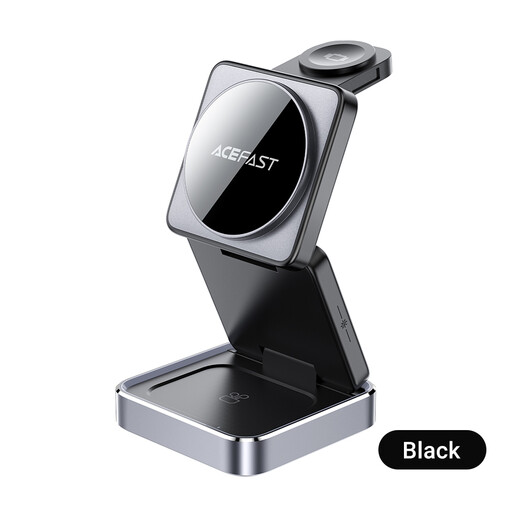
Why This Fits Their Persona: A straightforward option for users who want one desktop unit for a compatible smartphone, smartwatch and wireless earphones at home or in a student room.
Its instructions specify the need for a suitable USB-C power adapter and correct device placement, helping buyers check these requirements before setup.
Charges three device categories simultaneously and has a foldable construction for storage or travel.
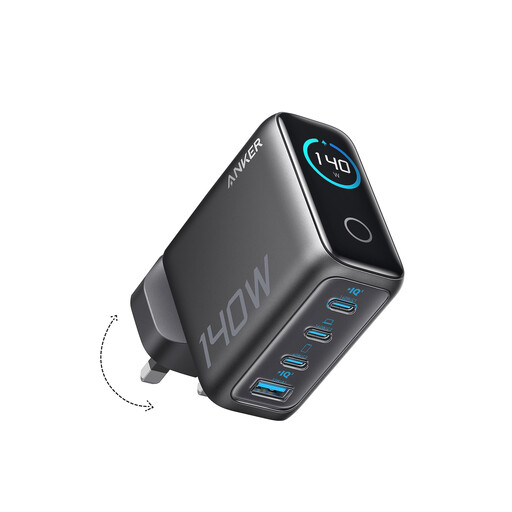
Why This Fits Their Persona: Suitable for professionals and home-office users who charge a laptop, tablet, phone and accessories from one mains point.
The product information identifies four ports and explains that power is designed for simultaneous device charging; check the required allocation for your equipment.
Four ports, GaN construction, a stated 140W maximum output and an integrated display for charging information.
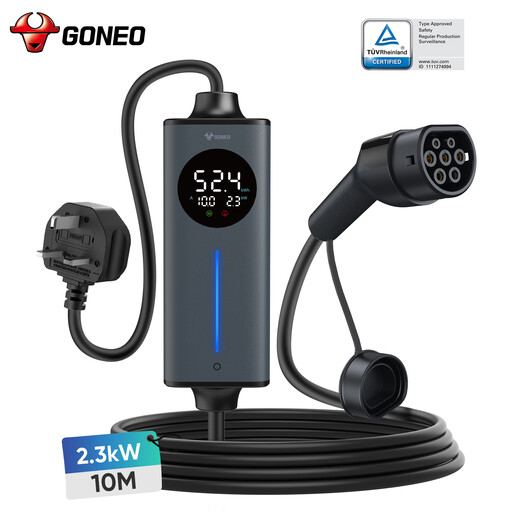
Why This Fits Their Persona: A practical match for EV owners who need a long-reach charging cable for home positioning or occasional travel.
It clearly states the UK 3-pin input, Type 2 connector, 2.3kW maximum and 10m cable length, so buyers can assess speed and reach realistically.
Adjustable 10A current, LED readings for voltage, current and temperature, plus stated IP66 protection and multiple protective controls.
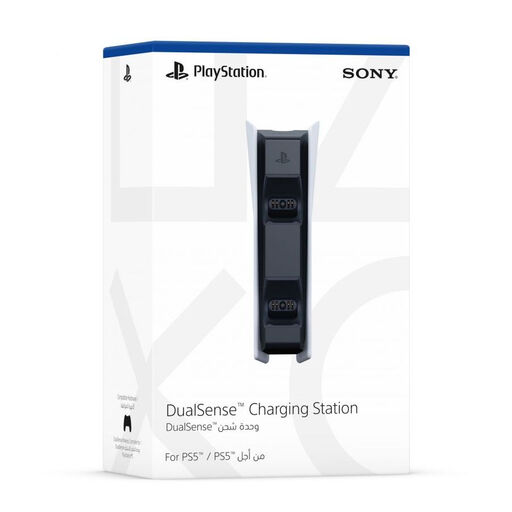
Why This Fits Their Persona: Designed for PS5 households with one or two DualSense controllers that need a dedicated place to charge between gaming sessions.
It is specifically listed for PS5 DualSense controllers, avoiding the compatibility uncertainty of generic controller docks.
Charges up to two controllers and uses a snap-on docking design; controllers are not included.
We have compiled a complete, real-time list of products that fully satisfy these strict selection criteria and UK safety regulations.
The running cost depends on the device’s power draw, charging time and your electricity tariff. A low-power wireless charger usually uses less electricity than a laptop or EV charger, but standby consumption can continue if the unit remains plugged in. For EVs, a portable charger with a delay function may help users schedule charging around an off-peak tariff, subject to the tariff conditions.
Many users do, but the charger should be placed on a stable, dry and ventilated surface, with no metal objects between the device and charging area. Follow the supplied instructions, use the correct adapter and avoid covering the station. Check the phone and charger periodically if heat or alignment is a concern.
Lifespan varies with construction, heat exposure, cable strain and daily charging cycles. Keep connectors clean, avoid bending cables sharply and store portable products in a dry place. If a charger, plug or cable becomes unusually hot, damaged or intermittent, stop using it and replace it with a compatible product.