Receipt and spreadsheet reviewers
People who regularly compare receipts, invoices and bank records with spreadsheet entries, and need space to read both the transaction and its supporting document.


For regular receipt and spreadsheet review, consider a height-adjustable 24-inch WUXGA monitor if desk space is tight, or a 27-inch QHD monitor if you need more room for documents side by side. Choose USB-C charging or docking features only after checking the charity laptop’s video connection and power requirements. A clearer working view does not replace accurate expense records and supporting documents.
People who regularly compare receipts, invoices and bank records with spreadsheet entries, and need space to read both the transaction and its supporting document.
Staff and volunteers moving between home, shared desks and an office who need to check whether a monitor can connect to their laptop and the accessories they use.
People fitting expense-review work into a limited desk area who must balance screen space with the monitor’s footprint and available positioning adjustments.
Start with how you arrange expense records on screen, then check laptop connections and whether the monitor fits the workstation.
| Concern | What to check | Who this matters to |
|---|---|---|
| Document workspace | Compare a compact 24-inch, 1920 × 1200 WUXGA layout with a 27-inch, 2560 × 1440 QHD layout for side-by-side windows. | When I compare a transaction list with receipts or invoices, I want enough room to keep the relevant entries visible. Around 45% of consumers put document workspace first. |
| Laptop connections | Check the laptop’s USB-C video support, required charging wattage and any USB or Ethernet connections needed at the desk. | If I reconnect a charity laptop at a regular desk, I want its display and essential accessories to work together. For around 33% of consumers, compatible laptop connections are the primary need. |
| Desk fit and adjustment | Measure desk width and depth, then check the stand’s height and tilt adjustments and any mounting needs. | At a small or shared workstation, I need to position the screen without crowding the rest of the desk. Desk fit and adjustment come first for around 22% of consumers. |
USB-C monitor connections differ. For example, LG lists up to 15W power delivery for the 27U631A-B, while Lenovo lists up to 140W for the ThinkVision P27QD-40; neither figure establishes compatibility with a particular laptop.
Check the exact monitor’s USB-C video support and power output against the laptop’s requirements before relying on a single cable.
You may still need the laptop’s own charger or a compatible cable.
A larger screen does not establish whether its stand can place it at a suitable height. The Health and Safety Executive’s display-screen-equipment guidance concerns the whole workstation, not just the monitor.
Measure the desk and check the supplied stand’s adjustments alongside the chair, keyboard and viewing position.
A tilt-only stand may require a separate arm or stand to achieve the needed position.
A monitor can help someone review entries, but it cannot create the records or supporting evidence. Section 130 of the Charities Act 2011 sets accounting-record requirements for charities within its scope, while the Office of the Scottish Charity Regulator describes supporting records for Scottish charities.
Keep expense procedures and supporting documents appropriate to the charity’s regulator, legal form and accounting framework.
Dell’s P2425 and P2425HE illustrate compact document-workstation options with different connection features.
The Series 7 Pro 724pu is a compact WUXGA option for a laptop-based desk.
The P27QD-40 addresses a fixed workstation that needs a 27-inch QHD screen and laptop docking connections.
The 27U631A-B offers a 27-inch QHD format when screen layout matters more than full laptop docking.
These ASUS ProArt monitors offer WUXGA or QHD screen formats to consider for reviewing transactions and supporting documents. Choose the layout for your desk and records, then check the exact model’s connections against your laptop.
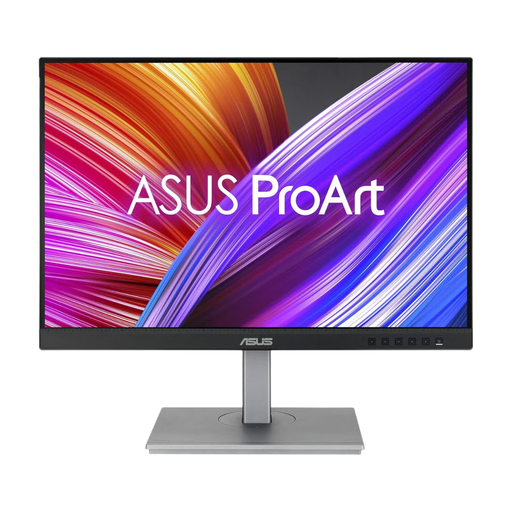 Image unavailable
Consider this WUXGA model for transaction lists and documents at a compact desk. It has an IPS display; check the laptop’s video and charging requirements before planning a USB-C desk setup.
 Image unavailable
Consider this WQHD model when comparing a spreadsheet with receipts in separate windows. It has an IPS display; measure the intended desk and check the exact USB-C charging output against the laptop’s needs.
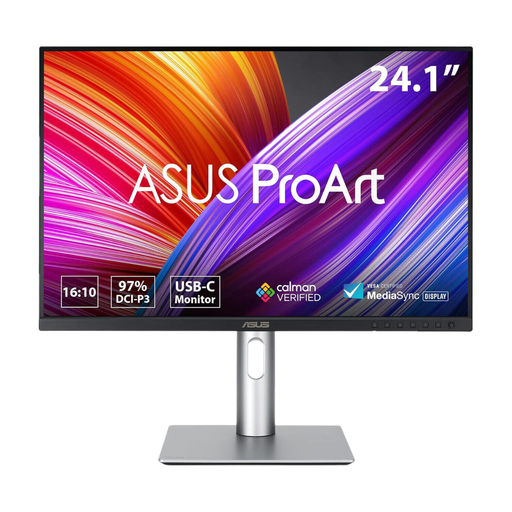 Image unavailable
This WUXGA model is another option for reading transaction rows and source documents at a smaller workstation. It has an IPS display; confirm the laptop’s USB-C video and charging requirements before relying on a single-cable connection.
 Image unavailable
Consider this QHD model if you want a different screen layout from WUXGA for detailed records. It has an IPS display; compare how your transaction lists and documents fit, and check laptop compatibility before relying on USB-C charging.
 Image unavailable
Consider this QHD model for viewing expense records beside supporting documents. Its title specifies an IPS display and 100Hz refresh rate; check that the workstation has room and confirm the exact variant’s connections before planning a laptop setup.
No. A monitor changes the working view, not the records a charity keeps. For charities within the scope of section 130 of the Charities Act 2011, legislation.gov.uk sets requirements for records of money received and spent; the Office of the Scottish Charity Regulator also describes supporting documents relevant to Scottish charities.
Choose a 24-inch WUXGA layout if a compact desk and vertical space for transaction rows matter most; consider a 27-inch QHD layout if you regularly keep a spreadsheet and supporting document visible together. Measure the desk before choosing the larger screen.
Only when the laptop can send video through the intended connection and the exact monitor supplies enough power for it. Check the laptop’s charging requirement against the monitor’s stated power delivery, and keep its own charger available if the connection cannot meet that requirement.
Check the whole desk setup, including screen position, chair and keyboard, rather than choosing by monitor size alone. The UK Health and Safety Executive says display-screen-equipment rules apply to workers who use such equipment daily for continuous periods of an hour or more, with employers required to assess workstations and reduce risks.
Do not assume one set of detailed requirements applies to every charity. Confirm the regulator and accounting framework for the charity’s jurisdiction and legal form before relying on a particular reporting or record-keeping rule.