Bluetooth-first checkout testers
If you test on one compatible laptop, Bluetooth lets you avoid occupying a USB port with a mouse receiver. Check that the laptop permits Bluetooth pairing.


Choose a Bluetooth mouse if the test computer supports pairing and keeping a USB port free matters most. A dual-mode mouse gives you a receiver fallback when Bluetooth may be unavailable; multi-device features are worth considering when you switch between test computers, but a rechargeable model also needs charging. A shortage of wall sockets is not the same as a shortage of computer USB ports.
If you test on one compatible laptop, Bluetooth lets you avoid occupying a USB port with a mouse receiver. Check that the laptop permits Bluetooth pairing.
If Bluetooth may be restricted or unavailable on a test computer, a dual-mode mouse offers a receiver option when a USB port is free.
If you move between compatible test devices or use different desk surfaces, device switching and surface tracking may matter more than they would for a single-laptop test. Account for charging if you choose a rechargeable mouse.
Work out whether the constraint is a wall socket, a computer USB port or Bluetooth access. A Bluetooth mouse can leave a USB port free, but it does not change how the computer is powered.
Choose it when: One compatible test computer permits Bluetooth pairing and you want no mouse receiver in its USB port.
Trade-off: There is no receiver fallback if that computer cannot use Bluetooth.
Choose it when: You prefer Bluetooth but may need another connection on a restricted or incompatible test computer.
Trade-off: Using the receiver occupies a USB port.
Choose it when: Switching between compatible test devices is part of your workflow.
Trade-off: You must make time and a suitable connection available for charging.
| Concern | What to check | Who this matters to |
|---|---|---|
| Keeping a USB port free | Confirm that the mouse offers Bluetooth and that the test computer supports and permits pairing. | If I use one laptop, I want to avoid occupying a port just to run the mouse. Around 50% of consumers put a receiver-free connection first. |
| Connection fallback | Check both the host’s Bluetooth support and whether the exact mouse has a usable USB receiver. | On a managed test computer, I need another way to connect if pairing is blocked. For around 30% of consumers, that fallback is the main concern. |
| Multi-device workflow | Check device-switching needs, hand fit and how a rechargeable model is charged. | When I move between test devices, switching and control matter enough to accept charging as part of the routine. Those needs come first for around 20% of consumers. |
A Bluetooth connection can avoid a USB receiver, but it does not power the laptop or remove a rechargeable mouse’s charging needs.
Identify which connection is scarce before choosing between Bluetooth, a receiver fallback and a rechargeable design.
A wireless mouse may rely on a USB receiver, while Bluetooth pairing also depends on the test computer.
Check the exact mouse’s connection methods and the computer’s Bluetooth access. Rely on a receiver fallback only if a suitable USB port is available.
Device switching and specialised tracking may add little to ordinary checkout clicks and scrolling on one laptop.
Choose those features when your testing actually involves multiple devices or demanding surfaces.
A rechargeable model also adds periodic charging to the routine.
GOV.UK advises that waste batteries and electrical products should be recycled rather than put in household rubbish.
Use an appropriate battery collection or electrical-waste route when replacing them.
Its Signature M650 and MX Anywhere 3S illustrate two different routes: a Bluetooth mouse with receiver fallback, and a rechargeable mouse for switching between devices.
The HP 240 Bluetooth Mouse is a Bluetooth-first option to consider for one compatible laptop.
The Microsoft Bluetooth Mouse is relevant to a Windows test computer with compatible Bluetooth.
These mice are relevant if you want to use Bluetooth at a constrained test desk while keeping a receiver connection as an option. Check the test computer’s pairing permissions and the charging or battery arrangement for the model you choose.
 No image available
Consider its Bluetooth mode when keeping a USB port free matters, with the 2.4G connection available as a fallback. The title specifies adjustable DPI and a 1xAA battery; check that the test computer permits Bluetooth pairing, or has a USB port for receiver use.
 No image available
Its vertical shape is worth considering if hand position matters during desk-based tests, but check whether that grip suits you. The title lists six buttons and an adjustable 1600 DPI sensor; receiver use requires a USB port.
 No image available
This dual-mode mouse suits a desk where Bluetooth is preferred but a receiver option may be useful. Its title specifies five-level adjustable DPI and an 800mAh battery; confirm the charging arrangement and check compatibility if the test Mac uses Boot Camp dual-system mode.
 No image available
Consider this model if you need to move between test computers, but confirm its connection options and compatibility with each host before buying. If you intend to use its cross-computer feature, check the driver and network requirements; its USB-dongle fallback uses a port.
 No image available
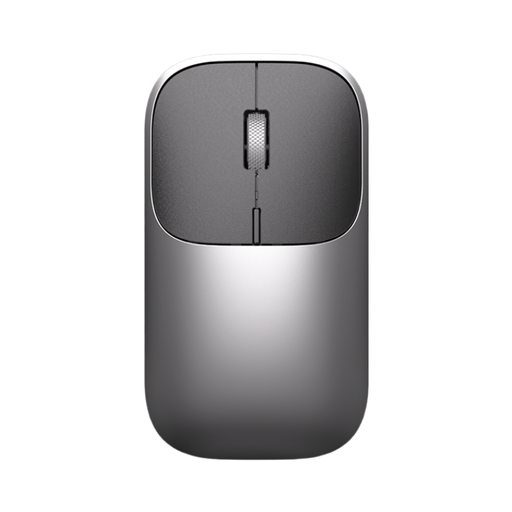
Its Bluetooth option is relevant when a test computer’s USB port needs to stay free; the 2.4GHz option gives you a receiver route. The title also lists adjustable DPI. Confirm host compatibility and battery or charging requirements before choosing it for the desk.
Not by itself. Bluetooth can avoid occupying a computer USB port with a receiver, but it does not change the computer’s mains-power needs. A rechargeable mouse, such as the USB-C-charged Logitech MX Anywhere 3S, still needs charging.
Choose Bluetooth-only if the test computer can pair reliably and keeping its USB port free is your priority. A dual-mode mouse such as the Logitech Signature M650 offers Bluetooth Low Energy and a Logi Bolt receiver route, provided you have a port available when you need the receiver.
Check that the computer supports Bluetooth and permits pairing, then follow the mouse maker’s pairing instructions. Test left and right clicks and scrolling in the browser before starting the checkout flow; Microsoft specifies Windows 10 or Windows 11 with compatible Bluetooth for its Bluetooth Mouse.
Use an appropriate battery collection point or electrical-waste route rather than household rubbish. GOV.UK advises recycling waste batteries and electrical products; check the available collection or retailer take-back arrangements for the item.