Quiet-room checkout testers
Students working beside a roommate or testing late at night who want less click noise while navigating a checkout flow.


For checkout-page testing on one laptop, prioritise reliable clicking and scrolling, then choose a connection the laptop can use. A wired USB mouse avoids pairing and battery management; a quiet wireless model may suit a shared room, while Bluetooth or device switching is worth considering when keeping USB ports free or moving between devices matters. Check the exact model’s connection and scroll-wheel details before buying.
Students working beside a roommate or testing late at night who want less click noise while navigating a checkout flow.
People testing on one laptop who want a direct connection without managing wireless pairing or batteries.
Students carrying a mouse between a laptop and another compatible device who value a compact shape or the ability to switch connections.
For checkout testing, check that the mouse connects to your laptop and lets you perform the clicks and scrolling you need. Then decide whether a quiet room, a simple single-laptop setup, portability or hand fit should drive the choice.
| Concern | What to check | Who this matters to |
|---|---|---|
| Quiet clicks | Look for a quiet-click claim for the exact model, then check its connection method and handedness. | Working beside a roommate, I want repeated clicks to be less intrusive; around 31% of consumers put quiet use first. |
| Simple setup | Check the required USB port and operating-system compatibility for a wired mouse. | If I test on one laptop, I would rather plug in a mouse than manage pairing or batteries. Straightforward operation comes first for around 31% of consumers. |
| Portability and ports | Check Bluetooth requirements, whether a receiver is used, and the device-switching options you need. | Moving between study spaces, I want a mouse that is easy to carry without taking up a scarce USB port; around 23% of consumers prioritise that flexibility. |
| Fit for longer sessions | Compare handedness and compact or full-size shapes rather than relying on an ergonomic label alone. | During longer rounds of testing, I care more about how the mouse fits my hand than how small it is to carry. Hand fit is the primary concern for around 15% of consumers. |
A wireless mouse may connect through a USB receiver, Bluetooth or both. A receiver needs a suitable port, while Bluetooth needs a compatible laptop.
Check the connection method for the exact variant and compare it with the laptop’s ports and Bluetooth support.
Quiet-click claims apply to particular models; they do not establish how every wireless mouse sounds or how its scrolling feels.
Use the exact model’s claim to narrow the choice, then check its connection, handedness and applicable return terms.
A small mouse is easier to carry, but its shape may be less suitable for someone doing longer rounds of testing.
Compare compact and full-size shapes, including whether each is right-handed or ambidextrous, before prioritising portability.
GOV.UK advises against disposing of electrical products and batteries with household rubbish.
Use an appropriate electrical-waste or battery collection route when the mouse or its removable batteries reach the end of their use.
Its relevant lines span the wired M100, the compact Pebble Mouse 2 M350s and quiet wireless models.
Its relevant models include the receiver-based HP 280 Silent and the multi-device HP 710 Rechargeable Silent Mouse.
The Microsoft Bluetooth Mouse is a compact option for a compatible Windows laptop when keeping a USB port free matters.
These mice cover quiet wireless, compact wireless and wired approaches to student-room checkout testing. Compare their connection requirements and confirm scrolling where it is essential to your test.
 Image unavailable
Consider this model if quiet clicks and a choice of wireless connections matter in a shared room.
The product name specifies 2.4G+BT connectivity, adjustable DPI and one AA battery. Confirm which connection accessories are supplied, that your laptop supports the intended mode, and that the mouse has the scrolling control your test requires.
 Image unavailable
This is a quiet-click option for a shared room if the laptop has a compatible port for its receiver.
The product name specifies a 2.4 GHz USB receiver and 1600 DPI. Check that a scroll wheel meets your checkout-testing needs; do not assume quiet clicks also mean quiet scrolling.
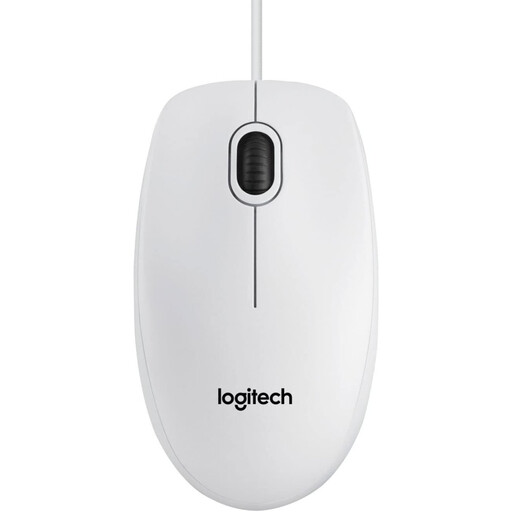 Image unavailable
A wired connection suits testing on one laptop when avoiding pairing and battery management matters more than keeping the desk cable-free.
Check that the laptop has a compatible USB port and that the mouse’s controls cover the clicks and scrolling in your test.
 Image unavailable
Its compact form and quiet-click description make it worth considering when the mouse will move between a student room and other study spaces.
Confirm the connection option for this M350 variant and whether its scrolling control suits the checkout pages you need to test. Do not assume it has the three-device switching specified for the different Pebble Mouse 2 M350s.
Choose Bluetooth if your laptop supports the mouse’s required version and keeping a USB port free matters. A receiver-based mouse needs a compatible available port; check the exact model rather than assuming every wireless mouse offers both connections.
Yes, if the laptop has a suitable port and you prefer not to manage pairing or batteries. Logitech describes its M100 as ready to use after USB connection, although a cable may be less convenient on a small desk or when carrying the mouse elsewhere.
Check its battery or charging needs and keep track of the receiver if it uses one. Follow the instructions for your exact model rather than assuming another mouse has the same battery type, connection method or battery life.
Treat a fault or a mouse that was misdescribed differently from a change of mind. GOV.UK identifies faulty, misdescribed and non-functional goods as grounds for a refund; for an unsuitable but otherwise conforming mouse, check the cancellation rights that apply to your purchase separately from any voluntary retailer return policy.
Use an appropriate electrical-waste collection route for the mouse and a battery collection route for removable batteries. GOV.UK advises against putting electrical products and batteries in household rubbish.